
I used to think CNC machining was just about pressing a button and cutting metal.
A cool machine. A few sparks. Job done.
That’s what I thought—until I visited a small furniture workshop in northern Vietnam.
The owner waved me over to this small CNC router, no bigger than a coffee table. I watched it cut perfect lines into wood panels, one after another.
Every groove was clean. Every piece fits just right. No sanding. No fixing.
He looked at me and said, “This used to take five workers a full day. Now one machine does it in a few hours.”
That hit me.
CNC wasn’t just for big factories or fancy tech teams.
It was something real. Something useful. Something anyone could use—with the right knowledge.
If you’re here wondering what CNC machining actually means—you’re in the right place.
I’ve been there too. Curious, but confused by all the complex diagrams and technical terms.
This guide is here to clear that up.
I’ll walk you through:
- What CNC machining is
- How it works
- The main parts that make it run
- And the many ways people use it
Whether you run a business, design products, manage sourcing, or build your own ideas—this guide will help you understand CNC clearly and simply.
Let’s start!
1. What Is CNC Machining?
I still remember watching my first CNC machine run. A solid block of aluminum went in… and a perfect part came out. No guessing. No measuring by hand. Just clean, precise cuts—over and over again.
So what is CNC machining?
It stands for Computer Numerical Control. In simple words, it means a computer tells a machine exactly how to move. Where to cut. How deep to drill. And how fast to go.
Once the file is loaded, the machine does the work—cutting, shaping, or drilling—without anyone standing over it.
CNC works on all sorts of materials:
- Metal
- Plastic
- Wood
- Foam and other soft materials
It’s a subtractive process. That means the machine starts with a solid block and removes material until the part is fully shaped—kind of like carving.
Here’s how the process usually goes:
- CAD (Computer-Aided Design): You create the design on a computer.
- CAM (Computer-Aided Manufacturing): Software turns the design into tool paths.
- G-code: A special code that gives step-by-step instructions to the machine.
- Setup: You load the material and tools, then adjust the machine.
- Execution: Press start, and the machine follows the plan exactly.
You run all of this through control software on a screen. That’s where you load files, change settings, and manage the job.
There are a few common CNC methods I’ve used:
- Milling: Cuts flat surfaces and 3D shapes.
- Turning: Spins the material while a tool cuts it. Great for round parts.
- Drilling: Makes fast, clean holes.
- EDM (Electrical Discharge Machining): Uses sparks to cut tough metals.
- Grinding: Smooths out surfaces and edges.
I’ve learned—sometimes the hard way—that each process has its purpose. Picking the right one saves time and gets better results.
2. Benefits of CNC Machining
One thing I love about CNC machining is how much it removes the guesswork.
Before I started using CNC, I had to deal with all kinds of little problems—parts that didn’t fit, sizes that were off, or batches where every piece came out a little different. That’s stressful when you’re working on a deadline or trying to impress a customer.
But with CNC? Things changed.
Let’s break down what makes CNC machining such a helpful tool.
Precision and Repeatability
CNC machines can hit tight tolerances—often up to ±0.01mm. That’s thinner than a human hair.
Once a program is set, the machine can run the same job over and over with the same result. Whether you’re making a single prototype or a batch of 500 parts, they’ll all match.
This kind of consistency gave me peace of mind, especially when a part had to fit just right.
Efficiency and Speed
Compared to doing it all by hand, CNC machining is fast.
Once the setup is done, the machine cuts, drills, and shapes without stopping or slowing down. This makes it great for:
- Rapid prototyping
- Short production runs
- High-volume orders
I’ve had urgent jobs where I needed parts the next day. CNC made that possible.
Material Versatility
CNC isn’t just for metal.
You can use it with:
- Aluminum, steel, brass
- Plastics like ABS, nylon, or POM
- Wood and foam for lighter or custom projects
Having that flexibility helped me try different materials without changing the process too much.
Lower Risk of Human Error
Let’s be honest—everyone makes mistakes. I’ve misread measurements. I’ve drilled holes in the wrong place.
CNC takes that pressure off. Once the file is checked and loaded, the machine follows it exactly. This is especially helpful for parts that matter—like ones used in medical tools or aerospace parts where errors aren’t an option.
Whether you’re building a prototype or a full production run, CNC gives you more control, more speed, and less stress.
3. Common CNC Machine Types
When that client asked me about injection molding, I knew they were stressed. They needed clean, accurate parts fast. But what they really needed—was the right machine.
That’s where CNC machining came in.
But even then, they weren’t sure which type of machine did what. And honestly, I get it. I was confused at first too. CNC can sound complicated, but once you understand the machine types, it starts to make sense.
Here’s a simple breakdown to help you figure it out.
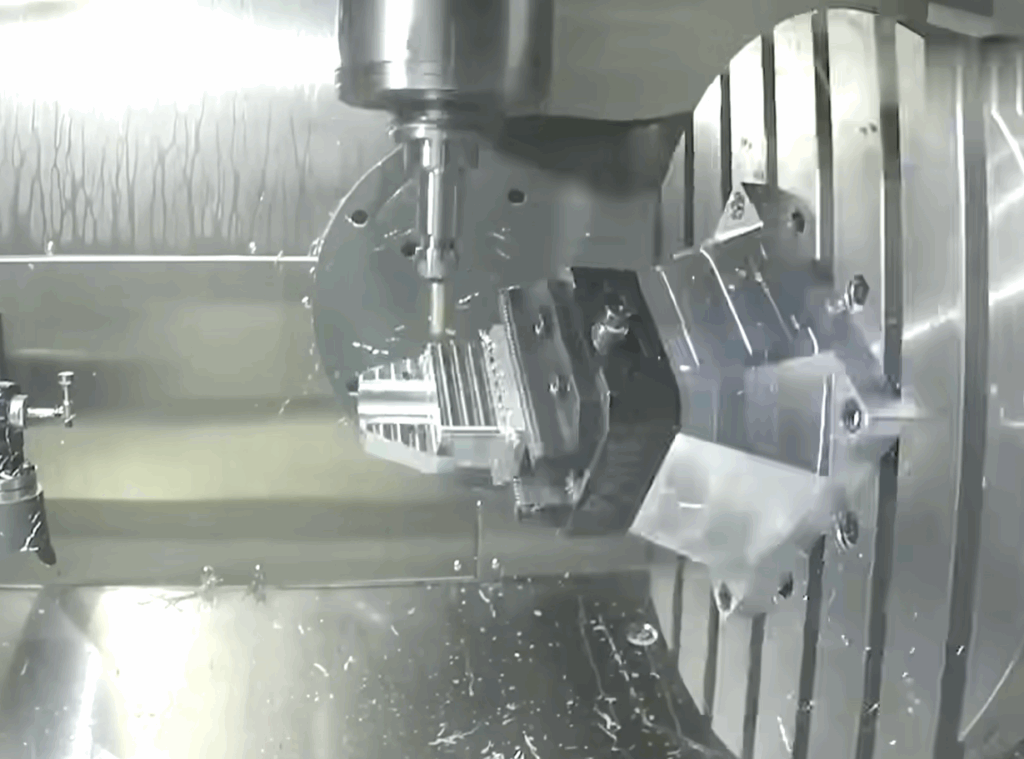
CNC Milling Machines
These are some of the most common CNC machines out there.
They cut material using a spinning tool. The material doesn’t move—just the tool.
You’ll hear people say “3-axis,” “4-axis,” or “5-axis.” That just means the tool can move in more directions.
Here’s what that looks like:
- 3-axis: Up and down, side to side, front to back
- 4-axis: Adds rotation around one axis
- 5-axis: Adds another rotation, so the tool can tilt and turn
It’s like carving a block of wood.
With 3-axis, you’re cutting one side at a time.
With a 5-axis, you can shape it all around it—without flipping it over.
We used a 5-axis machine for that client’s aluminum parts. It handled the tricky angles in one setup—and saved hours of work.
CNC Lathes
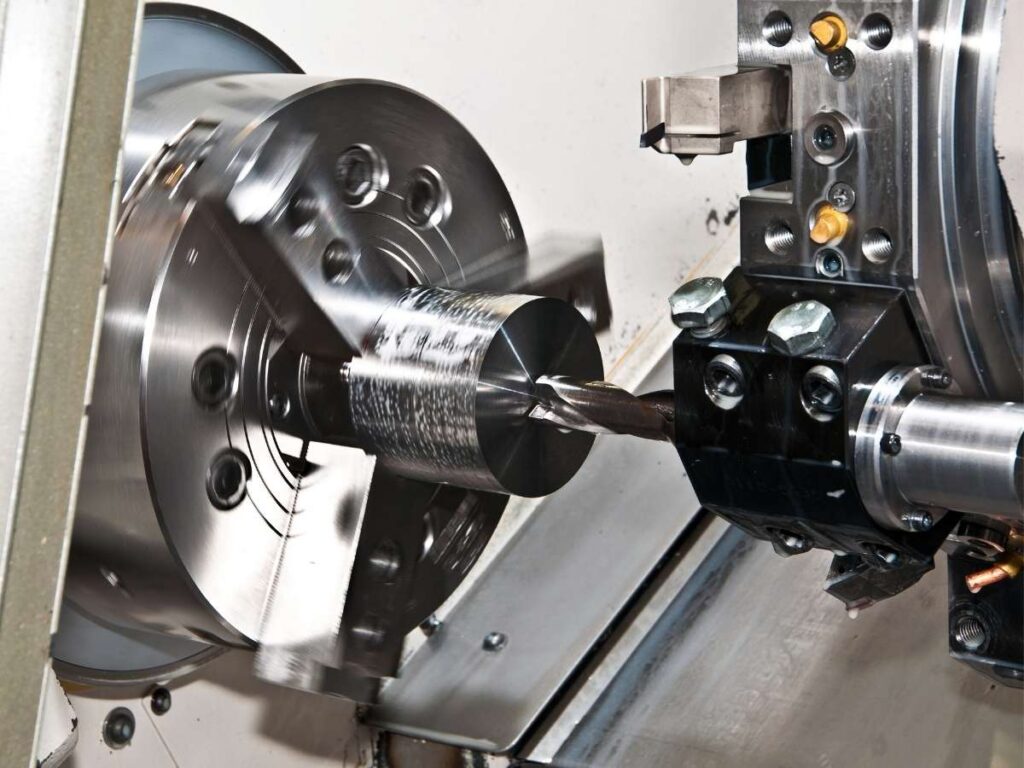
Lathes work differently. Instead of moving the tool, the material spins.
It’s like a clay wheel—but instead of shaping clay, you’re cutting metal or plastic.
Lathes are great for anything round:
- Tubes
- Rods
- Rings
- Spacers
I’ve used them on parts that needed to be smooth, fast, and repeatable. They’re simple—and powerful.
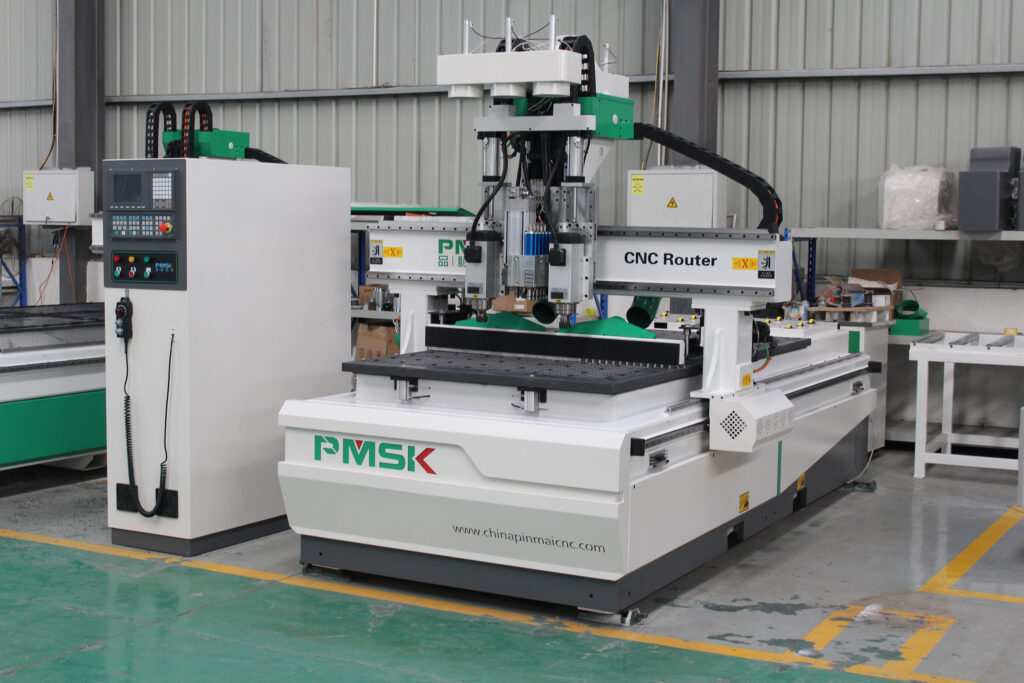
CNC Routers
Routers look like mills but aren’t as heavy-duty.
They’re better for softer stuff, like:
- Wood
- Foam
- Plastics
I’ve used routers to cut custom signs, display boards, and even packaging pieces. If you’re doing creative or decorative work, routers can be a great option.
CNC Plasma, Laser, and Waterjet Cutters
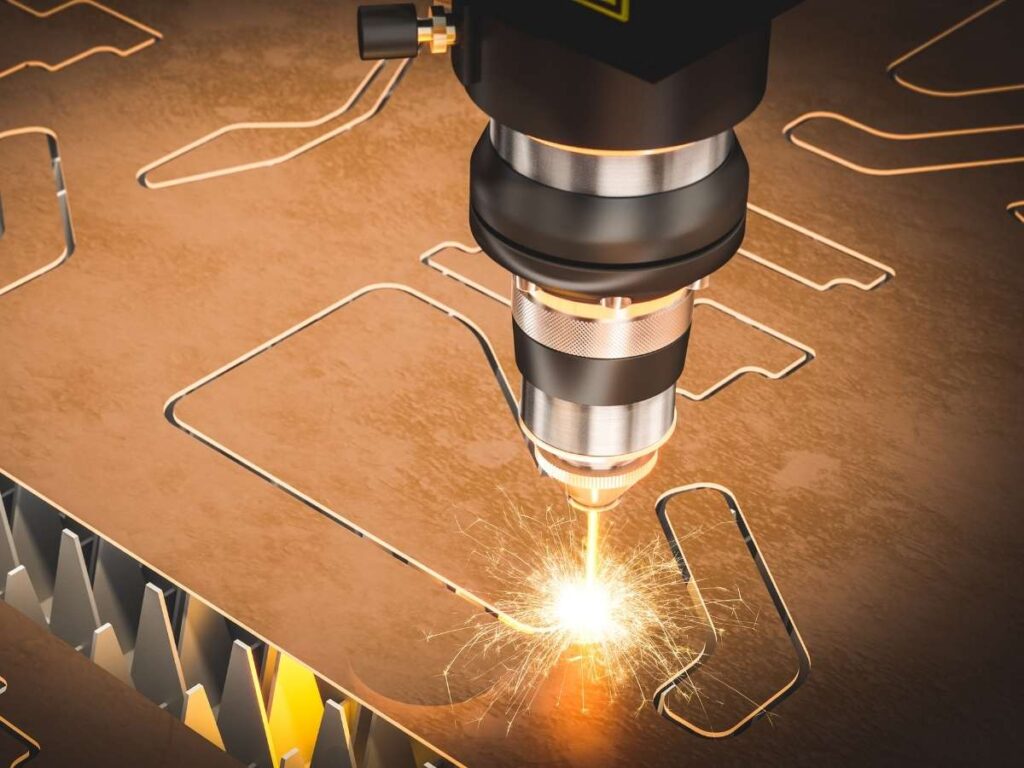
These don’t use a cutting bit. They cut with:
- Super hot plasma
- Laser beams
- Or high-pressure water
They’re usually used on flat materials—like sheet metal, acrylic, or tile. They’re great for 2D shapes, but not for deep or detailed 3D parts.
I once used a waterjet to slice through thick steel plates. Clean edges. No heat marks. But it wouldn’t work for tight corners or deep pockets.
Picking the right machine depends on your part shape, material, and how exact you need it to be.
If you’re feeling unsure, that’s okay. I’ve helped others figure this out—and I’d be glad to help you too.
4. Industry Applications of CNC Machining
CNC machining isn’t just for big factories.
I’ve worked with all kinds of clients—some building medical tools, others just trying to make a custom part for their garage setup.
And honestly, CNC shows up in more places than most people realize.
Let me walk you through where I see it used most.
Electronics
CNC is a huge help in the electronics industry.
Parts like:
- Heat sinks
- Housings
- Enclosures
All needs to be precise. Many are cut from aluminum or copper, which are great at moving heat away from sensitive components.
I had one customer who needed tiny copper brackets—thin as a coin but had to fit perfectly. We used CNC milling to hold tolerances tight. It worked like a charm.
Medical
CNC machining plays a big role in healthcare, too.
Think:
- Surgical instruments
- Implants
- Medical device covers
These parts are often made from stainless steel or titanium—strong metals that won’t rust or cause problems inside the body.
I once worked on titanium pieces for a lab. They weren’t just precise—they had to look clean and smooth. CNC helped hit both marks.
Automotive and Aerospace
Here, CNC is all about strength and accuracy.
You’ll see it used on:
- Engine parts
- Brackets
- Frame pieces
Planes and cars need parts that meet exact standards. One wrong cut could mean a failure. That’s why CNC is trusted—because it gets repeatable results.
Automation and Robotics
This is where a lot of cool prototypes come from.
I’ve worked on:
- Custom brackets
- Frames
- Sensor mounts
CNC works great for low-volume parts when you’re testing an idea or building something new.
Had a robotics startup come to me once. They needed just five mounts—but needed them fast. We had them done in two days
Furniture and DIY Projects
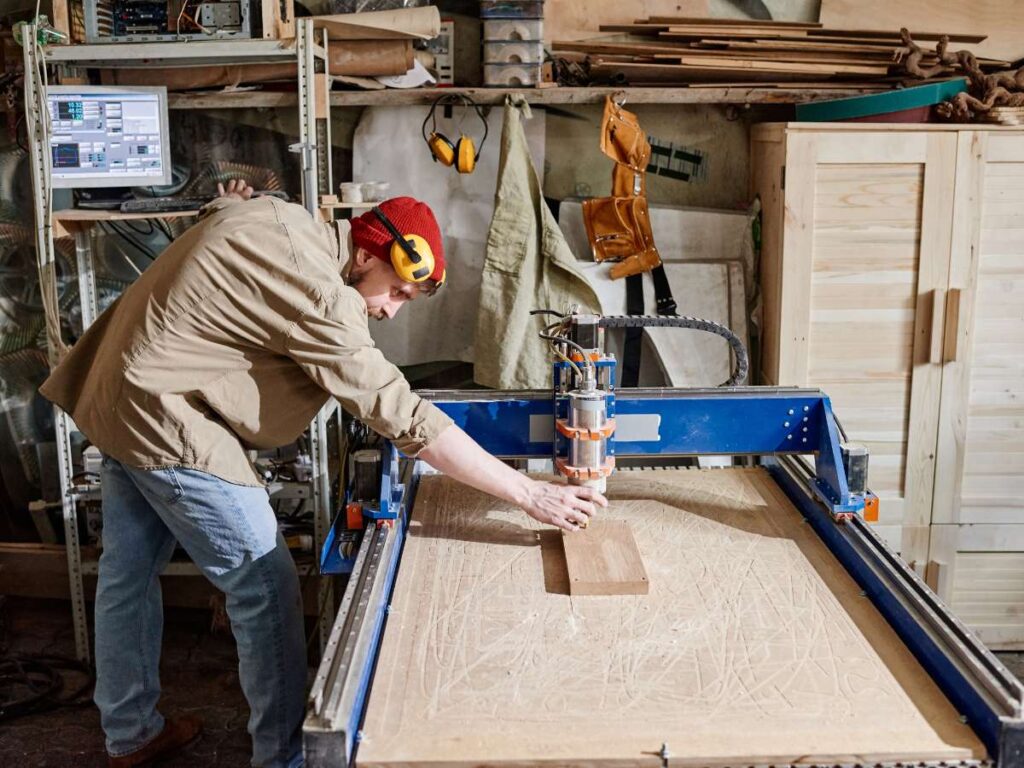
Don’t forget the creative side of CNC.
Routers are great for:
- Signs
- Panels
- Custom furniture pieces
I’ve cut plywood wall art, logo signs, and even decorative screens for small studios.
If you’ve got a design in your head, CNC can help bring it to life.
So—where do you fit in?
Whether it’s for function, form, or both, CNC has a place. And if you’re not sure how it applies to your idea, I’m happy to talk it through.
5. CNC Machining vs Other Manufacturing Methods
I’ve tried nearly every method out there—manual tools, 3D printers, injection molds. Each one has its place. But if you’re not sure which one is right for your job, it helps to compare them side by side.
| Method | How It Works | Best For | Pros | Cons |
| CNC Machining | Subtractive process: cuts material from a solid block using computer-controlled tools. | Functional parts, prototypes, custom components, tight tolerances. | – High precision (±0.01mm or better) – Strong materials like metals and plastics – Repeatable results – Works for small to mid-size batches | – More material waste – Slower than molding for large volumes – Setup cost for short runs |
| 3D Printing | Additive process: builds parts layer by layer using filament, resin, or powder. | Early-stage prototyping, complex shapes, visual models. | – Fast design iterations – Great for intricate or hollow shapes – Lower material waste | – Parts are usually weaker – Limited surface finish – Not ideal for structural use |
| Injection Molding | Injects molten plastic into a metal mold, which cools and forms the part. | High-volume plastic parts, mass production. | – Very low cost per part (at high volume) – Fast cycle time after setup – Consistent finish | – High upfront cost for molds – Long lead times for tooling – Less flexible for design changes |
| Manual Machining | Machinist operates tools by hand to shape the part. | One-off parts, repairs, very small batches. | – Low initial cost – No need for CAD/CAM – Good for simple shapes | – Less accurate – Inconsistent results – Time-consuming for complex parts |
6. Challenges and Limitations in CNC Machining Process
CNC machining is powerful, but it’s not perfect.
I’ve worked on projects where everything looked good on paper—then the real-world process hit a wall. Maybe the part was too complex. Maybe the setup took too long. Or sometimes, it just cost more than the client expected.
Let’s look at a few common challenges I’ve seen again and again.
Setup Time and Cost
Before the machine can cut anything, there’s prep work.
That means:
- Writing a CAM program (that’s the code that tells the machine what to do)
- Setting up fixtures to hold your part in place
- Double-checking tool paths
This takes time—and skilled labor. For one-off parts or small batches, setup can cost more than the part itself.
I had one client who only needed five custom plates. By the time we finished setup, they asked, “Wait, why does this cost so much?” That’s why CNC is better suited for repeat runs, not single parts—unless quality really matters.
Geometric Limitations
CNC can do a lot—but not everything.
Some shapes are hard to reach with a spinning tool. Like:
- Tight inside corners
- Deep pockets
- Overhangs
We often need to run a part in multiple setups, or use specialty tools to get it right. I’ve done it—but it takes time, skill, and sometimes extra cost.
Material Waste
CNC is a subtractive process. That means it cuts away material to make your shape.
Compared to 3D printing or casting, it creates more scrap.
I’ve filled bins with aluminum chips after a big run. If material cost is a concern, this is something to think about.
Learning Curve for First-Time Users
If you’re new to CNC, the software side can be confusing.
You’ll likely need to learn CAD (designing the part) and CAM (creating the toolpath). Some programs are easier than others. For beginners, I recommend:
- Fusion 360 (free for hobby use)
- Carbide Create (good for routers)
- Or working with a shop that can handle it for you
Every process has trade-offs. CNC gives great results, but it helps to know what you’re getting into. And if you’re not sure, just ask. I’ve made these mistakes already—so you don’t have to.
7. 6 Tips When Choosing CNC Machining Services
I’ve had clients come to me after trying three different suppliers—none of whom delivered what they expected.
Parts came back scratched. Holes were off. Deadlines slipped. One customer even said, “I didn’t know what questions to ask until it was too late.”
If that’s you, don’t worry. Here are some tips to help you choose the right CNC machining service from the start.
Define Your Project Needs First
Before reaching out to a supplier, get clear on your needs.
Think about:
- Quantity (how many parts?)
- Material (aluminum, steel, plastic?)
- Tolerances (how exact do the parts need to be?)
- Surface finish (smooth, matte, coated?)
- Lead time (when do you need them?)
Also, make sure you have a usable design file. Most shops work in .STEP or .IGES formats. If you’re not sure what you have, ask your designer—or your supplier.
ISO-Certified Manufacturer
Not all machine shops follow the same standards.
Choosing one with ISO 9001 certification means they’re serious about quality control. At MachMaster, we’ve built our process around it. Every part gets tracked, measured, and double-checked before it leaves the shop.
It doesn’t mean mistakes never happen—but it does mean there’s a system in place to catch them.
Evaluate DFM Support
DFM stands for Design for Manufacturability.
A good shop will check your files and suggest improvements before cutting anything. I once caught a missing hole size on a customer’s drawing—it saved them time and money.
If a supplier never gives feedback, that’s a red flag.
Lead Times and Capacity
Some shops can handle prototypes but struggle with larger runs.
Ask up front:
- How fast can they deliver?
- Can they scale up later?
If your part grows into a bigger order, you’ll want a shop that can keep up.
Surface Finish Options
The finish affects how your part looks and feels—and sometimes how it works.
Ask if they offer:
- Anodizing
- Powder coating
- Polishing
- Bead blasting
I once had a client skip the finish to save money. The part worked fine—but it looked rough. They ended up reordering with anodizing.
Check Supplier Communication
This is one thing I never overlook.
You want a supplier who replies fast, answers clearly, and keeps you in the loop. At MachMaster, we treat communication as part of the job—not an extra.
I’ve seen too many good designs get delayed just because someone didn’t follow up. If a shop’s slow to reply now, they’ll probably be slow when problems pop up too.
Conclusion
Remember that machine carving wood in Vietnam?
That moment changed how I thought about CNC.
Not because it looked fancy—but because it worked. Simple. Clear. Smart.
You’ve now seen how CNC works, what it does, and how others use it every day.
This is your starting line.
Not the end.
You’ve got the knowledge.
Now it’s time to apply it.
Contact us today and take that first step.
Dive Deeper Into Our Resources
Looking for more diverse service options? Browse through our handpicked selections:
For some insightful reads, we’ve curated a list of recommended articles just for you:
CNC Machining Fundamentals:
- How Does CNC Machining Work?
- What Is CNC Technology?
- Top 10 Types of CNC Machining You Should Know
- The Pros and Cons of CNC Machining
Prototyping & Applications:
- CNC Machining Prototype: What You Need to Know
- CNC Machining Prototyping: What You Must Know
- Top 8 Industries Using CNC Machining
Precision & Tolerances:
- CNC Machining Tolerances: What You Must Know
- What is CNC Machining Precision?
- What Is Precision Machining?
Still haven’t found what you’re looking for? Don’t hesitate to contact us. We’re available around the clock to assist you.