
Have you ever held a laser-cut part and wondered, “How do they get it so clean, so precise?” I remember thinking the same thing the first time I walked into a small metal shop.
The machines moved with such accuracy, it almost felt like watching art in motion. But it wasn’t magic—it was smart design paired with laser cutting.
Over the years, I’ve worked closely with shop owners, engineers, and buyers. I’ve seen what works, what gets scrapped, and what turns into solid, usable parts.
Maybe you’re running a business and looking for design inspiration. Or maybe you’re sourcing parts and want better insight into what’s possible. Either way, you’re here because you want practical, no-fluff ideas that actually work.
This guide will walk you through 10 useful sheet metal laser cutting design ideas.
By the end, you’ll feel more confident in your choices—and ready to move forward with better results.
Let’s get started!
Quick Chart
Before diving into each design in depth, here’s a quick overview of all 10 ideas. Think of this as a highlight reel—a glimpse of what’s ahead.
| Design Idea | Why It Works | Design Tips |
| Slotted Tab-and-Slot Assemblies | Helps with self-alignment and supports automation for quicker assembly. | Add clearance, round internal corners, and label tabs for faster fit. |
| Bend Relief Cuts | Releases internal stress and prevents cracks on tight bends. | Match relief to bend radius and test cuts on scrap first. |
| Perforation Patterns | Improves airflow and reduces weight while adding visual appeal. | Keep spacing wide, use simple patterns, and avoid edge distortion. |
| Finger Joints for Sheet Enclosures | Locks corners tightly and boosts structural strength. | Balance tab spacing, match to thickness, and mind cut orientation. |
| Hinged and Living Hinge Designs | Creates flexible flaps using cut geometry—no hardware needed. | Use narrow slots, check metal type, and support hinge zones. |
| Snap-Fit Tabs | Allows tool-free assembly with natural tension. | Test tab flexibility, use tapered slots, and add notches. |
| Decorative Cutouts and Custom Branding | Enhances brand visibility and adds functional aesthetics. | Use bold fonts, avoid weak spots, and test details on scrap. |
| Fold Lines with Half-Depth Cuts | Guides precise manual bending with fewer tools. | Control depth, mark bend direction, and reinforce nearby areas. |
| Assembly Guides and Marking Etches | Reduces confusion and speeds up off-site assembly. | Use light etching, clear symbols, and align marks with bend lines. |
| Nested Sheet Layouts | Saves material, lowers cost, and increases yield. | Rotate parts, use shared edges, and preview layouts in software. |
Ready to go deeper? Let’s break down each design, one at a time, and see how they can help your next build.
1. Slotted Tab-and-Slot Assemblies
Fitting metal parts used to feel like guesswork, always adjusting, never quite lining up. I wasted time on every setup.
Then I tried slotted tab-and-slot assemblies. The tabs guided each piece perfectly, making welding faster and setups more confident.
Why it Works
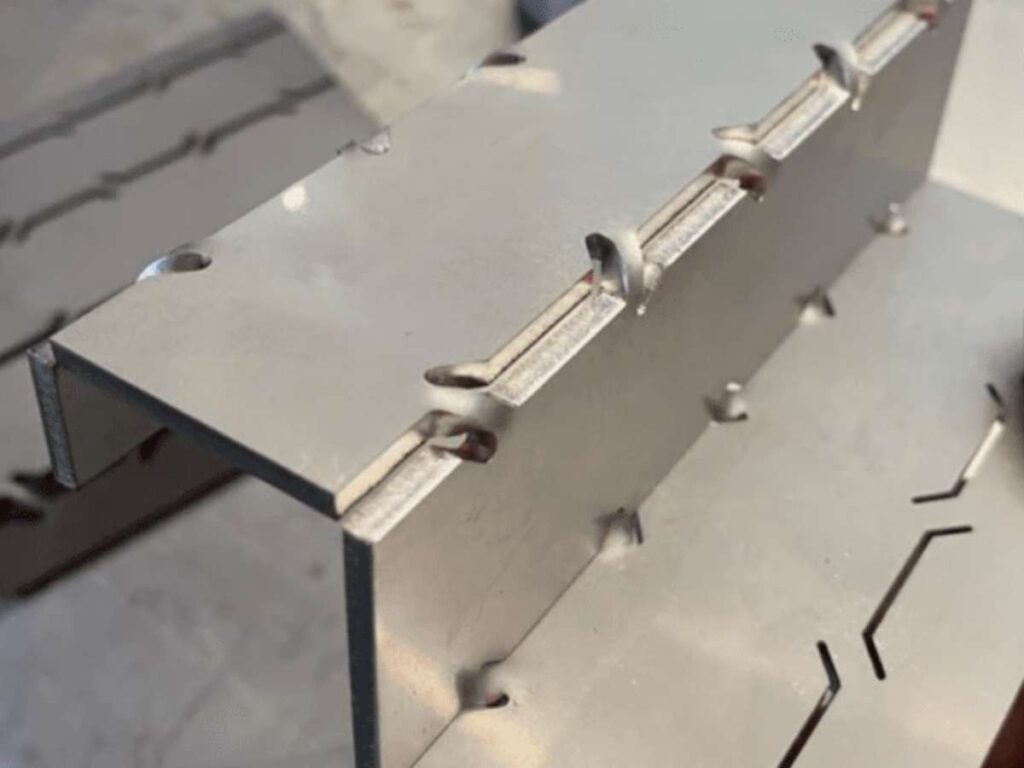
- Helps With Self-Alignment: Parts align themselves naturally, which cuts down on measurement errors.
- Speeds Up Assembly: Since tabs guide the fit, assembly time drops, especially in batch production.
- Cut Down on Jigs and Clamps: Don’t need external fixtures to hold pieces in place while welding or fastening.
- Adds Structural Strength: Properly designed tab connections add load support and help transfer stress across joints.
- Supports Automation: Designs with consistent tab-and-slot fitment are easier to scale with robotic assembly.
Design Tips
- Leave Clearance: Ask your supplier to aim for 0.1–0.2 mm clearance based on material thickness and laser kerf. Too tight and it won’t fit; too loose and it wobbles.
- Use Rounded Corners: Add “dog bone” fillets to the internal corners to prevent burn-through and sharp inside corners.
- Avoid Too Thin Tabs: Tabs thinner than material thickness may warp or snap during handling.
- Watch Tab Placement: Tabs near bends should be adjusted to prevent interference during folding.
- Label Slots: Consider adding etch marks to show which tabs go where—it they save time during build.
This method changed the way I build sheet structures. On a recent tool cart build, everything locked in place without clamps or fuss. The whole thing came together faster, and I barely needed to double-check measurements. If you’ve been dealing with loose fits or slow setups in your project, give this a try.
2. Bend Relief Cuts
Bending used to give me trouble about cracks, warping, and bad angles ruined more parts than I care to count.
Adding bend relief cuts changed that. These small notches ease pressure, giving cleaner folds and fewer cracks every time.
Why it Works
- Reduces Internal Stress: Relief cuts allow metal fibers to move during bending, preventing internal stress that leads to cracks.
- Supports Tighter Bend Angles: Enables sharper bends that would otherwise risk material failure.
- Improves Edge Consistency: Bends are cleaner and more uniform across the full length.
- Minimizes Warping: Helps the material bend where intended rather than twisting unpredictably.
- Simplifies Tooling Setup: Reduces the pressure needed, making manual or small-press bending more reliable.
Design Tips
- Match Relief to Bend Radius: Relief cuts should be slightly wider than the intended bend radius to fully release tension.
- Extend Beyond Bend Line: Cut lines should go past the bend by at least 1.5 times the material thickness.
- Use Symmetry for Visual Parts: Keep reliefs symmetrical on both sides for parts that will be visible.
- Avoid Tiny Cuts: Too-small reliefs won’t serve their purpose and may become stress points.
- Check Material Behavior: Different metals respond differently—test the pattern on scrap first.
After cracking three sheets in a row on a box corner job, I added relief cuts out of frustration. That single fix made the bends smooth and fast and I haven’t skipped them since. It’s a small change that brings a lot of peace during folding.
3. Perforation Patterns
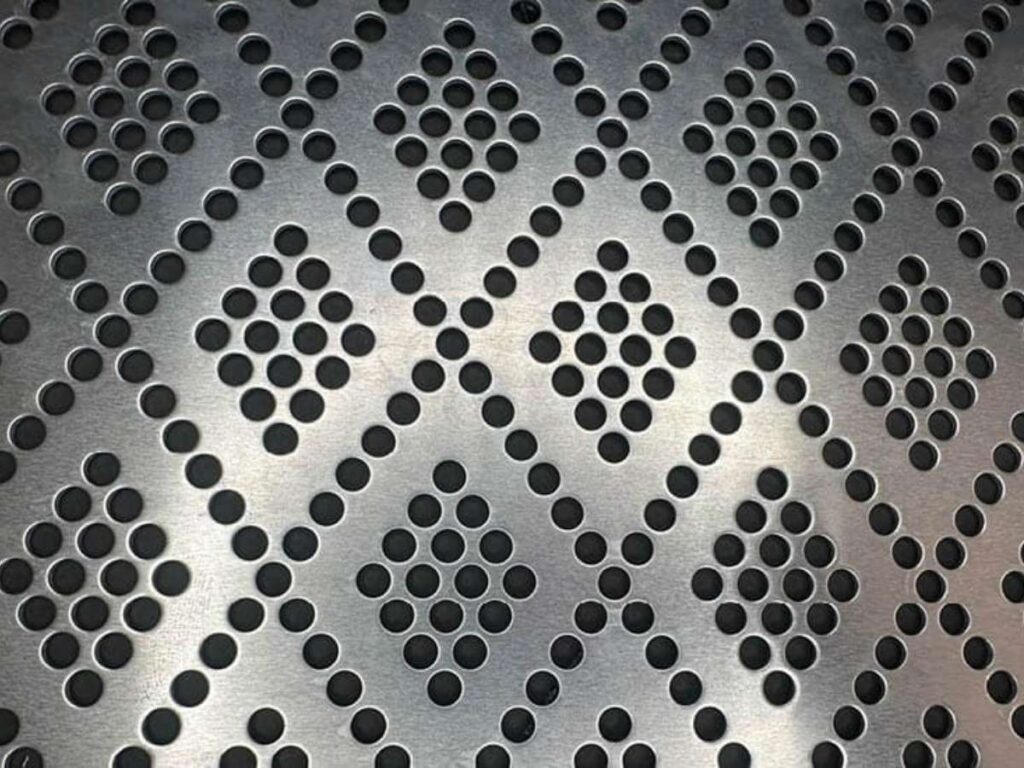
I once tried thinning a vent panel to reduce weight, but it turned out too weak. Perforation patterns offered a better way.
With rows or custom shapes, they cut weight, boost airflow, and give plain metal a more refined look.
Why it Works
- Improves Airflow Efficiency: Allows better cooling for enclosures, vents, and electronic housings.
- Reduces Overall Material Load: Maintains strength while cutting down on weight, useful for large parts.
- Offers Flexible Aesthetic Options: Can turn plain parts into something visually distinctive.
- Controls Light and Sound: Great for light filtering panels or acoustic control in architecture.
- Optimizes Functional Design: Useful in filtration, drainage, or grip-enhancing surfaces.
Design Tips
- Mind the Hole Spacing: Keep a gap of at least twice the material thickness between holes to prevent burn-through.
- Watch Edge Proximity: Stay clear of placing holes too close to the sheet edge—edges can distort from heat.
- Use a Consistent Layout: Grids or regular spacing make the cut faster and the pattern look professional.
- Keep Shapes Simple: Circles cut cleanest; avoid shapes with sharp corners unless necessary.
- Test on Scrap First: Small adjustments in spacing or pattern size can make a big visual and structural difference.
I used a hexagon pattern on an HVAC panel strong enough to hold, light enough to install without struggle, and it gave the whole unit a polished finish.
That one small design choice got more compliments than expected. It’s those small wins that make the process worthwhile.
4. Finger Joints for Sheet Enclosures
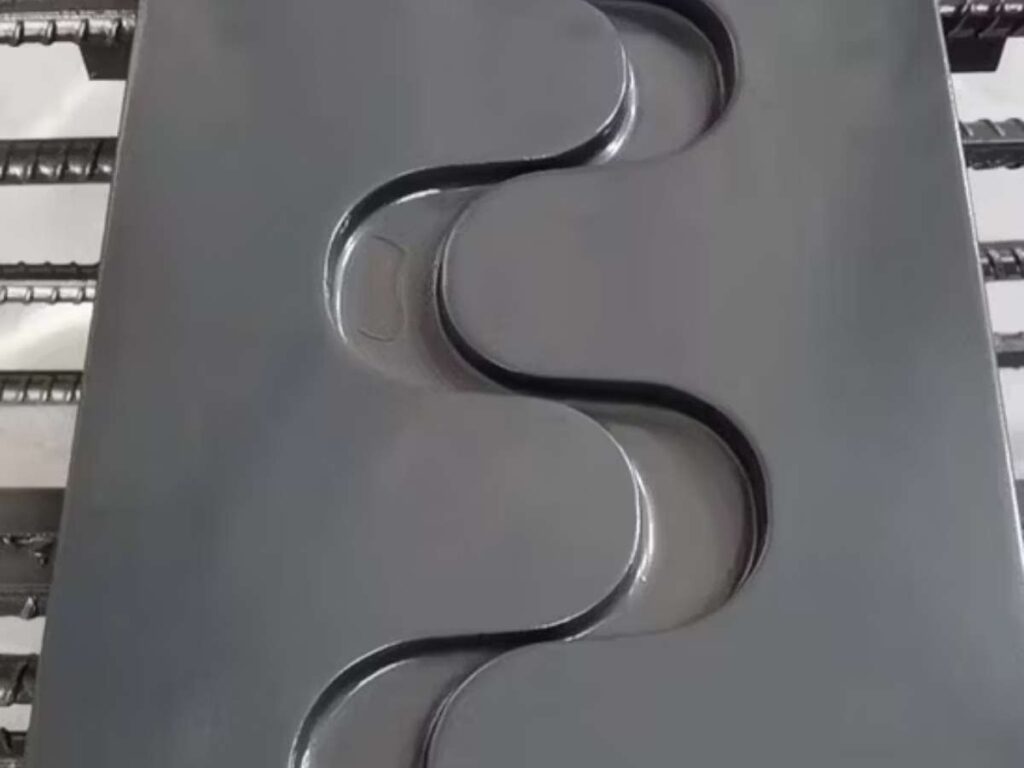
Finger joints changed how I build enclosures. I first used them on a custom case that needed tight, precise corners.
The interlocking tabs kept everything aligned and strong, making welding prep easier and faster than lap joints ever did.
Why it Works
- Secures Corner Fitment: The interlocking tabs keep edges flush and square during assembly.
- Maximizes Contact Area: Provides more bonding or welding surface than simple butt joints.
- Resists Shear and Pull Forces: Adds mechanical strength that holds up under vibration or tension.
- Improves Assembly Speed: Once aligned, parts stay in place with minimal adjustment.
- Simplifies Layout for Boxes: Makes panel orientation easier to plan in CAD and during cuts.
Design Tips
- Account for Kerf Width: Laser kerf removes material; subtract that from tab and slot widths.
- Balance Tolerances: A small gap (0.1 mm) helps tabs fit without sanding or force.
- Watch Tab Length: Keep tab lengths equal to or slightly shorter than material thickness to avoid overhang.
- Alternate Tab Positions: Offset tabs between layers for stronger corner joints.
- Label During Design: Indicate side orientations to avoid flipped parts during assembly.
If you’re designing panels, vents, or covers, a good perforation pattern can make a big difference. You’ll get a lighter, better-looking part that still holds up under use and it might even draw a few compliments.
If that kind of consistency sounds like what’s needed on an upcoming project, the team at MachMaster can help bring it to life—accurate cuts, smooth fits, and no guesswork.
5. Hinged and Living Hinge Designs
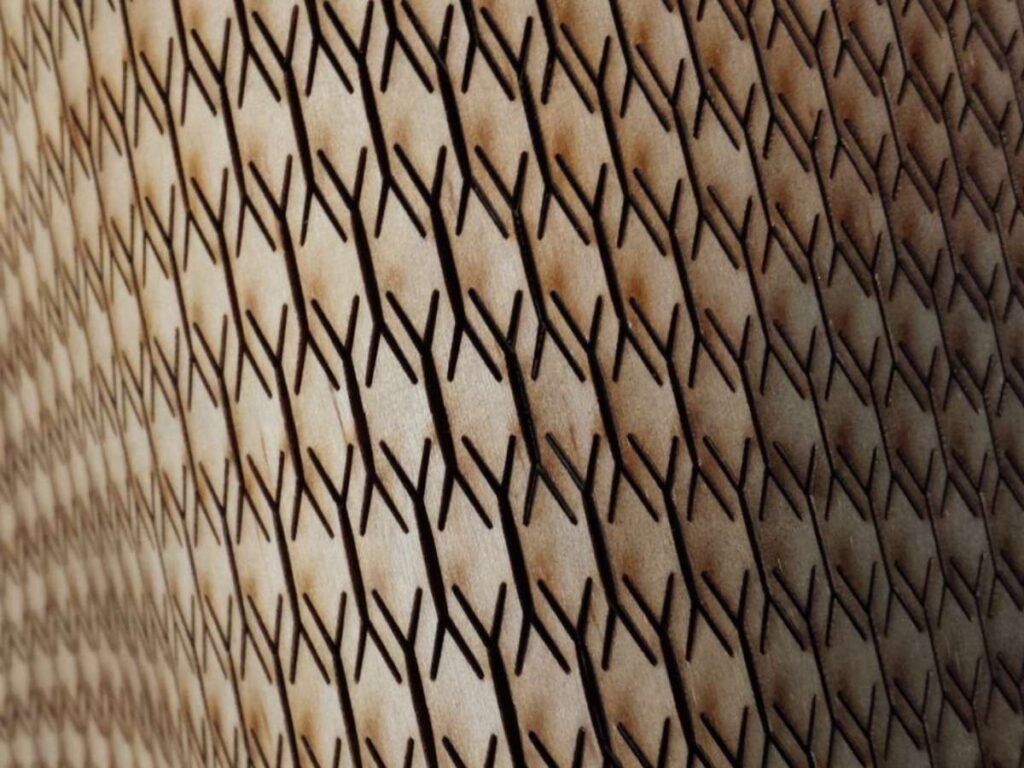
Some projects need movement, but adding real hinges can be too much. That’s where living hinges help—no parts, just smart cuts.
Small slots turn rigid metal into flexible flaps. It’s great for panels, lids, or covers needing motion without added cost.
Why it Works
- Enables Built-In Flexibility: Replaces mechanical hinges with smart cut geometry for bending.
- Saves Hardware Costs: No added components or assembly steps needed for motion.
- Supports Compact Designs: Ideal where space is limited or flat-packing is required.
- Reduces Assembly Time: Fewer moving parts mean quicker builds.
- Delivers Long-Term Reliability: Fewer breakable components means fewer failure points.
Design Tips
- Use Narrow Slot Arrays: Closely spaced cuts across the bend axis help the sheet flex consistently.
- Test Metal Type First: Thinner mild steel often works best; aluminum may crack.
- Mind the Bend Direction: Bending the wrong way can cause immediate failure—mark it clearly.
- Leave Support Zones: Don’t place hinges too close to critical mounting areas.
- Don’t Overuse the Hinge: Best for occasional motion—not repeated, heavy-duty bending.
When you get it right, a living hinge feels like smart design at work. A few clean cuts can turn a solid sheet into something that moves the way you need it to—without making things more complicated.
6. Snap-Fit Tabs
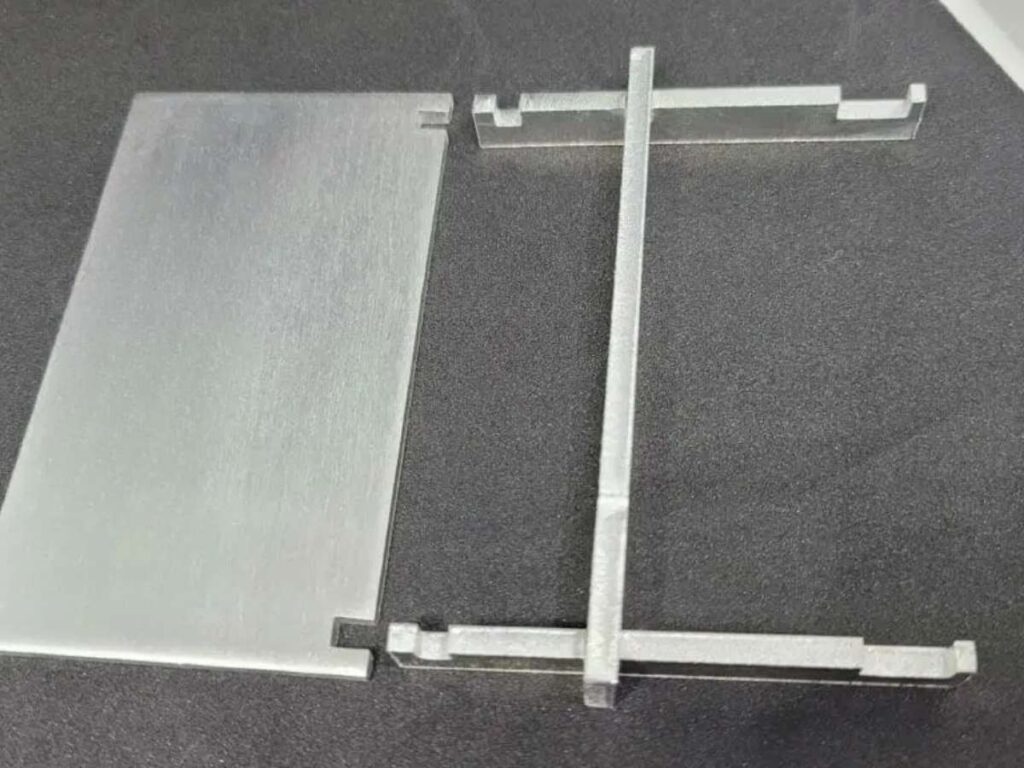
Snap-fit tabs let parts lock together without tools, welds, or screws—fast and clean. I used them on a flat-pack demo.
The tabs pressed into slots and held tight. Setup was quick, portable, and easy to assemble on-site.
Why it Works
- Enables Tool-Free Assembly: Fast and efficient, ideal when portability or on-site assembly is needed.
- Simplifies Prototyping: No need for hardware makes it easy to test and revise designs.
- Holds Firmly Under Light Load: Provides enough resistance to stay assembled without additional support.
- Minimizes Production Time: Fewer steps mean faster turnaround, especially for short runs.
- Supports Clean Aesthetic: No exposed fasteners keeps the exterior sleek and consistent.
Design Tips
- Add a Notch or Hook: A small feature at the end of the tab helps lock it into place.
- Adjust for Flexibility: Length, width, and shape of the tab all affect how it snaps in—test before finalizing.
- Use Tapered Slots: A slight angle on the receiving slot can ease insertion and improve grip.
- Mind Material Limits: Thicker metals may not flex well; choose tab locations carefully.
- Test with Scrap First: Each tab behaves differently depending on material and thickness—refining takes trial and error.
If you’re aiming for tool-free builds that are fast and clean, snap-fit tabs are worth exploring. Once you dial in the right design, everything clicks into place literally.
7. Decorative Cutouts and Custom Branding
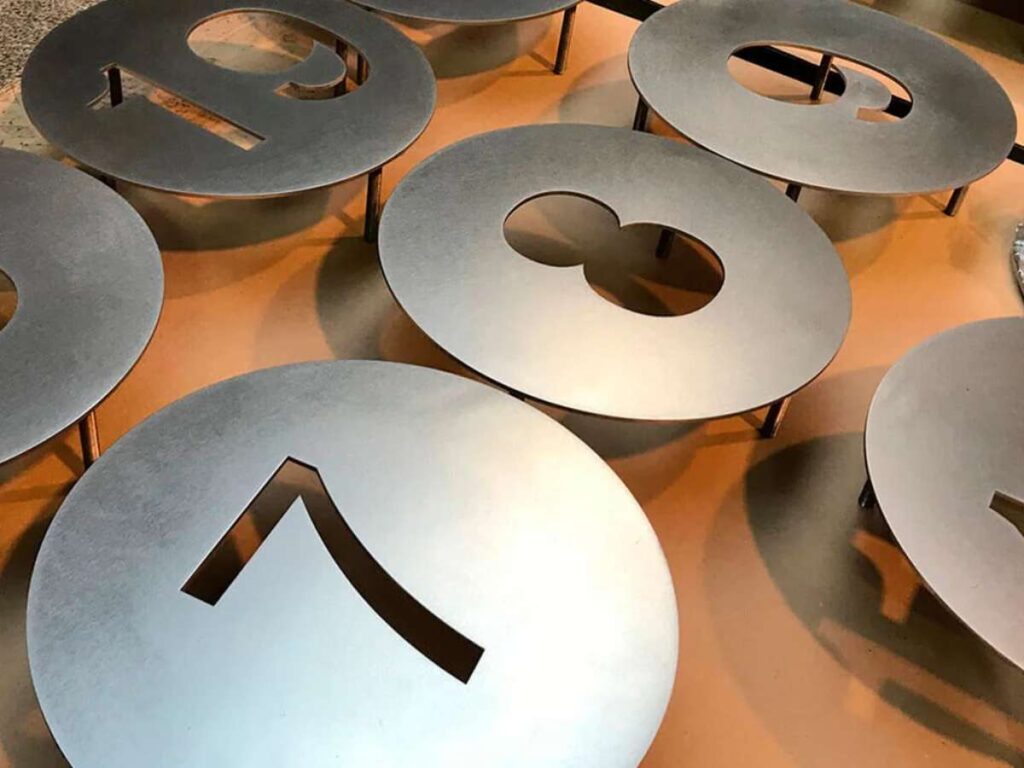
Laser cutting adds personality, not just function. I’ve seen a simple part stand out with just the right cutout or logo.
Names, patterns, or shapes turn plain metal into branded, eye-catching pieces that speak for themselves.
Why it Works
- Strengthens Brand Visibility: A logo or name built right into the part becomes instantly recognizable.
- Improves Aesthetic Appeal: Decorative elements break up large surfaces and make parts more engaging.
- Doubles as Functional Venting or Grip: Patterns can serve dual purposes—ventilation, traction, or light filtering.
- Eliminates Extra Labeling Steps: Etching or cutting details into the part saves time during assembly.
- Invites Customer Interaction: Custom touches tend to attract more attention in display and retail settings.
Design Tips
- Use Bold, Readable Fonts: Avoid ultra-thin lines or fine detail that could burn away during cutting.
- Mind Structural Integrity: Leave enough solid material around cutouts to preserve strength.
- Test Font Sizes on Scrap: What looks readable on screen may disappear when cut into steel.
- Stick to Simple Shapes: Overly complex logos or icons may distort; keep it sharp and minimal.
- Use Etching for Fine Detail: Combine cutting and engraving to handle complex designs cleanly.
During a maker fair project, I incorporated a client’s logo into each display panel. It wasn’t oversized or flashy—just clean and intentional.
When you add branding directly into your parts, you create something that people notice. A small, clean logo can leave a strong impression without needing labels, extra parts, or flash.
It wasn’t flashy or oversized just clean and integrated. The attention those panels drew proved how effective subtle branding can be when it’s built into the material itself.
8. Fold Lines with Half-Depth Cuts
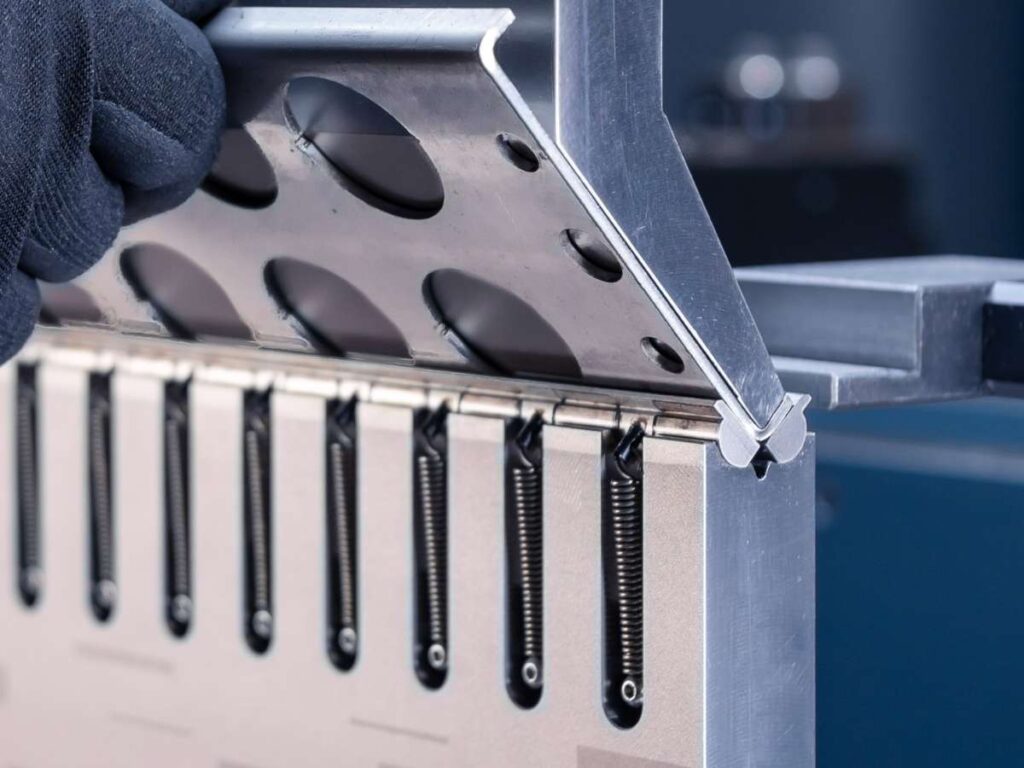
Half-depth cuts help guide clean bends when you don’t have access to a press brake or heavy tools.
Shallow grooves let you fold sheets by hand, great for small builds or quick prototypes that need fast shaping.
Why it Works
- Guides the Bend Location Accurately: The partial cut helps metal fold exactly where intended.
- Reduces Equipment Dependency: Eliminates the need for a large press brake on small runs.
- Improves Bend Uniformity: Minimizes distortion across longer folds.
- Speeds Up Prototyping: Quick to set up and easy to test across versions.
- Makes Small-Scale Projects Feasible: Great for in-house teams with limited tools.
Design Tips
- Control Cut Depth Carefully: Too deep weakens the fold; too shallow and the metal won’t bend properly.
- Use Consistent Cut Widths: Uniformity across the fold improves both look and performance.
- Reinforce Adjacent Areas: Leave uncut buffer zones around support points.
- Combine With Etching: Mark fold direction with a light etch to avoid bending the wrong way.
- Use Scrap for Testing: Fine-tune depth settings on offcuts to match material behavior.
Half-depth cuts give you control when tools are limited. A shallow groove might seem small, but it lets you build smart, flexible parts without slowing down your process.
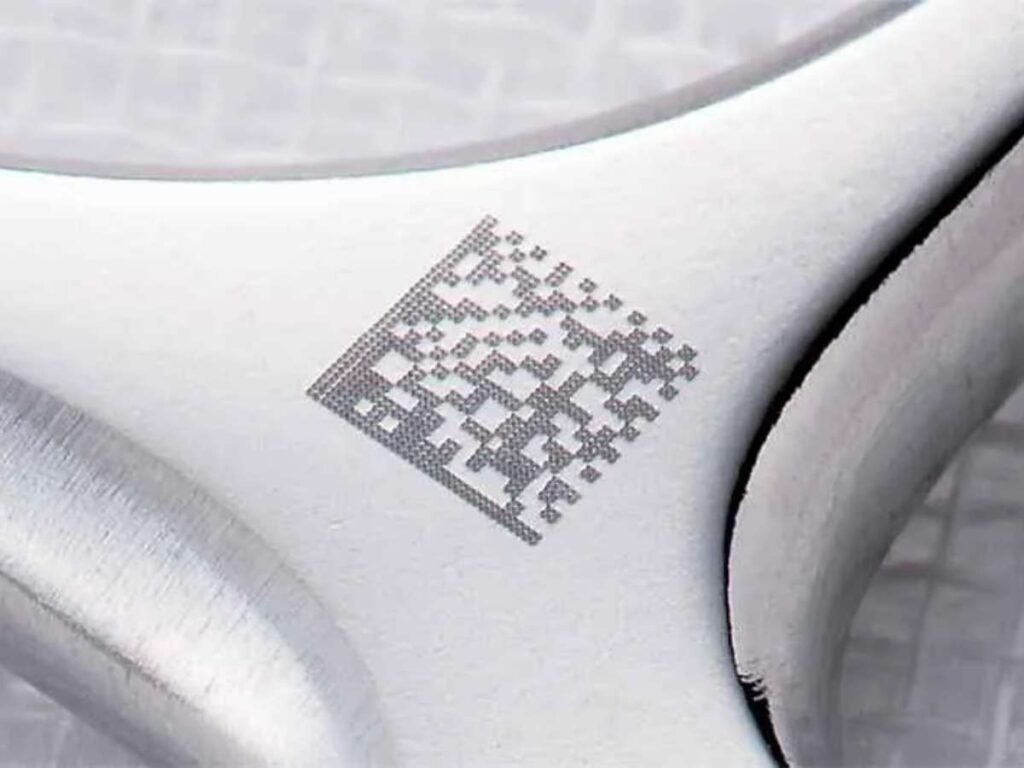
9. Assembly Guides and Marking Etches
Parts often get delayed just from confusion. Etched guides like arrows or labels fix that fast.
Once I started adding markings, builds got smoother and mistakes dropped—especially in kits and custom setups.
Why it Works
- Reduces Assembly Errors: Visual guides help eliminate confusion, especially on complex parts.
- Speeds Up Workflow: Workers don’t have to guess—fewer questions, faster progress.
- Improves First-Time Builds: Useful for new team members or one-off custom kits.
- Clarifies Orientation: Directional arrows or part labels prevent flipped or backward installs.
- Adds Value With Minimal Cost: Etching takes seconds during cutting but makes hours of difference later.
Design Tips
- Use Light Power Settings: Etching should mark, not pierce—too much power ruins appearance.
- Keep Text Simple and Legible: Stick with basic fonts and abbreviations that make sense during fast-paced assembly.
- Use Contrast If Needed: For painted parts, lightly burn through primer so etches remain visible.
- Add Bend Indicators: A simple line or angle cue near bends avoids wrong folds.
- Label Match Points: Matching symbols (like A-A, B-B) guide fast alignment in large assemblies.
Etching becomes second nature once you see the payoff. For off-site builds, it cuts errors and speeds up assembly.
At MachMaster, these marks guide both parts and teams proving that smart design goes beyond the cut to final fit.
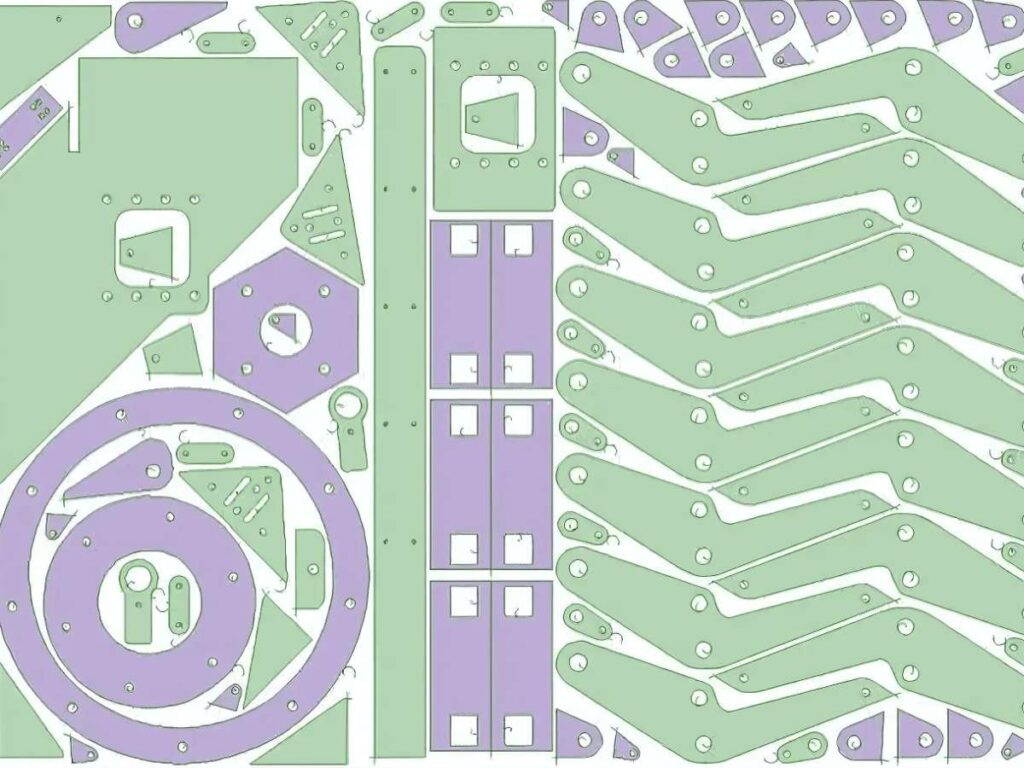
10. Nested Sheet Layouts
Nesting parts tightly on a sheet isn’t just efficient—it saves material, time, and money where it counts.
I’ve had jobs where one extra part per sheet meant staying profitable. That layout puzzle pays off in real value.
Why it Works
- Reduces Material Waste: Tighter placement of parts uses more of the sheet, leaving less scrap behind.
- Increases Output Per Sheet: More parts in each pass means fewer sheets required for the same job.
- Speeds Up Production Planning: Efficient layouts are faster to cut and easier to track in inventory.
- Improves Cost Efficiency: Lower material use translates into better margins per part.
- Supports Consistent Quality: Grouping similar parts together helps reduce variability during cutting.
Design Tips
- Rotate Parts for Better Fit: Angled parts often create tighter configurations than fixed orientations.
- Use Shared Edges Strategically: Adjacent shapes can sometimes share a laser path, saving both time and wear.
- Group by Process Needs: Keep parts with similar thickness and finish requirements together.
- Mind Sheet Grain Direction: Some metals have a grain—orient accordingly if it matters for bending or finishing.
- Preview in Nesting Software: Most CAD tools include nesting simulators—use them to find the best layout before cutting.
If you’re not already nesting your parts with care, now’s a good time to start. Fitting more into every sheet means better output, lower waste, and stronger results—sheet after sheet.
On a recent production run, I managed to fit 12 brackets into the space I previously used for just 9. It didn’t seem like much at first but after a few dozen sheets, the savings were hard to ignore. Nesting isn’t just a tidy layout trick, it’s a habit that pays off in the long run.
Conclusion
So, we’ve gone through 10 clever sheet metal laser cutting ideas.
From small details to bold features, each one can help your business stand out.
I’ve stood beside owners stressed over tiny flaws.
With these ideas, you can skip stress.
Ready to bring these ideas to life?
Don’t wait for the “perfect” moment.
Start applying them today.
Contact MachMaster today. We bring your designs to life—fast and precise!
Explore More of Our Resources
Want to learn more? Here are some articles filled with valuable tips and information to guide you further:
Still haven’t found what you’re looking for? Don’t hesitate to contact us. We’re available around the clock to assist you.