
I remember working on a project where the client needed a metal part with really tight measurements. They just said, “Use laser cutting.” That was it. No explanation.
I didn’t want to admit it, but I had no clue what that meant. I googled. I asked around. Still felt lost.
Now, after years of working with sheet metal and helping businesses get parts made right, I get it. And I want to help you get it too—without all the confusion I went through.
Maybe you run a factory. Maybe you’re designing parts. Or maybe you handle purchasing. Oh whatever your reason, you need to understand how laser cutting sheet metal really works.
This article will walk you through it all—what laser cutting is, how it works, the parts that matter, and where people use it.
By the end, you’ll feel clear and confident about laser cutting. That’s my promise to you.
Let’s jump in!
1. What Is Laser Cutting for Sheet Metal?
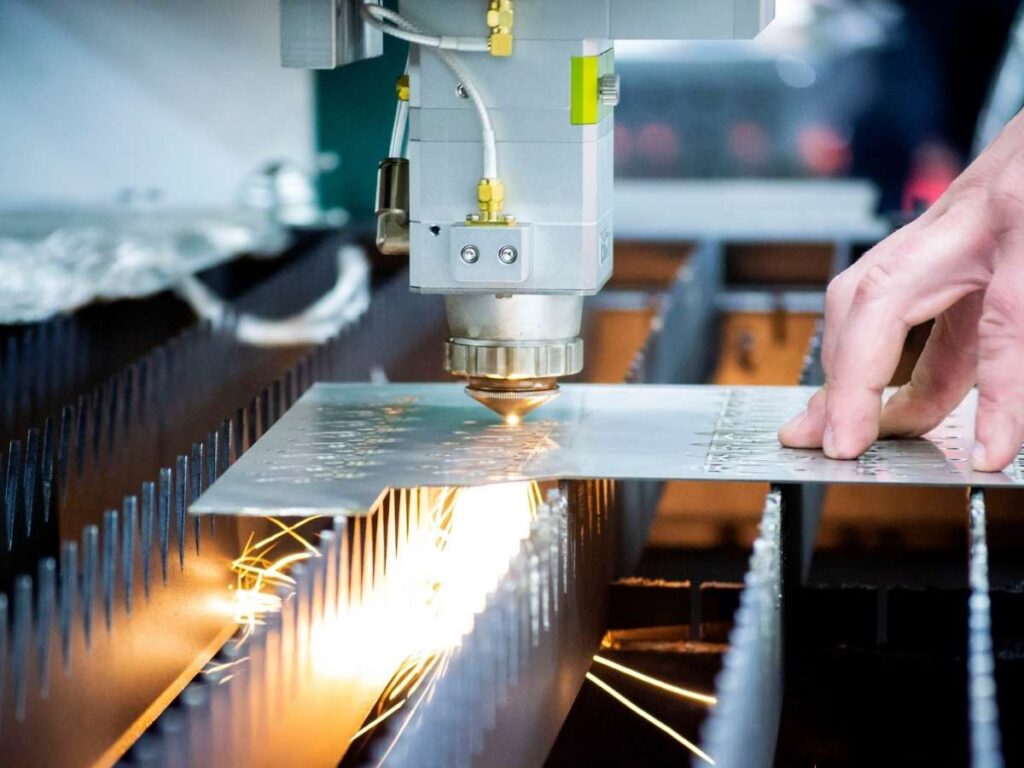
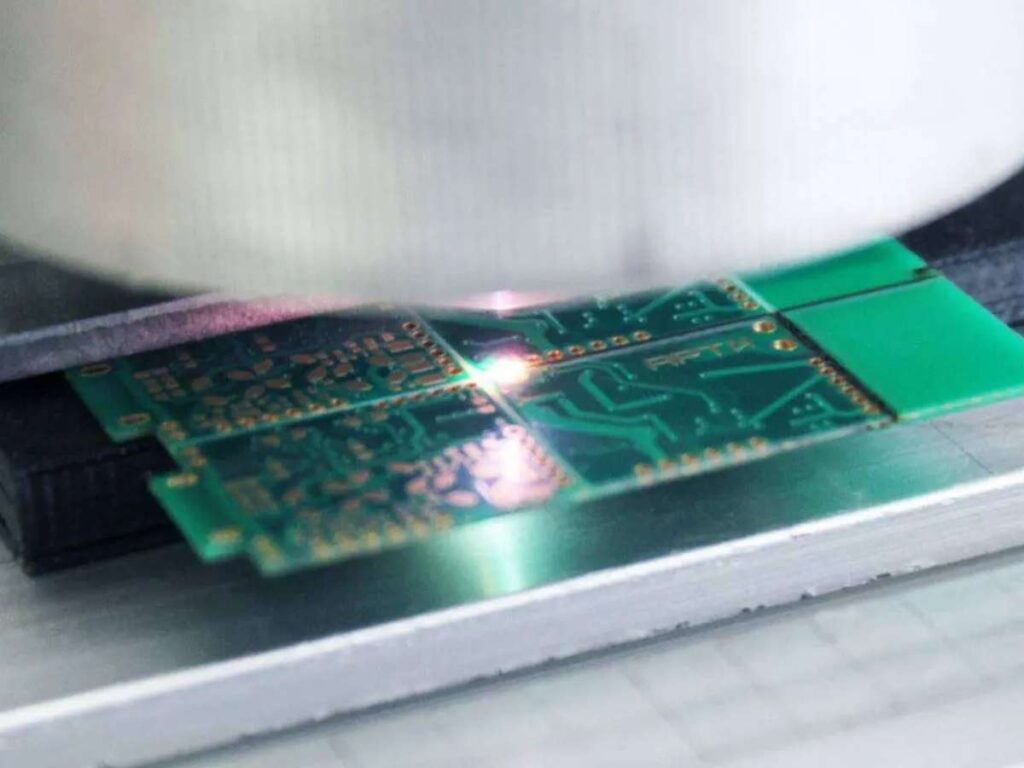
Laser cutting is a method that uses a focused beam of light to cut through sheet metal. No saws. No blades. Just intense heat directed by a machine that follows a computer file.
It’s fast, accurate, and can handle very detailed designs. But that doesn’t mean it’s always simple.
What surprised me the most at the beginning? The fact that the laser never actually touches the metal.
That felt strange at first. With other tools, there’s physical pressure. With laser cutting, the beam melts or burns through the metal while a gas—usually nitrogen or oxygen—blows the molten material out of the way. The result is a clean edge with very little clean-up needed.
Some of the benefits I’ve seen time and time again:
- Cleaner cuts – No blades = no tool marks
- Less wear – Fewer parts to replace or maintain
- More freedom – Can cut complex shapes that would be too hard by hand
I once worked on a project that needed tiny holes inside a curved bracket. No other machine could’ve done that job without weeks of prep. The laser finished it in less than an hour.
2. Advantages of Laser Cutting in Sheet Metal
Laser cutting has become a go-to method in many metal fabrication shops—and for good reason. It’s fast, accurate, and works across a variety of metals.
Whether you’re managing production or designing parts, understanding these benefits can help you decide if laser cutting fits your project:
Precise and Repeatable Cuts
Laser cutters follow your CAD file (computer-aided design) exactly. They’re not just accurate—they’re consistently accurate, even on complex shapes or tight tolerances.
It can easily cut:
- Sharp corners
- Fine slots
- Small logos or lettering
I once made a custom vent cover with a geometric pattern that would’ve been a nightmare with manual tools. The laser handled it cleanly—and every unit matched perfectly.
This is especially helpful if you’re working with parts that need to fit tightly or assemble without gaps.
Faster Turnaround Time
One of the biggest advantages is speed—not just during cutting, but across your whole process.
Laser cutting:
- Requires no tooling setup
- Switches designs with just a file upload
- Moves fast from prototype to production
This helps when you’re working:
- Against tight deadlines
- With frequent design changes
- On jobs that don’t have time for traditional setup delays
Less downtime. More productivity. That’s the goal.
Cost-Effective for Low-Volume
If you’re running a small batch or prototyping a new part, laser cutting can save you a lot of money.
- No need for custom dies or molds
- Easy design tweaks without new tools
- Great for one-offs, short runs, and quick revisions
We’ve used laser cutting to test bracket designs during a machine build. Each version was tweaked mid-week—and we didn’t have to stop the job or pay for new tooling.
This flexibility lets you explore ideas without blowing your budget.
From faster turnaround to cleaner cuts, laser cutting gives you the edge when precision, speed, and flexibility matter most.
3. Different Types of Metals Suitable for Laser Cutting
Not all metals behave the same when cut with a laser. Some respond well with clean edges and little effort. Others need extra care and fine-tuned settings.
Below are some of the most common metals used in laser cutting.
Mild Steel
Mild steel is one of the easiest and most forgiving metals to cut. It doesn’t reflect the laser and doesn’t melt too fast. That makes it a go-to material for many of your projects.
You’ll see it used for things like frames, boxes, machine parts, and more. The cuts come out clean, and even thicker sheets can be handled with the right laser. It’s also one of the most affordable options, which helps if you’re trying to stay on budget.
Stainless Steel
If your project needs a clean finish or rust resistance, stainless steel is a good choice. It’s common in food equipment, bathroom fixtures, signage, and even medical parts.
Laser cutters do well with stainless, especially when using nitrogen as the assist gas. This helps keep the edges clean and bright, without oxidation. I’ve seen people choose stainless just because it looks good straight off the machine.
Aluminum
Aluminum is light and commonly used in casings, brackets, and electronics. But it can be a little harder to work with during laser cutting.
Why? It reflects the laser beam and melts faster than steel. That means you’ll need to fine-tune the laser settings carefully. With the right approach, though, you can still get sharp edges and a clean finish. Just know it takes a bit more prep.
Copper and Brass
These two metals are attractive and functional—but tricky. They reflect a lot of the laser energy and absorb heat quickly. That’s a tough mix for most standard machines.
You’ll usually need a fiber laser to get clean results with copper or brass. It takes a bit of extra care, but it’s worth it when you need detailed parts for electronics, decorative plates, or plumbing fittings. One client of mine wanted a custom brass nameplate, and with a few setting tweaks, we got sharp, shiny results.
Choosing the right metal for laser cutting doesn’t just improve edge quality—it saves time, reduces rework, and delivers parts that perform as expected.
4. Process of Laser Cutting Sheet Metal
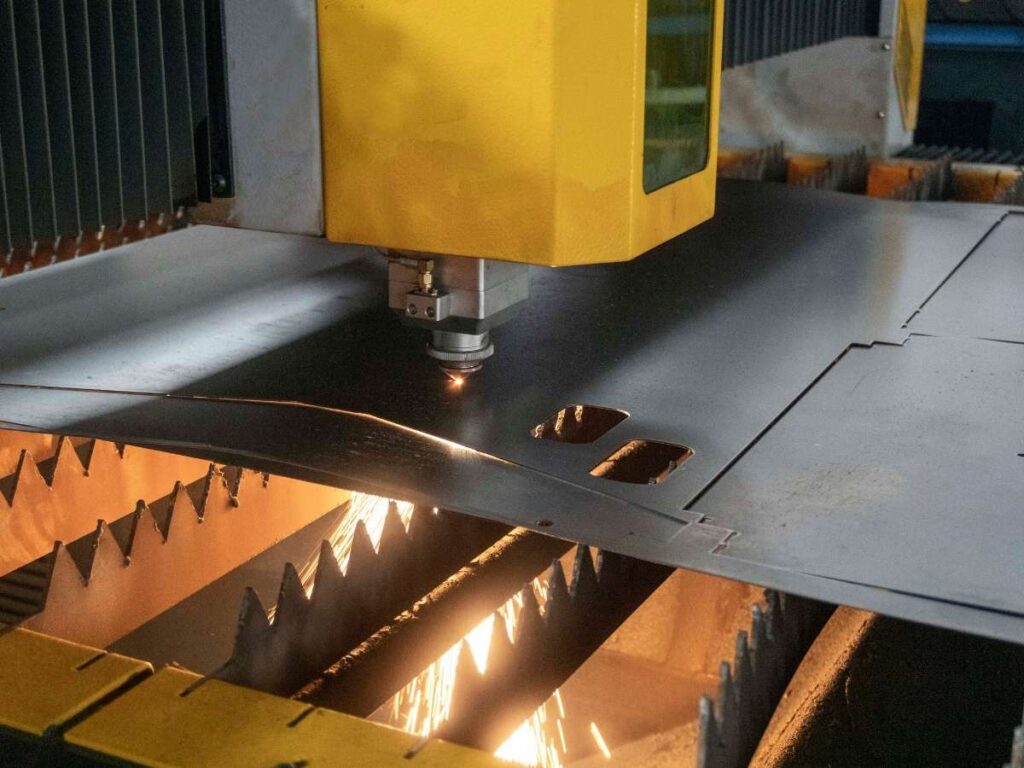
Laser cutting might look simple, but it’s a layered process. Every step—from design to final handling—matters more matters than most people think. A small mistake in the beginning can affect the final part.
Here’s a closer look at each step in the process.
Step#1 Design File Preparation
This is where the part begins—on the screen, not the shop floor. A clean, accurate design file tells the laser what to do.
- File Format Matters: Most machines use DXF or DWG files. Check with your shop before sending your drawing.
- Cut Path Planning: Lines should be joined and closed properly. Open paths or overlaps can confuse the laser.
- Layer Setup: Use different layers for cuts, etching, or engraving. This helps control what the machine actually does.
Step#2 Material Setup
Once the design is ready, it’s time to load the sheet metal onto the cutting table. This step looks basic—but it has a big impact on cut quality.
- Flatness Is Key: The sheet must sit flat. Any bending or warping can cause uneven cuts.
- Sheet Size and Thickness: Check that the sheet size matches the file. The thickness must match the laser’s settings.
- Positioning the Sheet: Make sure the material is aligned with the origin point of the laser. Misalignment leads to wasted material.
Step#3 Machine Configuration
The laser won’t cut right unless it’s told how to. Every material and thickness needs different settings.
- Laser Power and Speed: Thicker metals need higher power and slower speeds. Lighter metals need lower settings.
- Assist Gas Selection: Oxygen is often used for steel, while nitrogen keeps stainless edges clean and bright.
- Focus and Height Control: The beam must focus at the right depth. Poor focus causes burnt edges or missed cuts.
Step#4 Cutting the Metal
Now the machine does its job. It follows the digital path, cutting the metal cleanly and quickly.
- Beam Movement: The laser follows X and Y axes with high precision. Even tiny parts stay true to the design.
- Piercing Points: The laser pierces the sheet before cutting. This step must be timed right to avoid marks or delays.
- Cooling and Fume Control: Some setups use cooling systems or air extraction to handle fumes and heat.
Step#5 Post-Cut Part Removal
After cutting, the parts need to be separated from the sheet and checked for quality.
- Tab Removal: Tabs that held parts in place during cutting are trimmed by hand or machine.
- Deburring If Needed: Most parts need little cleanup, but some may have tiny burrs that need light grinding.
- Inspection: Final parts are checked for accuracy, flatness, and any defects before moving to the next stage.
Each step in laser cutting matters—from the file upload to the way the sheet is placed. When all the steps work together, the result is clean, precise, and ready for the next process.
That’s why choosing a reliable service provider like MachMaster makes a difference. They handle every stage with care, precision, and experience—so your parts come out right the first time.
5. Applications of Laser Cut Sheet Metal
Laser cut sheet metal is used across many industries because of its speed, accuracy, and flexibility. It works well for both simple and complex parts and supports everything from custom one-offs to large production runs.
Here are some of the key areas where it’s used today
Industrial Equipment and Machinery
In industrial settings, reliability and fit matter. Laser cutting helps produce:
- Brackets
- Machine frames
- Mounting plates
- Safety guards and access panels
Because the edges come out clean and measurements are spot-on, these parts often go straight from the laser to the assembly line.
If you’re building machines, laser cut parts save you time and eliminate guesswork during assembly.
Electronics and Electrical Enclosures
When dealing with circuit boards and wiring, accuracy isn’t optional—it’s critical.
Laser cutting handles:
- Vent holes
- Access ports
- Compact, tightly spaced cutouts
Whether you’re prototyping or building out a control box, laser cut sheet metal helps create enclosures that:
- Protect sensitive internals
- Fit precisely around components
- Avoid interference or overlap
Architecture and Interior Design
Sometimes function meets flair—and this is where laser cutting really gets creative.
Designers and architects use it for:
- Decorative panels and room dividers
- Custom screens and railing inserts
- Logo cutouts and wall art
You get:
- Crisp edges for clean patterns
- Smooth curves without distortion
- Freedom to cut almost any design from CAD
I’ve worked with interior designers who hand-sketch patterns and want them laser cut into steel. With the right file, the result is stunning—and 100% repeatable.
Automotive and Transportation
Whether you’re building a concept car or fabricating aftermarket parts, laser cutting supports:
- Grilles and air vents
- Trim pieces and badges
- Brackets, tabs, and small fixtures
The tight tolerances and clean edges are especially useful when:
- Parts need to align without gaps
- Surface finish matters
- Speed matters during prototype cycles
From factory floors to design studios, laser cut sheet metal delivers the precision, speed, and flexibility modern industries rely on.
6. Limitations and Considerations in Laser Cutting Sheet Metal
Laser cutting has a lot of strengths, but it’s not perfect for every job. Like any process, it comes with its own set of limits. Knowing these ahead of time can save you time, money, and frustration.
Here are a few things to keep in mind before choosing laser cutting for your next project.
| Limitation / Consideration | What to Watch Out For | Possible Solution |
| Material Thickness | Poor edge quality, slower speed, more dross on thick sheets | Use thinner material if possible; consider waterjet or plasma for thicker cuts |
| Reflective Metals | Beam reflection can damage equipment | Use fiber lasers; apply coatings; consult shop with reflective metal experience |
| Edge Quality on Certain Materials | Burrs, heat marks, or warping may occur | Adjust power/speed settings; add post-processing steps like deburring |
| Design File Quality | Open paths, bad scaling, or overlaps lead to bad cuts | Use clean, vector-based DXF/DWG files; have files reviewed by an experienced technician |
| Cost in High Volume Production | Slower than stamping or die-cutting for very large runs | Use laser cutting for low-to-mid runs; switch to stamping for large volumes |
| Hole-to-Thickness Ratio | Small holes in thick metal may not cut cleanly | Follow recommended ratios (e.g., hole diameter ≥ material thickness) |
| Narrow Gaps and Fine Features | Very tight spacing can cause melting or deformation | Slightly increase spacing; adjust design for laser tolerance |
| Heat-Affected Zones (HAZ) | Edges may harden or discolor due to localized heat | Use nitrogen gas for clean edges; reduce laser power where possible |
| Material Surface Condition | Rust, oil, or coatings can cause uneven cuts or smoke | Clean the sheet before cutting; avoid painted or oily material |
Understanding laser cutting’s limitations—before you start—helps to avoid costly setbacks and choose the right process for the job.
7. Tips for Choosing the Right Laser Cutting Services
A reliable laser cutting service helps you move faster, reduce costs, and hit your project milestones.
A poor one? That’s downtime, wasted material, and costly rework.
I’ve seen both—and if you’re choosing a new partner or just reevaluating current vendors, here’s what I’d recommend:
Tip#1 Ask About Their Experience with Your Material
Different metals behave differently during laser cutting. For example:
- Aluminum reflects heat and burns easily without proper settings.
- Stainless steel requires clean assist gases to avoid edge discoloration.
- Mild steel is easier to cut, but tolerances still matter.
Ask upfront: “Have you cut this material before?”
The right shop will know the ideal power, speed, and gas mix to give you clean, burr-free parts.
Tip#2 Review Their Equipment and Capabilities
Not all machines perform the same. Your vendor’s setup directly affects your part quality and turnaround.
Here’s what to check:
- Machine type: Fiber lasers excel with reflective metals like brass and aluminum. CO₂ lasers are better suited for wood, acrylic, or mild steel.
- Material thickness: Some lasers cut thin sheet (under 3mm) well, others can slice through 25mm plate.
- Tolerance range: Can they hold ±0.1mm? That matters if you’re assembling precision components.
At MachMaster, they use both CO₂ and fiber lasers to cover a full range of metals and part types. Their dual setup gave us more flexibility when we switched from steel to aluminum.
Tip#3 Look at Sample Work or Case Studies
Samples show more than specs. They reveal how a shop finishes edges, handles complexity, and follows drawings.
Look for:
- Photos of past projects
- Case studies with materials and tolerances
- Physical samples (if possible)
Early on, I visited a shop that had no samples, no case studies—just a brochure. That was all I needed to know.
A lack of proof is a red flag. Good shops document their work and are proud to share it.
Conclusion
Laser cutting isn’t guesswork—it’s a process.
You’ve learned what it is, when to use it, what metals work best, and how to avoid common mistakes.
I know how much frustration comes from getting bad parts.
But now you’re ahead. You have what you need to make better choices.
Need help getting started? MachMaster is here to support your sheet metal projects with expert CNC machining services.
Contact us today. Let’s cut smarter—together!
More Guides and Tips to Explore
We’ve got more for you! These articles provide more tips and guidance to keep you on track:
Still haven’t found what you’re looking for? Don’t hesitate to contact us. We’re available around the clock to assist you.