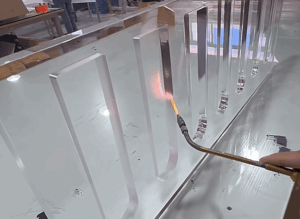

No one warned me how fast injection molding defects could mess everything up.
On screen, the part looked great. Smooth and ready to go.
But once production started? Warped edges. Incomplete fills. Parts I couldn’t use.
I felt stucked—wondering what went wrong and how to explain it to the client.
If you’re here, maybe you’ve seen the same thing. Or maybe you’re trying to avoid it before it happens. Either way, you’re doing the right thing by learning now.
I’ve worked on both sides—designing parts and watching them fail in production. I’ve also learned how to spot mistakes early and fix them before they cause delays.
In this article, I’ll break it all down for you. We’ll go through the most common defects—and what you can do to fix or prevent them.
By the end, you’ll walk away with real tools, not just terms.
Let’s get started!
Quick Glance of Each Defects
Before diving deeper into each molding defect, here’s a quick reference to help you scan the basics—what it is, why it happens, and how to fix it.
| Defect | Main Cause | How to Fix It |
| Sink Marks | Thick plastic areas cool unevenly, causing the surface to sink inward. | Balance wall thickness, increase packing pressure, slow cooling, use low-shrink materials. |
| Flow Lines | Molten plastic cools at different speeds as it flows, creating lines where flow fronts meet. | Raise injection speed, increase mold temperature, optimize gate design and wall transitions. |
| Short Shots | Plastic fails to fully fill the mold due to low pressure, cold temps, or poor venting. | Boost injection pressure, warm the mold and material, improve venting, adjust gate location. |
| Flash | Molten plastic leaks from mold gaps, often due to wear, high pressure, or poor clamping. | Repair mold damage, reduce pressure, increase clamping force for a tighter seal. |
| Burn Marks | Trapped gases or air pockets overheat and scorch the plastic. | Add or clean vents, reduce injection speed, handle resin correctly and dry properly. |
| Weld Lines | Two flow fronts meet after cooling too much, forming a weak, visible seam. | Increase melt/mold temps, speed up injection, move gate to shift weld line position. |
| Jetting | Plastic enters mold too fast, folding over itself instead of flowing smoothly. | Slow injection speed, optimize gate size/location, raise mold temperature for smoother flow. |
| Warping | Different cooling speeds across the part cause it to twist or bend. | Even wall thickness, balance cooling, choose low-shrink plastic to minimize stress. |
| Void | Plastic doesn’t pack tightly during cooling, leaving air gaps or hollow spaces. | Use higher packing pressure, slow cooling rate, and select materials that shrink less. |
| Discoloration | Contamination, overheating, or barrel buildup alters color and surface finish. | Purge machine between runs, control barrel heat, and use clean, well-stored resin. |
Ready to go deeper? Let’s move on and unpack each issue with real context, stories, and fixes that work.
1. Sink Marks
Sink marks are small surface dents that usually appear in thick areas of molded plastic parts. While they may not weaken the part, they hurt the appearance and often get flagged during inspections. I once had a client reject an entire batch over this—just because the parts didn’t look right, even though they worked fine.
Main Cause
Sink marks usually happen when a thick section of plastic cools too slowly. The plastic in the center shrinks more than the outside. As it pulls in, it creates a small dip on the surface.
Here’s what often leads to sink marks:
- Too Much Material in One Spot: Thick areas—like around ribs, bosses, or corners—tend to hold heat longer. This uneven cooling causes the surface to sink in as the inside shrinks.
- Low Packing Pressure: Without enough pressure during the packing stage, the molten plastic can’t refill the shrinking areas properly. This leaves behind gaps that show up as sink marks.
- Fast Surface Cooling: If the mold surface cools too quickly, it freezes the outer layer before the inside sets. As the interior shrinks, it pulls the frozen surface inward.
How to Fix It
Here’s how to reduce or avoid sink marks:
- Adjust the Mold Design: Keep wall thickness as uniform as possible to avoid uneven cooling. Use features like ribs and gussets instead of solid thick sections to provide strength without bulk.
- Increase Packing Pressure and Time: Apply more pressure during the packing stage to force material into shrinking areas. Extending the hold time can help the plastic settle and cool more evenly.
- Slow Down the Cooling: Use controlled cooling or modify the cooling channels to avoid freezing the surface too quickly. This gives the interior more time to shrink without pulling in the surface.
- Use Low-Shrink Materials: Some plastics shrink more than others during cooling. Switching to a material with lower shrinkage can reduce or even eliminate sink marks.
If your part needs a clean surface—like for consumer products—sink marks can hurt your results.
Always partner with a trusted manufacturer like MachMaster—where precision, consistency, and support come standard. Let’s help you get it right from the start.
2. Flow Lines
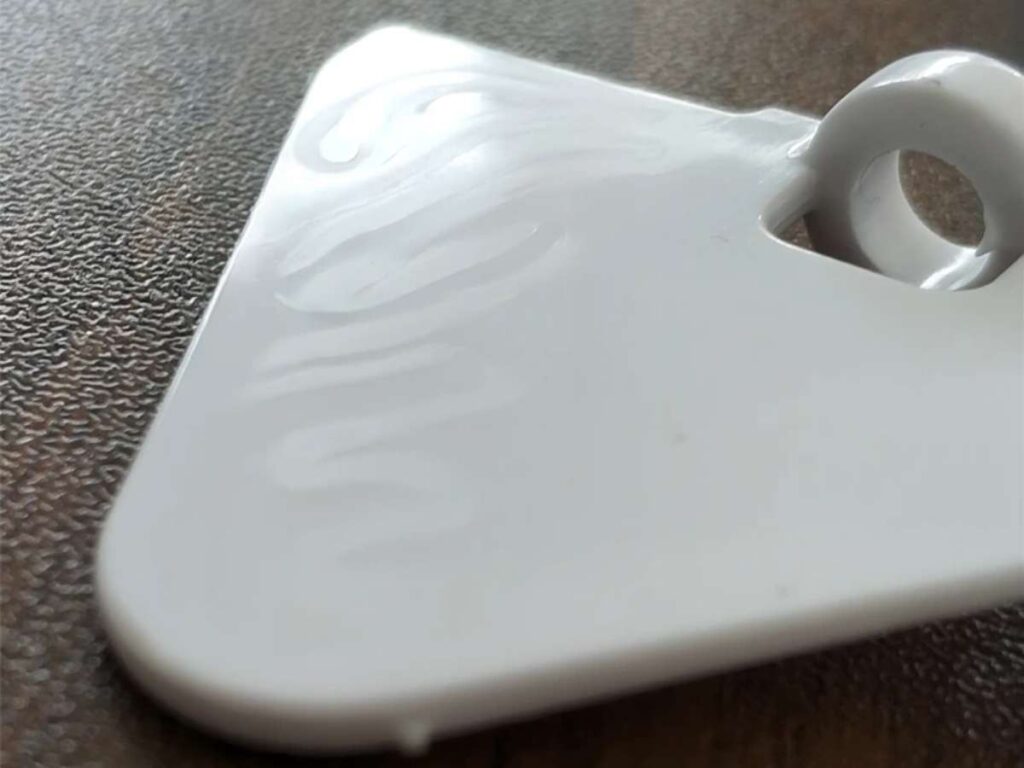
Flow lines are streaks, wavy patterns, or lines that appear on the surface of a molded part. They usually look lighter than the surrounding area. While they don’t always affect strength, they often look like a flaw—especially to a customer.
Main Cause
Flow lines happen when the molten plastic cools while still flowing through the mold. As the material moves and slows down, it begins to solidify at different speeds. That leaves behind visible lines where the flow fronts meet.
Here’s what typically causes flow lines:
- Low Injection Speed: When the plastic moves too slowly, it starts cooling mid-flow. This makes the surface freeze unevenly and leaves visible streaks.
- Thin Mold Sections: Narrow or restricted areas slow down the flow. That causes temperature differences and creates marks on the surface.
- Cold Mold Temperature: If the mold is too cool, the plastic can’t stay molten long enough to flow smoothly. This results in premature cooling and visible flow paths.
How to Fix It
The following steps can help reduce or eliminate flow lines:
- Increase Injection Speed: A faster flow keeps the plastic molten longer. This helps it fill the mold evenly without cooling mid-way.
- Adjust Mold Temperature: Raising the mold temperature slightly can prevent early cooling. A more even fill reduces the chances of streaking.
- Redesign Gate Location: Placing the gate where the material flows more directly can reduce weak flow fronts. Smoother paths lead to fewer marks.
- Modify Wall Thickness: Avoid abrupt changes in part thickness. Gradual transitions help maintain even flow.
Flow lines may not ruin the function of a part, but they can ruin how your customers feels about it.
I’ve seen solid designs rejected just because of surface marks—nothing more. That kind of feedback stings, especially when everything else was done right. It’s a reminder that appearance matters just as much as performance.
3. Short Shots
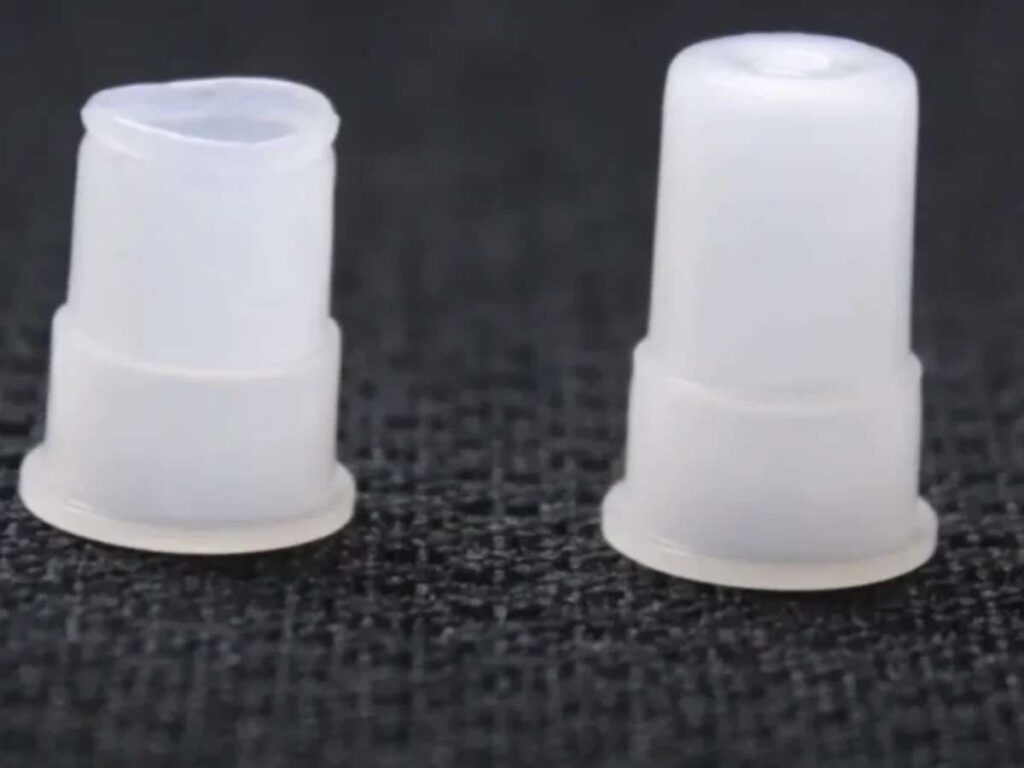
Short shots happen when a molded part doesn’t completely fill. It may end up with missing sections, incomplete edges, or parts that just don’t meet the mark. It’s one of the most frustrating defects to catch—especially if the part looks okay at first glance.
I once ran a production job where the edges kept coming out thin and broken. At first, we thought it was a material issue. Turned out, the mold wasn’t filling all the way. We lost a full day tracing it back.
Main Cause
A short shot usually means the plastic didn’t fully flow into all areas of the mold. That can happen for a few reasons:
- Low Injection Pressure: Not enough force behind the plastic means it stops before filling the mold. This often leaves gaps or thin sections.
- Cold Material or Mold: If either is too cool, the plastic thickens too fast. It can’t flow far enough before freezing.
- Poor Venting: Air gets trapped in the mold and blocks the plastic from moving forward. The result is an incomplete fill.
- Improper Gate Location: If the gate is too far from thin or complex areas, the flow loses strength before reaching them.
How to Fix It
Here are a few reliable fixes:
- Increase Injection Pressure: Higher pressure helps push the material further into detailed sections.
- Raise Temperature: Slightly warming the mold or the material can improve flow and reduce freezing.
- Improve Venting: Adding or clearing vents lets trapped air escape. This makes room for the plastic to flow fully.
- Change Gate Location or Size: A better-positioned gate delivers flow directly to the problem area. Sometimes, just widening the gate helps.
Short shots can shut down production or delay delivery. If you’re working with tight tolerances or complex shapes, this defect is one to watch for.
Ask your manufacturer: “How do you prevent short shots?” Their answer will tell you a lot.
4. Flash
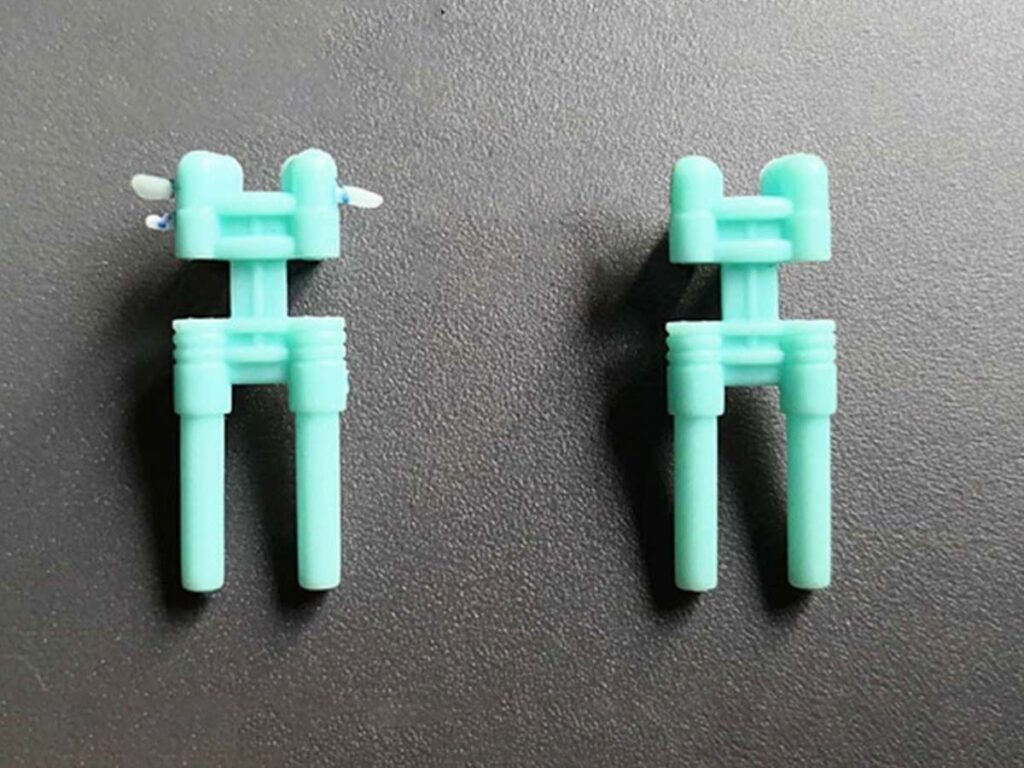
Flash is the extra plastic that leaks out of the mold and forms thin edges or fins on the part. It usually shows up where the mold pieces meet—like along the parting line or around ejector pins. Small as it is, flash can mess up how parts fit, feel, or function.
Main Cause
Flash happens when molten plastic escapes the cavity during injection. It cools outside the mold and forms unwanted layers.
Here are common causes:
- Worn or Damaged Mold: Over time, mold surfaces can wear down or get damaged. Gaps form and give plastic an escape route.
- High Injection Pressure: More pressure means more force pushing plastic into every corner—and into places it doesn’t belong.
- Low Clamping Force: If the mold isn’t held tightly closed, gaps open during the shot. That’s a clear setup for flash.
How to Fix It
The following adjustments can help:
- Repair or Rebuild Mold Surfaces: Check parting lines, ejector pin areas, and vents. Small wear can lead to big problems.
- Reduce Injection Pressure: Find the lowest pressure that still fills the mold completely without forcing overflow.
- Increase Clamping Force: A tighter clamp means a cleaner seal. No space, no flash.
Flash might seem like a small issue. But if you’re making high-volume parts, cleanup adds time and cost. Worse, flash can affect fit or function in assemblies.
5. Burn Marks
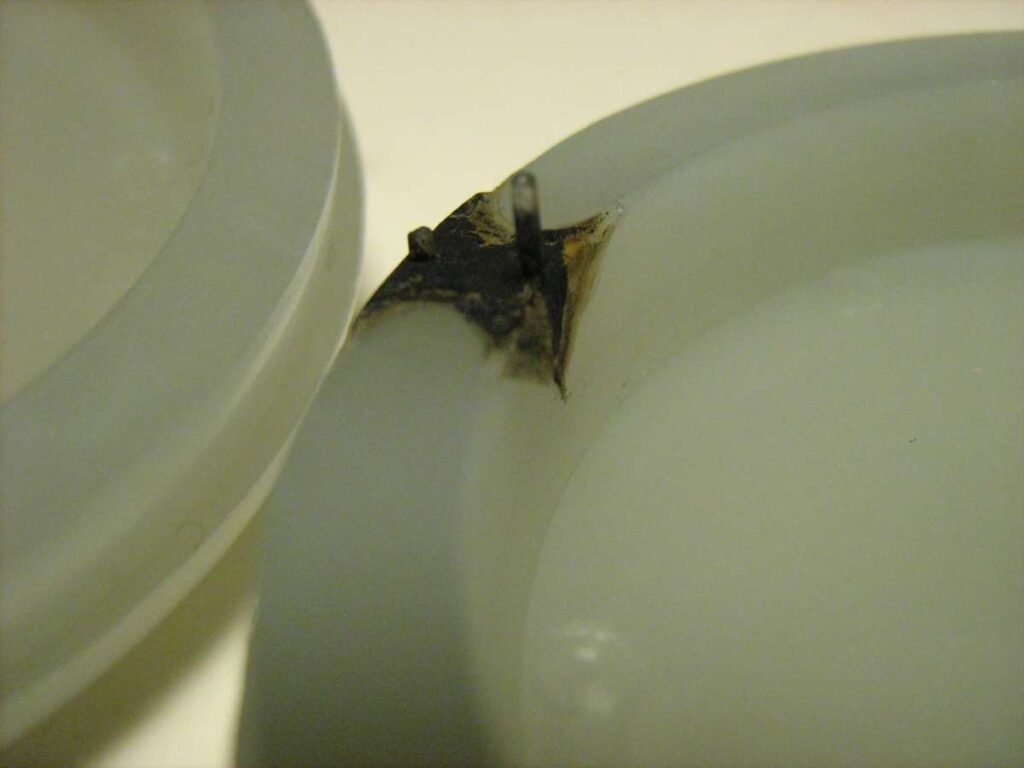
Burn marks look like dark streaks, spots, or even smoke stains on molded parts. They usually appear near edges, gates, or sharp corners. They don’t always affect the function, but they almost always raise questions about quality.
It’s frustrating to see a clean mold produce parts that look scorched. I’ve seen teams waste hours chasing the wrong fix, thinking the problem was the plastic, when it was just trapped air and heat.
Main Cause
Burn marks usually come from overheated air or gases inside the mold. As plastic flows in quickly, it compresses air in tight spots. That air gets hot—hot enough to scorch the material.
Common causes include:
- Poor Venting: Trapped air has nowhere to go. Pressure builds up, and so does heat.
- High Injection Speed: The plastic hits fast and hard, leaving no time for the air to escape.
- Overheated or Recycled Resin: Burned plastic isn’t always from the mold. Sometimes the material is already breaking down.
How To Fix It
Simple fixes can help prevent burn marks:
- Improve Mold Venting: Add vents or clean existing ones. Let the air out before it turns into heat.
- Lower Injection Speed: Give the material a smoother flow. It helps avoid compressed hot spots.
- Use Proper Material Handling: Keep resin dry and within the right temperature range. Avoid regrind if burn marks keep showing up.
Burn marks may not ruin the part every time, but they always start a conversation no one wants to have. It’s tough explaining to a client why a “new” part looks burned—and tougher still trying to win back their confidence.
Before production, ask your molder how they handle air traps and venting. It’s one of the simplest ways to keep your parts clean—and your clients happy.
6. Weld Lines
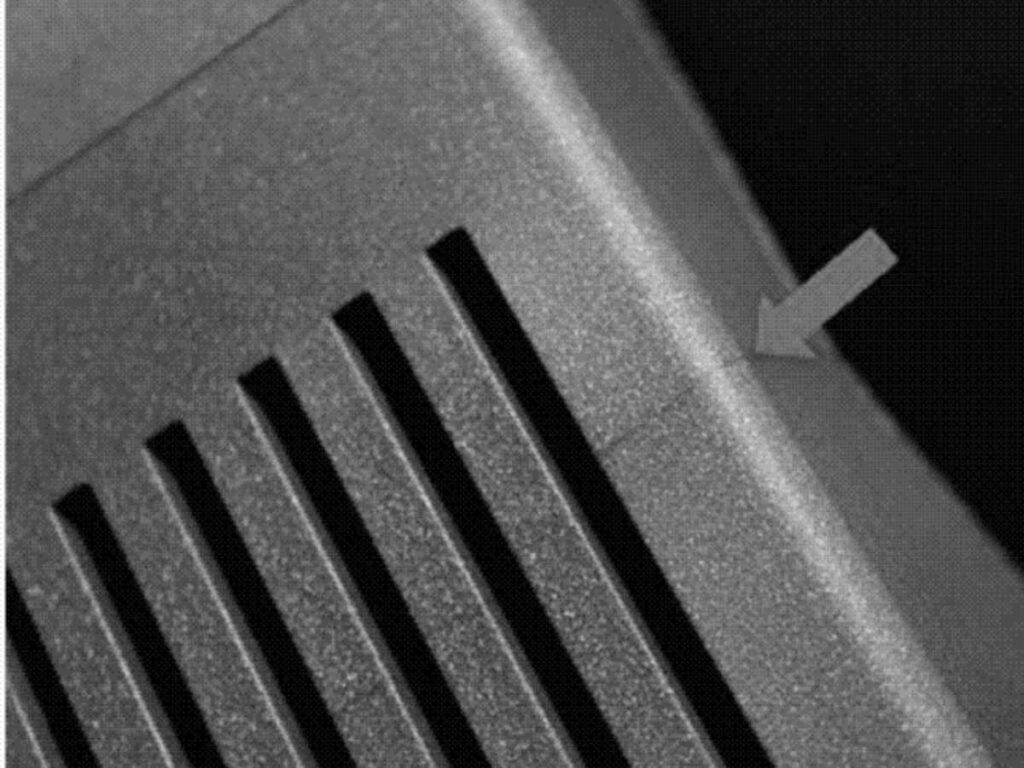
Weld lines are those faint lines that show up where two streams of molten plastic meet inside the mold. At first glance, they can be easy to miss. But over time, they may turn into a problem—especially in parts that need to handle stress or pressure.
Main Cause
Weld lines form when two streams of molten plastic flow around an obstacle—like a hole or pin—and meet again. If the plastic has cooled too much when it rejoins, it doesn’t bond well. That creates a visible line and a weaker joint.
Common causes include:
- Low Melt Temperature: Cool plastic doesn’t bond cleanly when flow fronts meet.
- Slow Injection Speed: Slower flow means more cooling before the fronts connect.
- Bad Gate or Vent Placement: Poor flow direction leads to weld lines in visible or high-stress spots.
How To Fix It
To reduce weld lines:
- Raise Melt and Mold Temperature: Hotter plastic flows better and bonds more smoothly.
- Increase Injection Speed: Faster filling keeps temperatures more consistent.
- Adjust Gate Locations: Reroute the flow so weld lines form in low-stress or hidden areas.
Weld lines can make your product look cheap—or worse, fail under load.
If your part has critical stress points, bring it up early. A small design change can help you avoid a bigger issue later.
7. Jetting
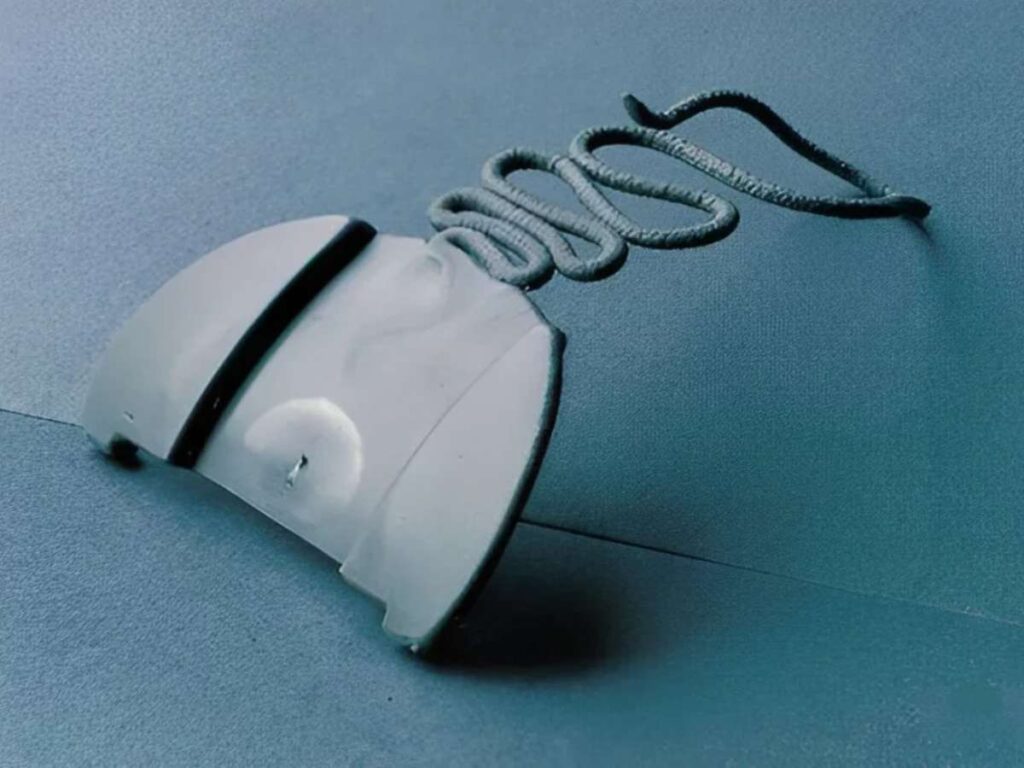
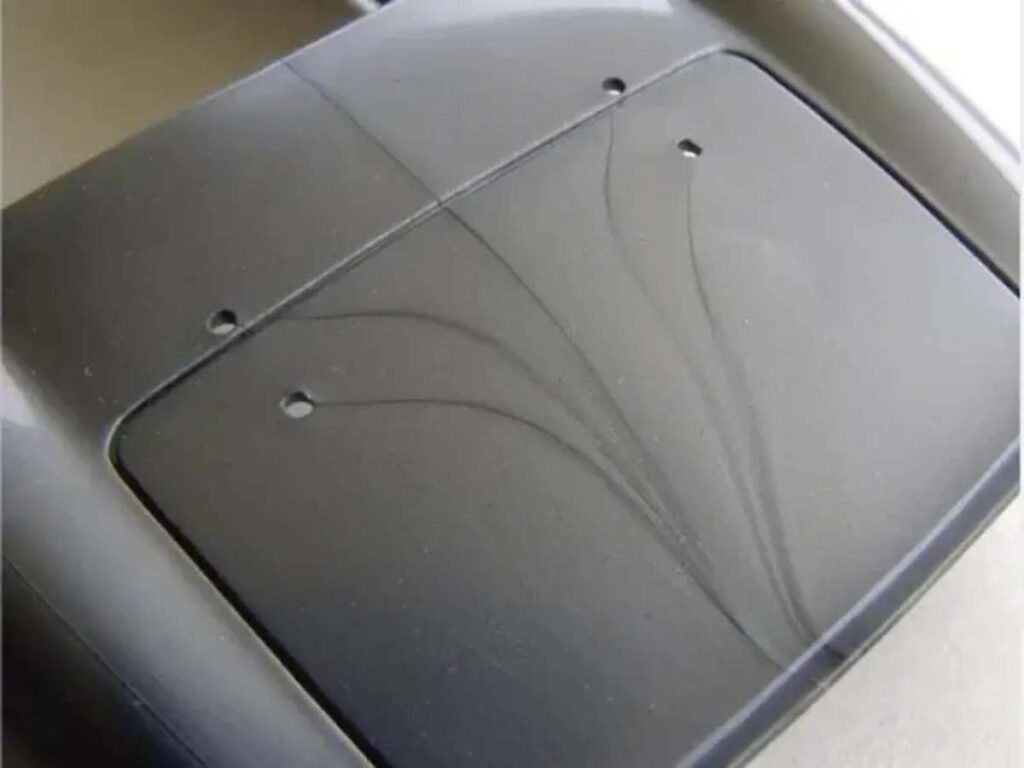
Jetting looks like a wavy line or thin streak that runs across the surface of a molded part. It usually starts near the gate and stretches outward, almost like someone scribbled with a fine tip pen. Even if the part is dimensionally correct, this flaw can make it look poorly made.
Main Cause
Jetting happens when molten plastic enters the mold too fast and doesn’t stick to the cavity wall. Instead of spreading out smoothly, it whips through the space and folds on itself, creating visible surface ripples.
It’s often caused by:
- High Injection Speed: Plastic shoots in like a jet stream and creates turbulence.
- Narrow or Poor Gate Design: The plastic doesn’t spread evenly, which makes jetting worse.
- Cold Mold Surface: Cooler surfaces don’t let the plastic stick or spread properly.
How To Fix It
Try these solutions:
- Reduce Injection Speed: Slower flow helps the plastic settle and fill more naturally.
- Modify the Gate: A wider gate or better placement improves how the plastic flows into the cavity.
- Raise Mold Temperature: Warmer mold walls allow better flow and cleaner finishes.
Jetting won’t always affect function—but it leaves a bad first impression. In competitive markets, even a small surface flaw can send buyers looking elsewhere.
That’s why it’s essential to work with a reliable partner for injection molding like MachMaster, they focus on clean execution, smart design support, and dependable results, so your parts look as good as they perform.
8. Warping
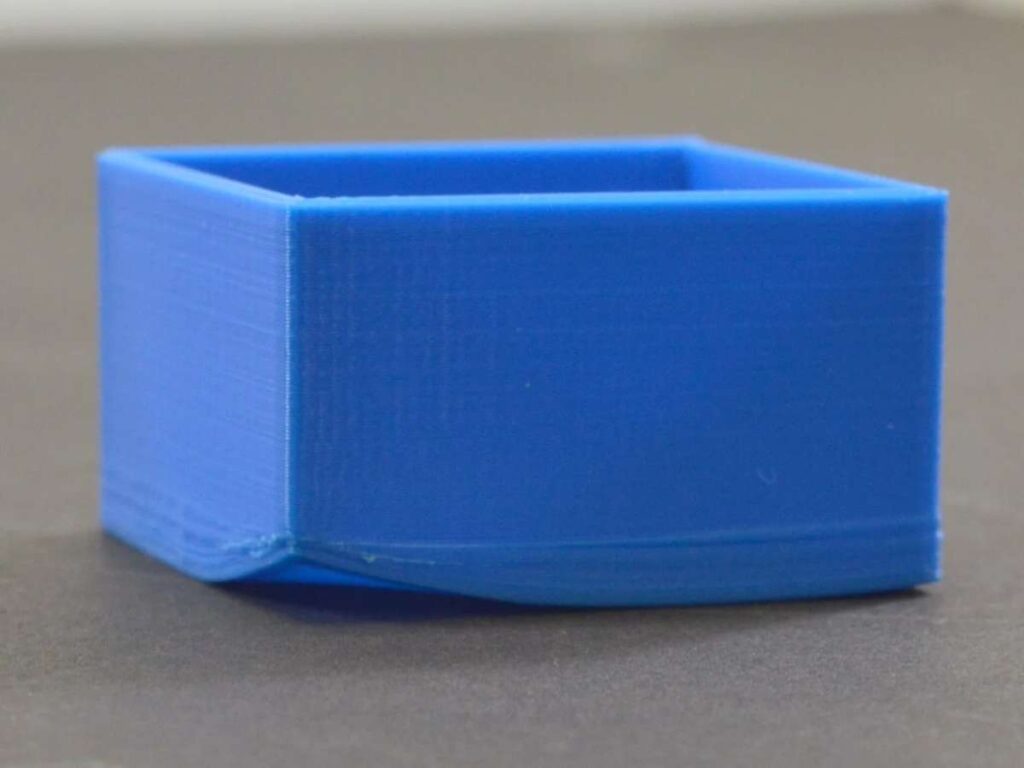
Warping is when a molded part comes out twisted, bent, or uneven. Instead of lying flat or staying straight, the part curves in ways it shouldn’t. It’s one of those defects that’s hard to ignore—especially when the part no longer fits where it’s supposed to.
Main Cause
Warping happens when different sections of a part cool at different speeds. As the plastic shrinks, one area pulls harder than another. That uneven stress causes the part to twist or bend.
Here’s what typically causes it:
- Uneven Wall Thickness: Thick areas cool slower than thin ones, creating stress.
- Fast or Uneven Cooling: If one side of the mold cools faster, it throws off the balance.
- Material Choice: Some plastics are more prone to warping than others. Semi-crystalline resins tend to shrink more.
How To Fix It
Here’s how to reduce warping:
- Keep Wall Thickness Uniform: Balanced thickness cools more evenly.
- Control Cooling Rates: Use balanced mold temperature and slower cycles if needed.
- Use Low-Shrink Materials: Switch to resins with more stable cooling behavior.
Warped parts can mess up your entire production process.
If your parts need to be flat, stable, or fit into assemblies—ask your supplier how they handle cooling and shrinkage. It’s the first step to keeping your parts in shape.
9. Void
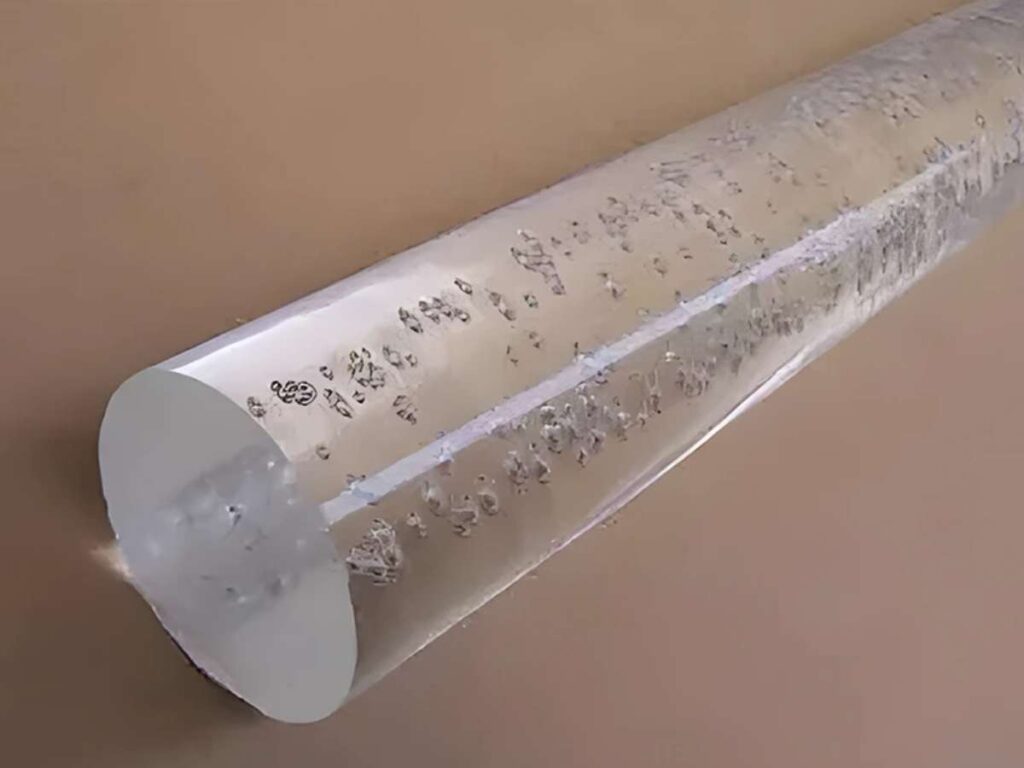
Voids are hidden air pockets trapped inside a molded part. From the outside, everything might look perfect. But once stress or pressure is applied, that hollow space inside can lead to cracking, breaking, or total part failure.
These kinds of defects are tricky. They often don’t show up during a quick inspection. But when strength matters—like in load-bearing or functional parts—voids can be a big problem.
Main Cause
Voids happen when the material doesn’t pack tightly as it cools. The outer layer freezes first, trapping air or leaving gaps inside.
Here are some common causes:
- Uneven Cooling: If the outside cools too quickly, the inside can’t fill properly. That leaves space for a void.
- Low Packing Pressure: Without enough force during the packing phase, plastic can’t flow into shrinking areas.
- Incorrect Material Choice: Some plastics trap gases or shrink more than others, making voids more likely.
How To Fix It
To reduce voids, try this:
- Increase Packing Pressure and Time: More pressure fills in the center as the outer walls cool.
- Slow Cooling Rate: Allow the part to cool more evenly, especially in thick sections.
- Switch to Low-Shrink Materials: Choose resins that hold shape well and don’t leave gaps inside.
Voids are quiet troublemakers. No alarms, no surface signs—just hidden weakness.
Catching them early could be the thing that keeps your part from failing when it matters most.
10. Discoloration
Discoloration is when a molded part comes out with the wrong color—or uneven patches of it. Instead of a clean, consistent shade, there may be streaks, spots, or even burnt-looking areas. Sometimes it’s barely noticeable. Other times, it ruins the entire appearance.
Main Cause
Discoloration usually happens when something contaminates the plastic or the machine. It’s often related to heat, material mixing, or poor maintenance.
Common causes include:
- Material Contamination: Dust, oil, or leftover resin from a previous run can change the final color.
- Overheating: If the plastic stays too long in the barrel, it starts to degrade. This leads to yellowing or dark spots.
- Screw and Barrel Build-Up: Old material stuck inside slowly burns and breaks loose during the next run.
How To Fix It
Try these steps:
- Purge the Machine Properly: Always flush out old material between jobs.
- Monitor Barrel Temperature: Keep temps within range and avoid long dwell times.
- Use High-Quality Resin: Clean, properly stored material gives more consistent results.
Discoloration may not always stop a part from working, but it can raise flags about quality. If color consistency matters for your brand or function, bring it up early.
And in some industries, color isn’t just aesthetic—it’s part of the spec. When that’s the case, even a slight shade off can send the whole lot back.
Conclusion
Injection molding isn’t always forgiving.
But now, you’re better prepared.
You’ve seen the defects. You know what causes them. You know how to stop them.
That’s how you move from trial and error to predictable success.
It starts with knowledge—and ends with action.
If you’re ready to raise part quality and cut waste, MachMaster is here to support your CNC machining needs.
Contact us today for advice, precision parts, or guidance on your next run!
Dive Deeper Into Our Resources
If you’re looking for more insights, we’ve put together a list of helpful articles that you might enjoy:
Still haven’t found what you’re looking for? Don’t hesitate to contact us. We’re available around the clock to assist you.