
A few years ago, I lost a contract because of one mistake, I misjudged sheet metal lead time.
We had the design. We had the specs. But I didn’t fully understand the fabrication process. We quoted the wrong timeline and fell behind. That cost us the project.
That’s when I realized: if you’re working with sheet metal, even if you’re not the one cutting it, you need to know how the process works.
Not just in theory. In real, practical terms.
In this guide, I’ll show you how sheet metal fabrication works, step by step. No fluff. Just what you need to move fast, avoid mistakes, and get it right the first time.
I’ve worked with shops. I’ve sat through failed reviews. And I’ve helped clients turn design problems into production wins.
By the end, you’ll know what goes into each step, and how to use that knowledge to make better decisions for your business.
So let’s get down to it!
1. What Is a CNC Milling Machine
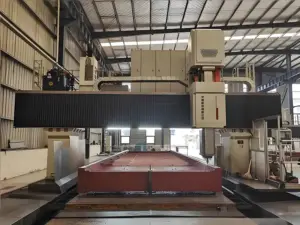
Before I stepped into my first factory, I thought machines like these were only for huge companies or space-age labs.
But standing there, watching this machine cut shapes out of metal like it was butter, I realized something. You don’t have to be a machinist to understand what’s going on. You just need someone to explain it in plain language.
That’s what I’ll do for you here.
What “CNC” Actually Means
CNC stands for Computer Numerical Control.
It’s a way to use a computer to tell a machine what to do.
You design a part on your computer. Then the CNC machine follows instructions, called code, to cut that shape out of a solid block of material.
Here’s what makes CNC different:
- The process is automated
- The cuts are precise
- You can repeat the same part over and over with almost no variation
And once you set things up, the machine doesn’t get tired. It doesn’t second-guess. It just follows instructions.
I remember the first time I saw a part come out of a CNC machine. It was flawless. No sanding, no rework. Just done. That moment sold me on why CNC matters, not just in theory, but in actual production.
Core Parts of a CNC Milling Machine
You don’t have to know every wire and screw, but knowing the basic parts helps you understand what’s really happening, and how to ask the right questions.
Here are the key components:
- Spindle: The part that spins the cutting tool. Think of it like a motor-driven drill.
- Worktable: Where you clamp down your raw material (also called a workpiece).
- Cutting Tool: The bit that actually does the cutting. It carves material away, following a path set by the computer.
- Controller This is the machine’s brain. It reads the code (usually called G-code) and tells the machine how to move.
- Axes (X, Y, Z): These control movements:
- X-axis = left and right
- Y-axis = forward and back
- Z-axis = up and down
Some advanced machines move at angles too. Those are called 4-axis or 5-axis machines. They’re great for complex shapes, but we’ll get to that later.
2. How CNC Milling Machines Work (Step-by-Step Process)
The first time I watched a CNC milling machine go through its full process, I was hooked.
I had always seen the end result, finished parts, clean surfaces, tight tolerances. But watching the actual steps made it real. It wasn’t magic. It was smart, organized, and precise.
You might not be running the machine yourself, but if you’re designing a product, sourcing parts, or thinking about bringing production in-house, you need to know how this process works.
At Machmaster, we’ve worked through these exact steps day in and day out—so we know what really matters when things move from screen to spindle.
Let’s walk through it, one clear step at a time.
Step 1: Design the Part (CAD)
Everything starts with a design.
You, or someone on your team, creates a digital model using CAD software (that stands for Computer-Aided Design). This is where you define:
- The shape of the part
- The size
- The holes, edges, curves, cutouts, everything
Some common CAD programs include:
- Fusion 360
- SolidWorks
- AutoCAD
Even if you’re not the one designing, understanding this step helps you review files, catch problems early, or request changes confidently.
Step 2: Convert the Design to Instructions (CAM)
Next, the CAD file is loaded into CAM software (Computer-Aided Manufacturing). This is where the digital model is translated into something the machine can understand.
The software generates G-code, a series of commands that tell the machine:
- What tool to use
- Where to move
- How fast to spin
- How deep to cut
This step is where strategy happens. The programmer decides how the tool will move across the material, how many passes it’ll take, and how to avoid breaking tools or damaging the part.
It’s not just about cutting. It’s about cutting smart.
Step 3: Set Up the Machine
Before cutting begins, the operator gets everything ready.
That includes:
- Mounting the material securely onto the worktable
- Installing the right cutting tool into the spindle
- Loading the G-code into the machine’s controller
- Zeroing the axes (setting the starting point)
This part is often manual, but it’s critical. A bad setup can ruin a perfect program.
I once saw a project fail because the part slipped during the cut. It wasn’t the code, it was the clamping. That’s why setup matters just as much as the software.
Step 4: Start the Machining Process
Now magic begins.
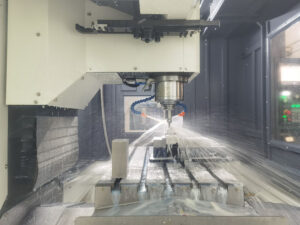
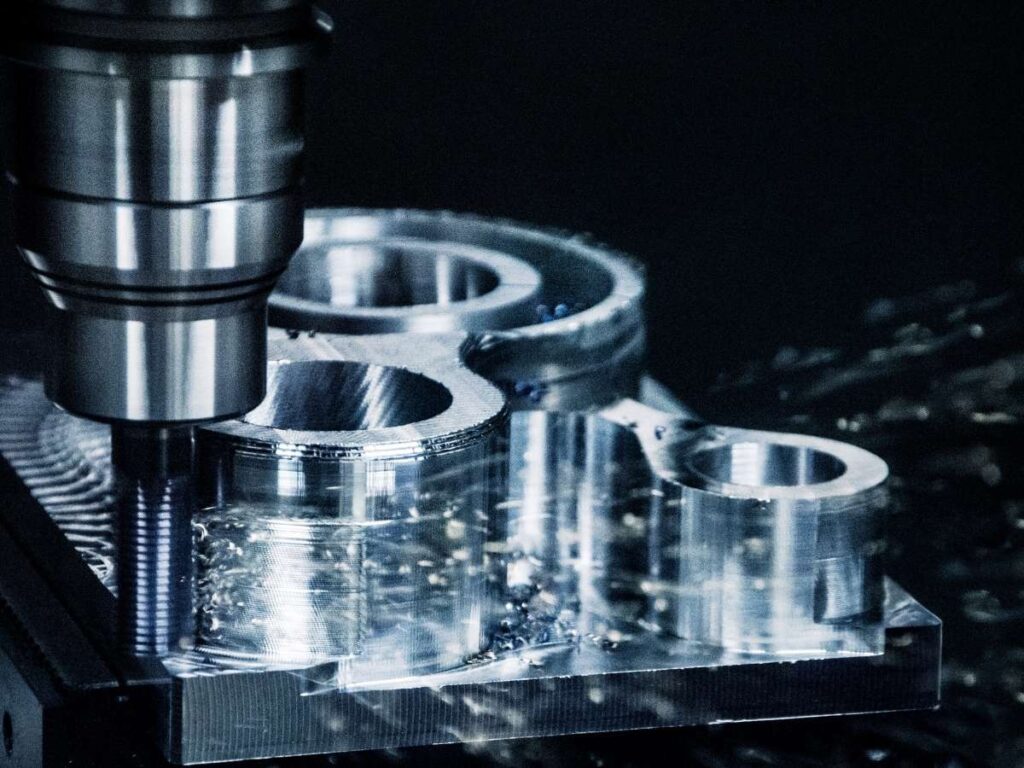
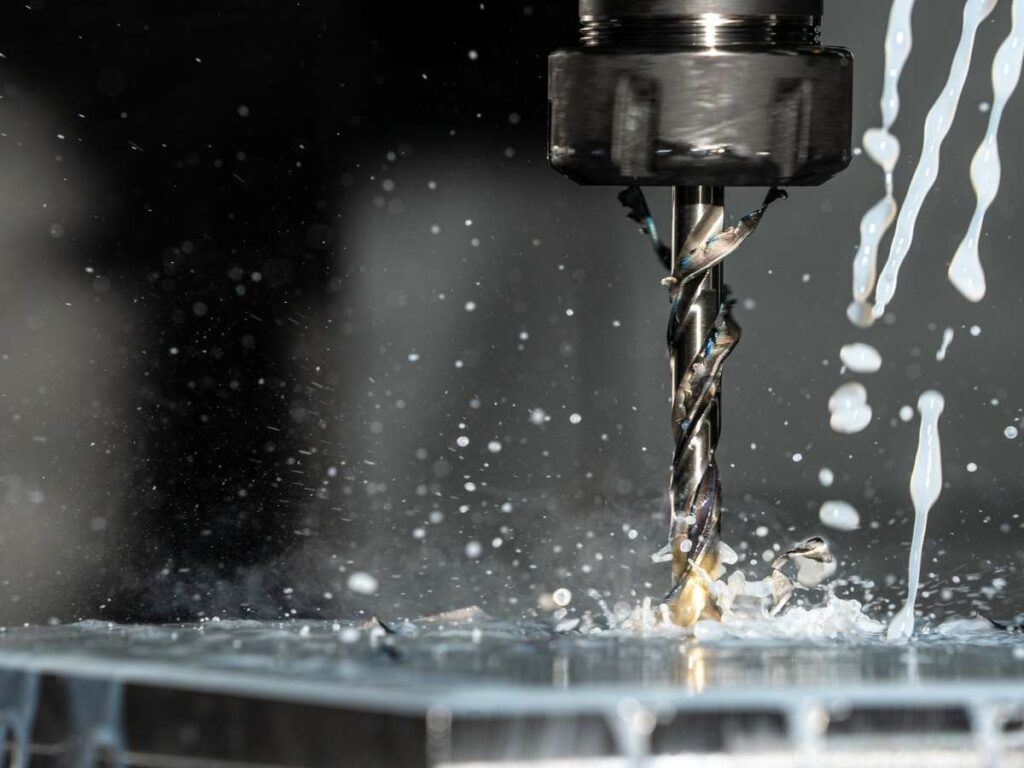
The machine reads the G-code and follows it step by step. The cutting tool moves along the X, Y, and Z axes, shaping the part by removing material layer by layer.
Depending on the complexity, it may:
- Switch tools automatically
- Rotate the part or tool for angled cuts
- Use coolant to keep the tool from overheating
All of this is automated. Once it starts, the machine doesn’t need human help, just monitoring.
Step 5: Inspect and Finish the Part
Once the machine finishes cutting, the part is removed from the table.
But it’s not done yet.
The operator will usually:
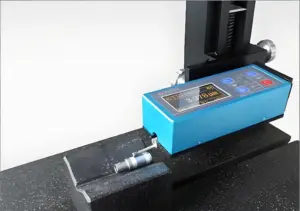
- Inspect the dimensions using calipers or a CMM
- Check for sharp edges or surface marks
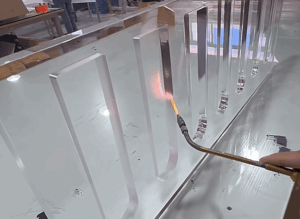
- Perform finishing if needed (like deburring or sanding)
Sometimes the part is perfect. Other times, minor post-processing is needed. It depends on the material, the tool, and the precision level.
3. Benefits of CNC Milling Machines
I remember the first time we switched from manual milling to CNC. The difference was night and day.
Before that, we had delays. Inconsistent parts. Lots of double-checking. Once we went CNC, things just… worked. It wasn’t instant magic, but the improvements were real.
If you’re considering CNC for your own business or project, here’s what it can bring to the table, practically, not just on paper.
Speed Without Stress
CNC milling machines work fast. And once the code is ready, they don’t slow down.
- Faster turnaround compared to manual methods
- Machines can run overnight or during low-staff hours
- Complex shapes are cut in one go, without pauses
This is especially useful if you’re working on tight deadlines, or trying to scale production without adding more people.
Flexibility for Complex Designs
With CNC, you’re not limited to simple shapes or flat surfaces.
The machine can:
- Handle curves, slots, and pockets
- Cut different materials, from aluminum to plastic to titanium
- Use different tools in one setup (automatically)
I’ve worked with product designers who thought their part was “too complex” for machining. But with the right CNC setup, it wasn’t. You just need to know what’s possible.
Less Waste = Lower Costs
Because CNC machines follow exact toolpaths, you waste less material.
- More efficient cuts
- Fewer mistakes
- Smaller chance of scrapping a part
Over time, that means real savings, especially when you’re working with expensive materials.
Easier to Repeat and Scale
Need five parts today and five hundred next month?
CNC makes that easy.
- Once your code is dialed in, it’s just load and go
- No need to retrain someone for every new run
- Scales smoothly as demand grows
This was huge for us when we landed our first big order. We didn’t need to buy new machines or hire new staff, we just ran more cycles.
Better Planning and Predictability
CNC brings structure to production.
You know:
- How long will a job take
- What the costs will be
- How each part will turn out
That kind of consistency makes everything else easier, scheduling, pricing, logistics, and even customer communication.
4. Software & File Types Used in CNC Milling
Software used to intimidate me.
I’d open a CAD file and stare at the screen, not even sure if I was looking at the front or the back of the part. And when someone mentioned “toolpath simulation,” I’d just nod and hope they didn’t ask for input.
But over time, I realized you don’t have to master the software, you just need to understand what it does and when it matters.
Let me walk you through it.
3 Main Types of Software You’ll Encounter
These tools work together like a relay team. One handles the design, one prepares it for cutting, and one runs the machine.
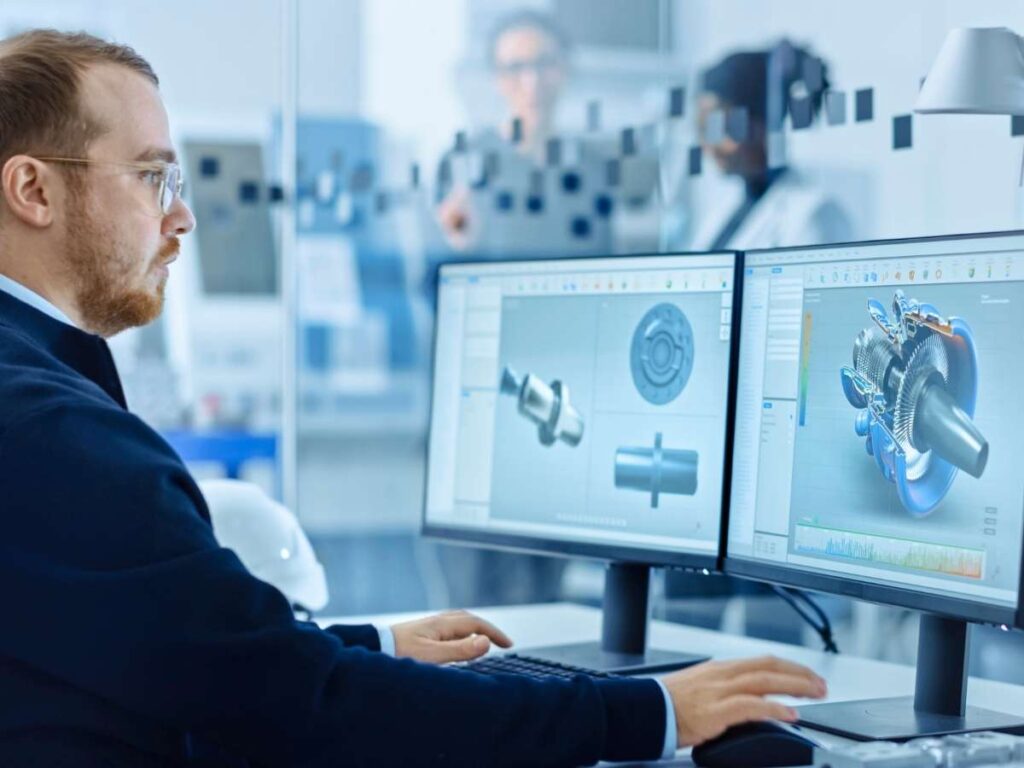
- CAD (Computer-Aided Design)
This is where your part begins.
A designer or engineer creates a 2D drawing or a 3D model of the part you want. This file defines:
- Shape
- Size
- Holes, slots, edges, and features
Common CAD programs include:
- Fusion 360
- SolidWorks
- AutoCAD
- TinkerCAD (for simple models)
- CAM (Computer-Aided Manufacturing)
Once the CAD file is done, it moves into CAM software.
This is where the part gets “translated” into something a CNC machine can read. The CAM program:
- Defines cutting tools
- Chooses speeds and feeds
- Generates G-code (the instructions for the machine)
Popular CAM tools include:
- Fusion 360 CAM module
- Mastercam
- HSMWorks
- SolidCAM
I’ve seen jobs run perfectly, and others go sideways, because of this step. A clean toolpath makes all the difference.
- CNC Controller Software
This is the final stop.
The G-code file is loaded into the CNC machine via controller software. This software:
- Sends commands to the motors
- Controls spindle speed and tool changes
- Let the operator pause, resume, or adjust during the cut
Some commonly used controller software:
- Mach3
- LinuxCNC
- GRBL (for hobby machines)
- Heidenhain, Fanuc, or Siemens (for industrial machines)
Your machine will usually come with its own controller software. But knowing which one it uses helps you plan compatibility and file setup.
File Types You’ll Run Into
File formats matter, especially when passing files between teams or suppliers. Here are the ones to know:
- .STL – Widely used for 3D models; good for basic geometry
- .STEP or .IGES – Best for sharing models across different CAD platforms; preserves design features
- .DXF – Often used for 2D profiles or laser cutting
- .NC or .GCODE – These are the actual machining instructions; what the controller reads
If you’re sending files to a shop, ask them what format they prefer. Some machines can only read certain types.
5. CNC Milling vs. Other Manufacturing Methods
One thing I struggled with early on was knowing when CNC milling made sense, and when it didn’t.
I knew it was precise. I knew it was fast. But how did it stack up against other ways to make parts, like 3D printing or injection molding?
Here’s a clear breakdown to help you make that call.
| Feature / Factor | CNC Milling | 3D Printing | Injection Molding | Manual Machining |
| Type of Process | Subtractive (removes material) | Additive (builds up layers) | Form-based (injects into mold) | Subtractive (manual tool operation) |
| Best For | Functional prototypes, production parts | Concept models, lightweight parts | High-volume parts, tight per-part cost | Simple, one-off parts or basic modifications |
| Material Options | Metals, plastics, composites | Mostly plastics (some metal options exist) | Mainly plastics (some metal injection molding) | Metals and plastics |
| Surface Finish | Smooth and precise (can be polished) | Often rough, layer lines visible | Very smooth, consistent | Depends on operator skill |
| Tolerances (Precision) | High (±0.001″ or better) | Moderate to low (±0.005″ or worse) | High, but mold must be precise | Variable (usually less consistent) |
| Setup Time | Moderate (CAM + machine setup) | Low (just slice and print) | High (tooling and mold creation takes time) | Low to moderate |
| Cost (Low Volume) | Medium | Low | High (due to mold cost) | Low |
| Cost (High Volume) | Moderate | High (due to slow speed) | Very Low (once mold is made) | High (labor-intensive) |
| Scalability | Great for small to medium runs | Limited due to print time | Excellent for mass production | Not scalable |
| Tooling Required | No custom tooling needed | No tooling required | Custom molds required | No tooling required |
| Speed to First Part | Moderate | Fast | Slow | Fast |
| Learning Curve | Moderate (needs CAD/CAM knowledge) | Beginner-friendly (for simple prints) | High (mold design expertise needed) | Moderate to high |
Takeaway:
- You need durable, functional parts
- Precision matters, tight tolerances, clean surfaces
- You’re producing a small to medium quantity (not thousands)
- You’re using metal or hard plastics
- Design might change and you don’t want to redo a mold
6. Future Trends in CNC Milling
When I started working around CNC machines, they felt like the peak of precision tech. But even now, I’m watching things evolve faster than I expected.
The way CNC milling works today? It’s already smarter, faster, and more flexible than it was just a few years ago.
If you’re planning ahead, for your business, your team, or your product development, here’s what you should keep an eye on.
Smarter Machines with Sensors and Data
Modern CNC machines are starting to monitor themselves.
They use built-in sensors to track:
- Tool wear
- Temperature
- Vibration
- Cutting loads
This data gets fed back to the system in real time. The machine can then make small adjustments automatically, before problems happen.
AI and Automation in Toolpaths
Some CAM software now uses AI-powered suggestions for toolpath generation.
This means:
- Faster programming for complex parts
- Smarter decision-making on speeds, feeds, and cutting sequences
- Less trial and error
It won’t replace human programmers, but it’s a strong assist, especially for teams that are growing or trying to scale.
Hybrid Manufacturing (CNC + 3D Printing)
We’re seeing more machines that combine additive and subtractive processes.
For example:
- 3D print a basic shape
- Then finish it with CNC milling for tight tolerances
This saves time and material, especially for large or complex parts.
I’ve only seen a few companies doing this in-house so far, but it’s a trend that’s catching on, especially in aerospace and medical.
Smaller, More Affordable CNC Machines
Not long ago, CNC machines were huge, expensive, and locked behind factory walls.
That’s changing.
Now, you can get:
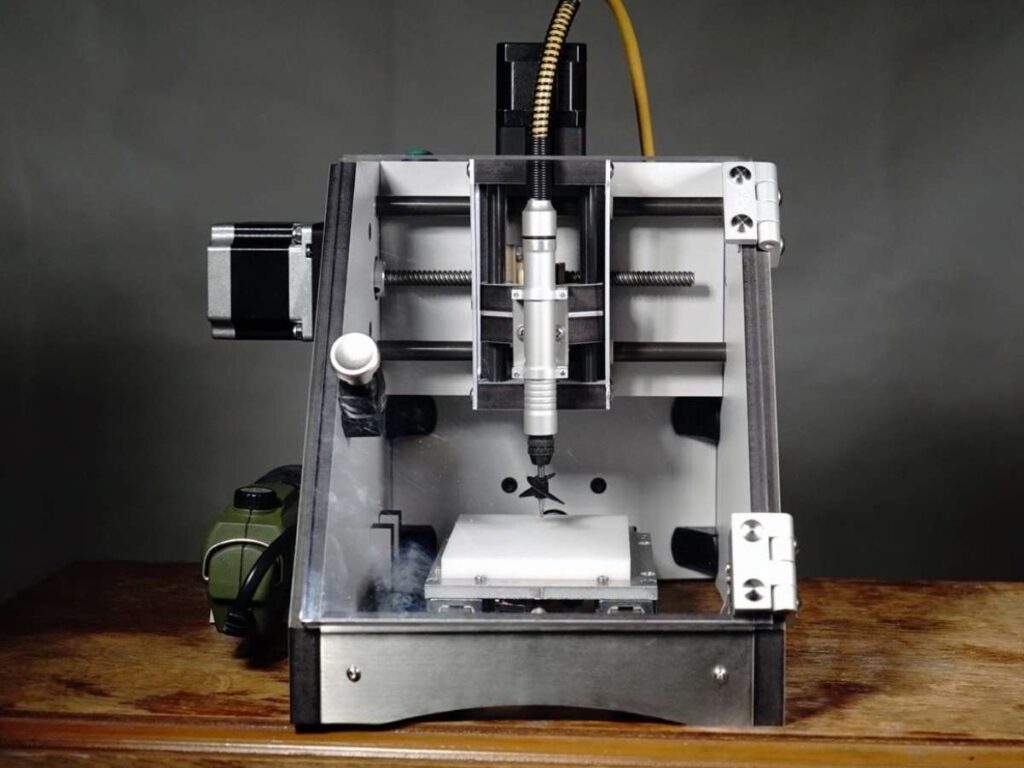
- Compact desktop CNC mills
- Easier-to-use interfaces
- Machines under $10,000 (depending on features)
This opens doors for:
- Small businesses
- R&D labs
- Designers who want more control over prototyping
A friend of mine bought a small CNC for his design studio. It changed how he worked, no more waiting for vendors to send samples. He could test and tweak ideas same-day.
7. Factors to Consider When Choosing CNC Milling
CNC milling sounds great, and often, it is.
But it’s not always the right fit for every project, budget, or team.
Before you dive in, whether you’re buying a machine, designing a part, or sourcing from a shop, take a step back and ask the right questions.
Here’s what I’ve learned to look at, both from painful mistakes and the wins that followed:
How Many Parts Do You Need?
Volume affects everything, cost, process, and even how the part is designed.
- 1 to 100 parts – CNC milling is usually ideal
- 100 to 1,000 parts – CNC still works, but watch your per-part cost
- 1,000+ parts – Might be time to look into injection molding
I’ve seen teams commit to CNC for high-volume jobs, only to realize months later they could’ve saved more by switching to molded parts. Volume planning matters.
What’s Your Budget (Now and Later)?
CNC isn’t always the cheapest option, but it often saves you money in the long run.
- No molds to build
- Fast iteration for design changes
- Lower risk of rework due to bad tolerances
But also remember:
- Machines aren’t cheap
- Skilled operators aren’t either
- And mistakes can cost you more than you think
If you’re outsourcing, ask for quotes at different volumes. If you’re buying a machine, factor in maintenance, tooling, and training.
Do You Have the Right Support?
Even if you’re not running the machine yourself, someone will be.
Ask yourself:
- Do we have someone who understands CAD and CAM?
- Will we need to train a machine operator?
- Can we handle maintenance and tool replacement?
If not, you might start by outsourcing to a trusted shop before bringing work in-house. At Machmaster, we handle CNC machining for businesses that aren’t ready to invest in machines or staff, but still want precision and fast turnaround.
How Much Flexibility Do You Need?
CNC milling shines when you want freedom to adjust and iterate.
- Design changes are easy to handle
- No molds or dies to retool
- Software makes it easy to tweak, re-run, and test
But if your design is locked and you’re planning huge production runs, another process might serve you better.
Conclusion
I misjudged one timeline. It cost us everything on that project.
You don’t have to learn the hard way. This guide gave you the full picture, what happens, when it happens, and why it matters.
We covered the 8 key steps. We showed you how to work with sheet metal instead of against it.
And if you ever need a partner who understands this process deeply, Machmaster is here.
So, what’s stopping you from getting started?
Contact us today, and let’s get your sheet metal project off the ground, the right way.
Check Out These Additional Resources
Need more ideas? Browse through our extended range of products and discover something new:
Still haven’t found what you’re looking for? Don’t hesitate to contact us. We’re available around the clock to assist you.