
Ever picked up a machined part and asked yourself, how did they make this so exact?
I asked that too. Many times.
When I first started working with prototypes, I kept hearing “CNC machining” like it was something I should already know. But no one really broke it down. Not in a way that made sense to someone just getting started, or even someone running a business or trying to source parts.
So, I did what most of us do. I searched. I read. I watched videos late at night. I even made a few bad decisions along the way, just trying to understand how CNC actually works.
If that’s you right now trying to figure out CNC without all the buzzwords, you’re in the right place.
This guide is simple. No fluff. Just what you really need to know:
- What CNC machining is
- How it works
- What parts and machines are involved
- And where it shows up in real life.
By the end, you’ll get the full picture. Whether you’re designing something new, making a buying decision, or planning your next product, you’ll finally understand how CNC fits in.
Let’s jump in!
1. What is CNC Manufacturing?
Have you ever wondered how metal parts get cut so perfectly? Like down to the millimeter?
That’s where CNC manufacturing comes in.
CNC stands for Computer Numerical Control. It’s a way of using computers to control machines that cut, drill, mill, or shape materials like metal, plastic, and wood.
Instead of doing it by hand, a CNC machine follows a digital design. You give it the plan, and it follows instructions exactly every time.
That’s what makes it so powerful.
Back when I was starting out, I thought CNC was just some big industrial thing. But it turns out, it’s behind so many things we use daily like engine parts, phone cases, even kitchen tools.
Here’s how it works in simple terms:
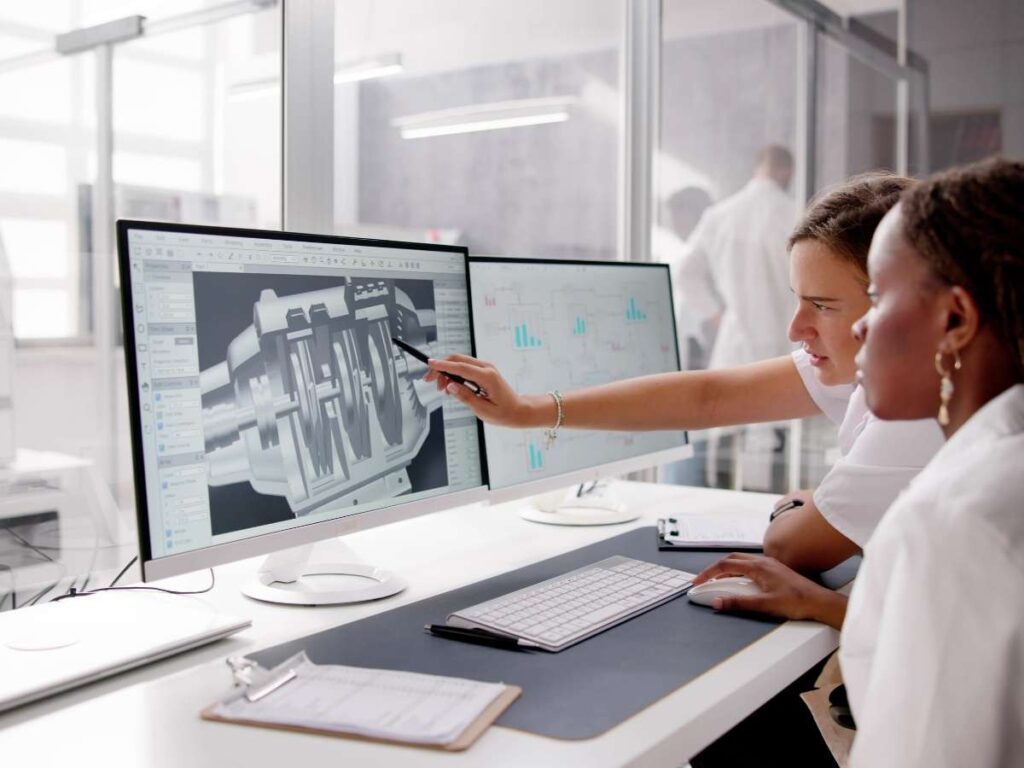
- A designer creates a CAD file (Computer-Aided Design)
- That file gets converted into machine code (G-code)
- The CNC machine reads the code and moves its tools
- It cuts or shapes the material based on that code
It’s precise. Repeatable. And fast.
Think of CNC like a really smart robot arm with perfect memory.
2. Advantages of CNC Manufacturing
When I first learned about CNC machining, I thought it was only for big factories.
Turns out, it’s useful for almost everyone from small shops, product designers, and even people working on personal projects.
Here’s why CNC manufacturing stands out.
High Precision and Repeatability
Have you ever needed something to fit just right and it didn’t?
That’s where CNC shines.
CNC machines follow exact instructions from a digital file. They can cut parts down to very tight tolerances, often within 0.001 inches.
This means less guessing. And more trust in every part you make.
Faster Production Speeds
Speed matters especially when you’re on a deadline.
CNC machines move fast. Once the design is ready, they can cut or shape parts much faster than by hand.
This helps when:
- You need to get products out the door
- You’re testing lots of prototypes
- You want to reduce lead time
It saved me weeks on a project once. What would’ve taken days by hand got done in hours.
Lower Human Error
Manual machining leaves room for slip-ups. One wrong move, and your part’s in the scrap bin.
CNC takes that risk off the table. It follows your code exactly, no shaky hands, no missed cuts. When precision matters, CNC lets you breathe easier.
Less Waste
Have you ever cut something wrong and had to toss the whole piece?
CNC machines are smart. They follow a programmed path that cuts only what’s needed. This means fewer mistakes and less scrap.
Good for your budget and good for the planet too.
3. Materials Used in CNC Manufacturing
Not sure which material to use for your CNC project? Let’s look at some of the most common options.
Common Metal Materials
- Aluminum: Lightweight, corrosion-resistant, and easy to machine. Often used for enclosures, brackets, and housings. Popular grades: 6061, 7075.
- Steel: Strong and wear-resistant. Great for structural parts, gears, and shafts. Can be harder to machine, depending on the alloy.
- Stainless Steel: Corrosion-resistant and durable. Used in medical, food-grade, and marine applications. Tougher on tools but ideal for harsh environments.
- Brass: Easy to machine and has good corrosion resistance. Often used in fittings, valves, and decorative parts.
- Copper: Excellent electrical and thermal conductivity. Useful for heat sinks and electrical contacts but harder to cut cleanly due to its softness.
Common Plastic Materials
- ABS (Acrylonitrile Butadiene Styrene): Tough and impact-resistant. Common in enclosures, covers, and prototypes.
- POM (Delrin): High stiffness and dimensional stability. Works well for gears, bearings, and moving parts.
- Nylon Good mechanical strength and chemical resistance. Used in automotive and industrial parts.
- Polycarbonate: High impact resistance and transparency. Suitable for safety covers and light-transmitting parts.
- PEEK: High-performance plastic with excellent temperature and chemical resistance. Used in aerospace, medical, and demanding applications.
Material selection isn’t just about technical specs, it also affects machining time, tooling cost, and final performance. After working on dozens of parts in different industries, the biggest takeaway is this: pick materials that match the real job conditions, not just what looks good on paper.
That’s why MachMaster focuses on practical compatibility. Their team collaborates closely with clients to recommend materials that meet specific needs, whether that means strength under pressure, smoother finishes, or faster turnaround times.

4. Step-by-Step Process of CNC Manufacturing
Have you ever wondered what really happens once you send off a design for CNC machining?
I used to think a machine just “did its thing” and finished part came out. But once I saw the whole process, start to finish, I understood where mistakes happen and where quality comes from.
Here’s how CNC manufacturing actually works, one step at a time.
Step#1 Create a Digital Design (CAD)
First, you need a CAD file. That stands for Computer-Aided Design. It’s the 3D model of your part.
This is where you decide:
- What the part looks like
- How big it is
- Where the holes or cuts should go
Programs like SolidWorks, Fusion 360, or AutoCAD are often used here.
I remember struggling with my first CAD model. One missed measurement caused a full batch to get rejected. That taught me details matter at this stage.
Step#2 Convert the Design to Machine Code (CAM)
Next, the CAD file gets turned into G-code using a process called CAM—Computer-Aided Manufacturing.
G-code is like the machine’s instruction list. It tells the CNC:
- Where to move
- How deep to cut
- How fast to go
It’s not as scary as it sounds, but it’s very precise.
Step#3 Machine Setup
Here’s where the human side comes in.
The machinist mounts the raw material (like metal or plastic) and installs the right cutting tools.
They also align everything, so the machine cuts exactly where it should.
If the setup’s off, even the perfect design won’t help. I learned that when one of my early aluminum parts came out crooked, it was just a clamping issue.
Step#4 Machining Begins
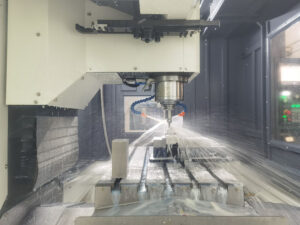
Now the CNC machine follows the G-code. It cuts, drills, or mills based on the file.
Depending on the complexity, this step can take a few minutes or several hours.
If you ever get the chance to watch it in action, do it. It’s amazing to see precision happen right in front of you.
Step#5 Part Inspection
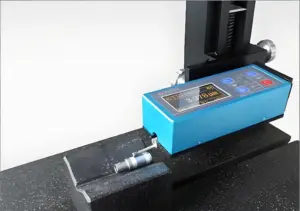
Once the part is done, it’s cleaned and checked. A machinist might use:
- Calipers
- Micrometers
- Coordinate Measuring Machines (CMMs)
This helps catch mistakes before the part is used or shipped out.
Step#6 Finishing Touches (Optional)
Some parts need extra work after cutting. This can include:
- Sanding or polishing
- Painting or powder coating
- Anodizing for corrosion protection
- Threading or tapping holes
These finishing steps depend on what the part will be used for.
Each step in CNC manufacturing builds on the one before it.
And trust me, when you understand the full process, you’ll design smarter, ask better questions, and avoid a lot of headaches down the line.
5. Applications of CNC Manufacturing
Where does CNC machining show up in real life?
Short answer? Almost everywhere.
Let’s break it down.
Aerospace
Planes and rockets need parts that are strong, lightweight, and super accurate.
CNC helps make:
- Engine components
- Brackets
- Landing gear parts
- Aluminum housings
Why CNC? Because it hits the tight tolerances these parts demand. Even the smallest mistake could cause failure.
Automotive
If you’ve ever fixed a car, chances are you’ve touched a CNC part.
It’s used to make:
- Engine blocks
- Gearbox housings
- Custom aftermarket parts
- Brake components
Some shops even use CNC to make performance upgrades. I worked with a tuner once who swore by CNC-milled throttle bodies, they were more consistent and way easier to install.
Medical
This one surprised me.
CNC machining is used for:
- Surgical tools
- Titanium bone plates
- Implants
- Dental prosthetics
The medical field depends on exact measurements and CNC delivers. A small error here isn’t just a mistake. It affects someone’s health.
Consumer Products
Think about the items you use every day like your phone, laptop, or watch.
CNC helps shape the:
- Phone frames
- Keyboards
- Buttons
- Aluminum or plastic casings
Designers love CNC for prototypes too. I’ve used it to test ideas quickly before investing in big production runs.
Industrial and Construction Equipment
This includes:
- Custom machine parts
- Replacement tools
- Brackets for heavy equipment
- Metal panels or guards
Some factories even use CNC to keep old machines running with new, custom-fit parts.
6. CNC Manufacturing vs Other Methods
CNC manufacturing isn’t the only way to make parts but it stands out for good reasons. Choosing the right method depends on more than just cost. It’s about what the part needs to do, how many are needed, how fast they’re needed, and how precise they have to be.
Here’s how CNC compares to other common manufacturing methods like 3D printing, injection molding, and manual machining.
| Consideration | CNC Machining | 3D Printing | Injection Molding | Manual Machining | Laser/Waterjet Cutting |
| How it works | Removes material from a solid block using programmed cutting tools | Adds material layer by layer using plastic, resin, or metal | Injects molten material into a mold | Machinist shapes part by hand using traditional tools | Uses laser or high-pressure water to cut flat sheet material |
| Best for | High-precision parts, prototypes, small to medium production | Complex shapes, fast concept models, visual prototyping | Mass production of plastic parts | Simple, low-volume parts | 2D profiles, quick-cutting flat metal, plastic, or wood |
| Tolerances | Very tight (±0.005 inch or better) | Moderate to low | High, but mold must be accurate | Depends on operator skill | Good for flat shapes but not for full 3D features |
| Material options | Metals (aluminum, steel, brass), plastics (ABS, POM, nylon), more | Mostly plastics and resins; metal is possible but limited | Mostly plastics like ABS, PP, or PC | Same as CNC, but limited by tool and skill | Metals, plastics, composites (flat sheet only) |
| Setup time | Moderate, requires CAD, CAM, and tooling setup | Low, easy to prepare and print | High, needs custom mold | Low, tooling is simple | Very low, quick setup, especially for repeat jobs |
| Cost for low volume | Cost-effective for short to medium runs | Lowest cost for prototypes | Not suitable, high mold cost | Low cost, but slow and inconsistent | Reasonable for simple 2D parts |
| Scalability | Scales well up to medium production | Doesn’t scale well, slow and expensive for large batches | Excellent scalability once mold is ready | Poor scalability | Scales well for repeated 2D shapes |
| Surface finish | Smooth with proper tooling or post-processing | Rougher, often requires sanding or coating | Very smooth, depending on mold finish | Can be smooth but inconsistent | Clean edges on flat cuts, no 3D finish |
| Speed from design to part | Fast once programmed | Very fast, ideal for early-stage testing | Slow, tooling must be built before first part | Medium to slow, depends on part complexity | Very fast, great for simple outlines and brackets |
7. Tips To Consider When Choosing the Right CNC Manufacturing Partner
Choosing a CNC machining partner can feel overwhelming.
I’ve made that call before not knowing what questions to ask or what really mattered. Sometimes I got lucky. Other times, not so much.
Here are the tips I wish someone had told me when I was starting out.
Tip#1 Know What You Need
Start with your priorities.
- Do you need fast turnaround?
- Are you working with tight tolerances?
- Will this be a one-off or a long-term partnership?
If you’re not sure, it’s okay to ask. A good shop won’t mind helping you figure it out.
Tip#2 Check Their Capabilities
Not all CNC shops are built the same.
Some only do aluminum. Others specialize in plastics or steel. Some handle large batches, while others are better for small runs or prototypes.
Look for:
- Material types they work with
- Number of axes on their machines
- Secondary services (like finishing or assembly)
I once sent a complex part to a basic shop only to find out later they couldn’t do 5-axis cuts. That mistake took me weeks.
Tip#3 Pay Attention to Communication
Clear, fast replies are a sign of how things will go later. I remember waiting five days for a timeline update then only to find out the shop hadn’t started yet.
Good partners don’t always give the answer I want, but they give it fast and clearly. That kind of honesty builds trust and keeps schedules moving. At MachMaster, communication is part of their service. You’ll get straight answers, fast updates, and full visibility from start to finish.
Conclusion
CNC isn’t just a tool, it’s a process that brings designs to life with accuracy, speed, and trust.
We’ve walked through what CNC is what it’s used for, and how to choose the right partner.
Every step matters.
Now it’s your turn to act. Don’t let uncertainty hold your idea back.
MachMaster is ready to help, whether it’s your first prototype or your next production run.
Contact us today to start something real!