
I still remember getting a CNC quote that stopped me from cold.
It was a basic part. A few holes, some tight tolerances. Nothing complex. But the price? Way higher than expected. No breakdown. No explanation. Just a number.
That’s when I realized if you don’t know what goes into CNC costs, you’re guessing. And guessing can get expensive.
I’ve made that mistake. I’ve paid too much. I’ve learned the hard way what drives the cost up and what brings it down.
In this article, I’ll walk you through every piece of the pricing puzzle. Materials. Tolerances. Setup time. And more.
You’ll finish with tools to budget smarter, compare quotes better, and avoid wasting money.
So let’s begin!
1. Types of CNC Machining Services and Their Pricing Models
When I first started outsourcing CNC work, I thought the price would be simple.
Just send the file, get a number, and go.
But the quotes I got were all over the place.
Some charged by the hour. Some per part. Others added surprise setup fees I didn’t expect.
If you’ve run into the same thing, you’re not alone. CNC machining costs change based on the type of service, machine used, and how many parts you need.
3-Axis Machining
- Moves along X, Y, and Z axes (left-right, front-back, up-down)
- Best for flat parts or simple shapes
- Common in brackets, panels, or basic housings
- Lowest cost option
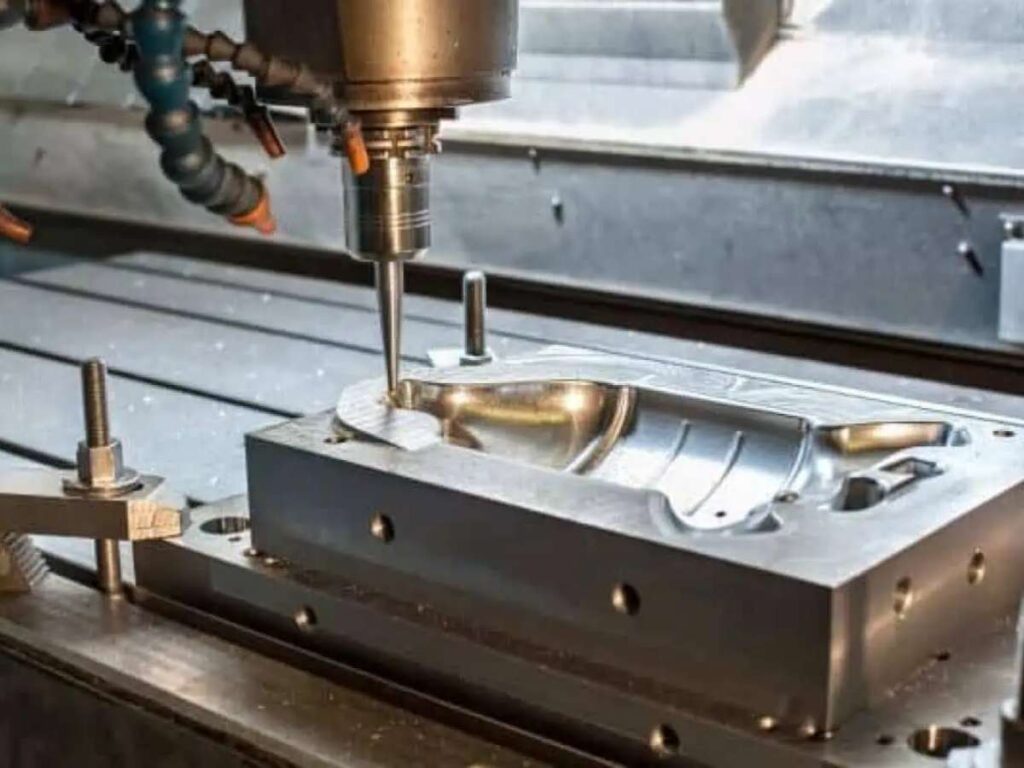
4-Axis Machining
- Adds a rotating axis letting the part spin during cutting
- Useful for parts with features on multiple sides
- Costs more than 3-axis due to extra complexity
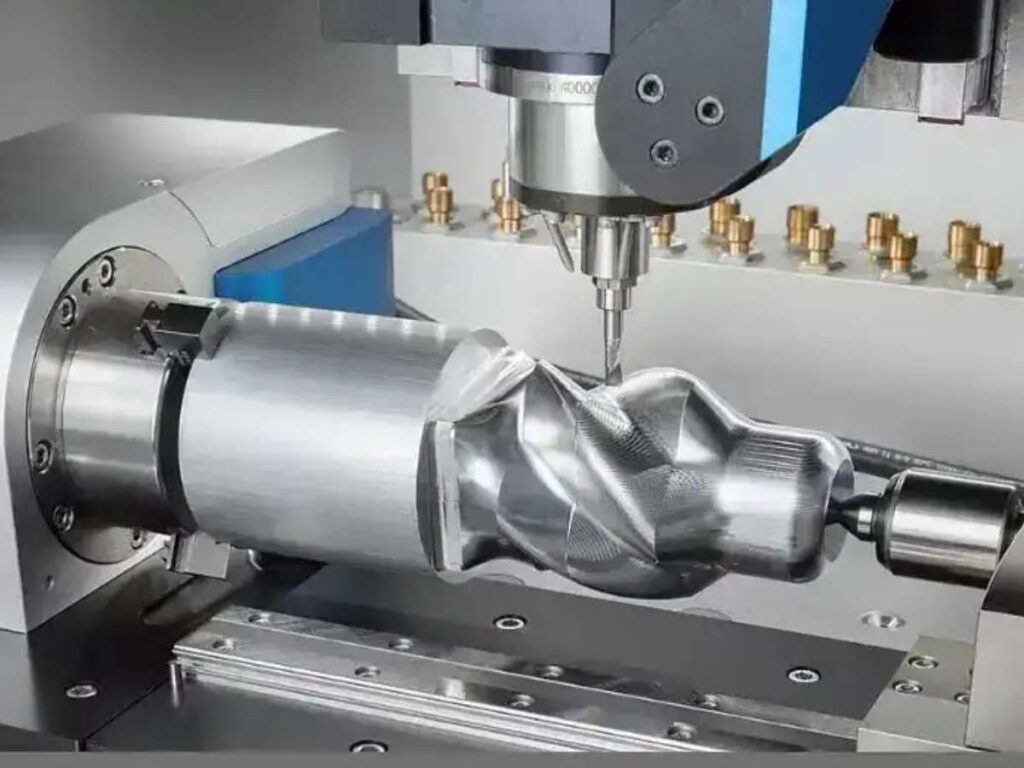
5-Axis Machining
- Full movement in five directions
- Can cut very complex shapes in one setup
- Used for high-precision parts (like in aerospace or medical)
- Highest cost due to setup time and operator skill
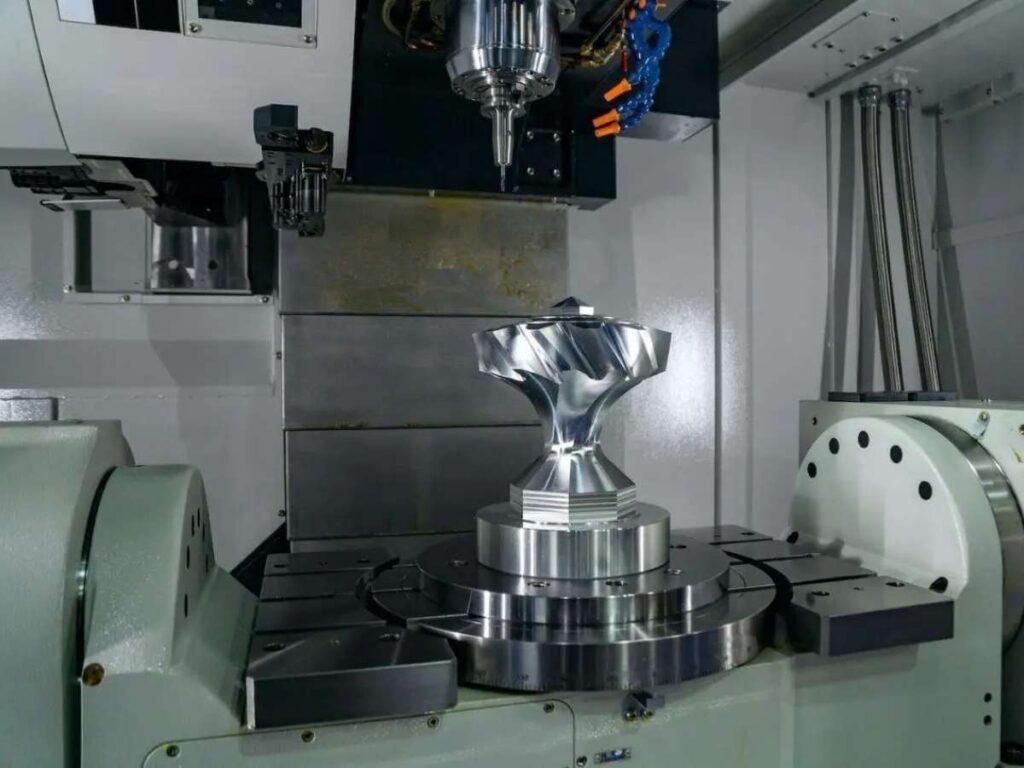
Machining Types
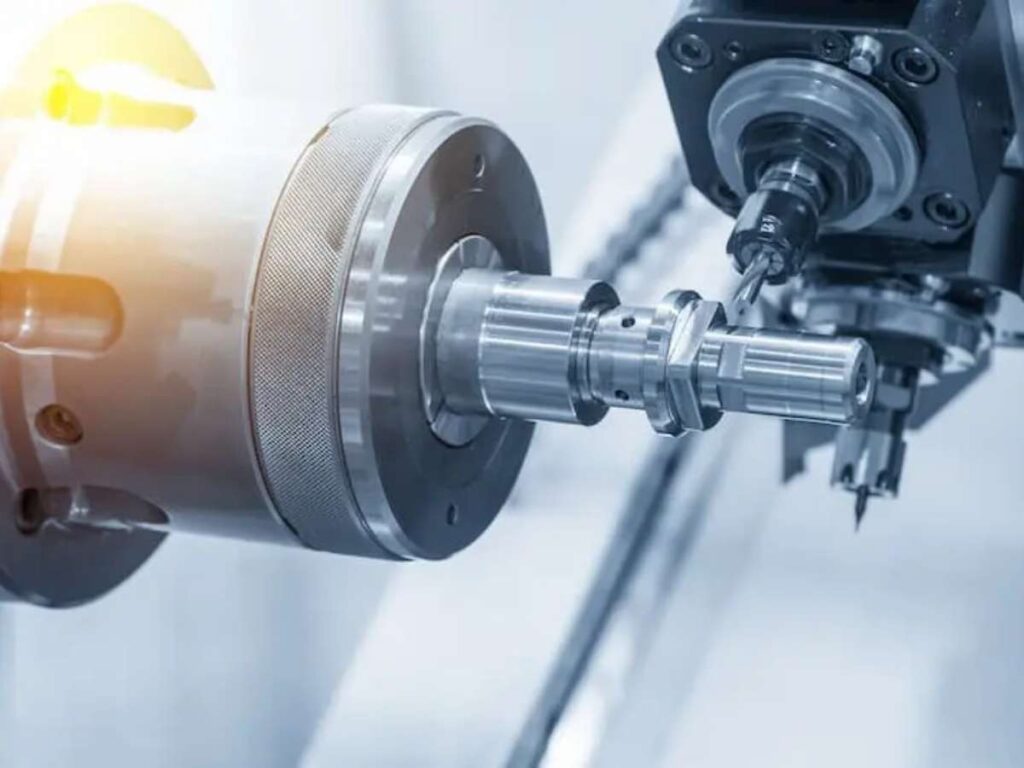
- CNC Turning: Spins the part while the tool cuts. Great for round objects like shafts and bushings.
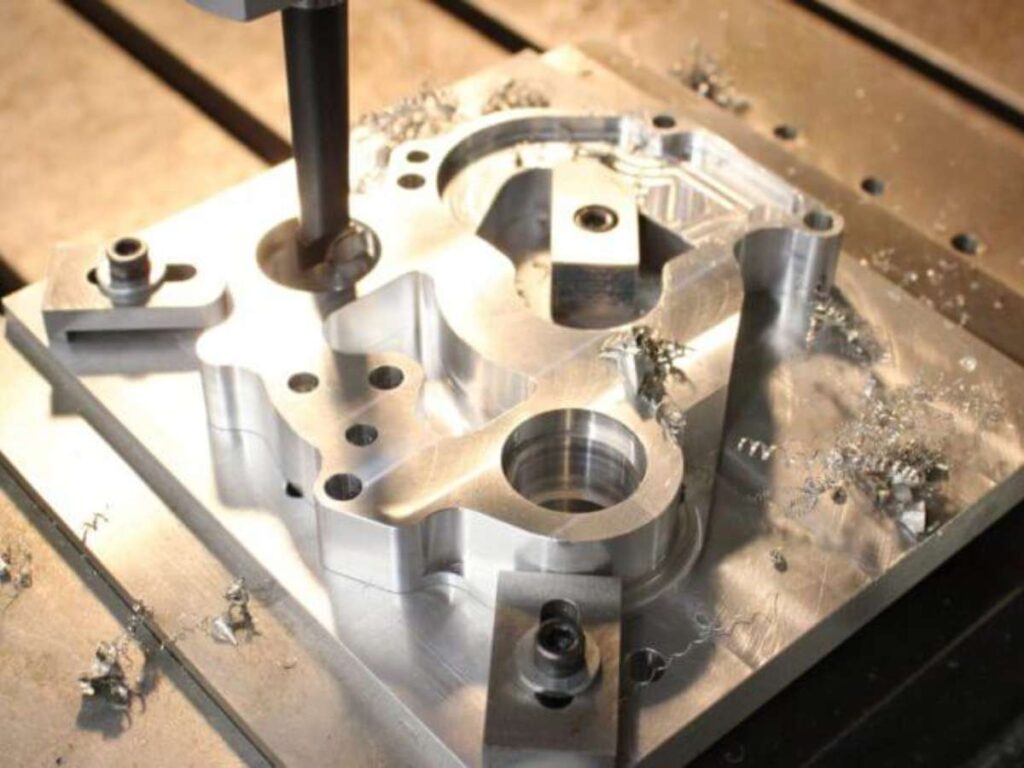
- CNC Milling: Keeps the part still. The tool moves around it. Ideal for blocks and flat pieces.
- CNC Drilling: Focuses on making clean, accurate holes.
Prototypes vs. Production Runs
- Prototyping: Small quantity, higher price per part. Shops spend time setting up for only a few pieces.
- Mass production: Lower price per part. Setup cost spreads across many parts.
Common Pricing Models
CNC suppliers don’t all charge the same way. Here are the models you’re most likely to see:
Per-Hour Pricing
- Typically used for prototypes or low-volume work
- Price is based on machine time plus labor
- Example: One of my early jobs was $90/hour and I didn’t realize how fast that could add up
Per-Part Pricing
- Each part has a flat rate
- Works best for medium or high volume
- Easier to predict cost if your design is locked in
Setup + Unit Cost
- Most common pricing method
- You pay a one-time setup fee, then a lower price per part
- Ideal for small to mid-size batches
Minimum Order Charges
- Some shops won’t run very small orders without a fee
- I once paid $150 for 3 small brackets because I didn’t meet the shop’s minimum
Key Takeaway
Pricing changes based on what you’re machining, how many you need, and how the shop charges. Once you understand the different services and models, you’ll be in a better position to budget accurately, compare quotes fairly, and cut out extra costs.
2. Key Cost Factors in CNC Machining
When I first saw a CNC quote, I stared at the number and thought why is it so high?
It wasn’t until I asked for a cost breakdown that I started to understand what I was actually paying for.
Once you see how each part of the process adds to your quote, you’ll be in a better position to budget, plan, and adjust your design if needed.
Material Cost
Material is one of the first things that affects your price.
Different materials have different prices per block, and some take more time or effort to machine. That adds to the total.
Common options include:
- Aluminum: Lightweight, easy to cut, and widely used. 6061 and 7075 are popular grades.
- Stainless Steel: Harder to machine. Wears out tools faster. 304 and 316 are typical.
- Brass: Cuts cleanly, but costs more. Good for appearance parts.
- POM (also known as Delrin): A plastic with low friction and decent strength.
- Titanium: Very strong, but extremely hard on tools. Expensive to cut.
Harder materials usually mean more tool wear and slower machining. That drives up labor and machine time.
If you don’t need extra strength or resistance, switching to a softer material like aluminum can lower your quote.
Machine Time
This is the actual time your part spends on the machine.
More time = more cost.
What affects machine time:
- Part Complexity: More holes, curves, or fine features take longer.
- Feed Rate: How fast the tool moves through the material.
- Cutting Speed: Controlled to avoid overheating or tool damage.
- Machine Type: 5-axis machines take less time to cut but cost more to run.
A simple part might take 20 minutes. A complex one could run for over an hour.
Setup and Programming Time
This is the cost of getting everything ready before the first cut.
It includes:
- Setting up fixtures and clamping material
- Choosing and installing tools
- Programming the toolpath in CAM software
Simple jobs might take 30 minutes to set up. Complex ones could take hours especially if custom fixtures or multiple tools are needed.
This fee is often fixed. That means the more parts you order, the less it costs per unit.
Labor and Overhead
Machines don’t run themselves. Someone has to:
- Set up the job
- Monitor the process
- Inspect the finished part
- Maintain the equipment
Labor cost depends on the skill level of the operator and the time it takes to complete your job.
Overhead includes things like:
- Rent and utilities
- Machine wear and maintenance
- Tool replacement
- Software and quality checks
You won’t always see these as separate line items, but they’re built into the price you get.
Understanding where the money goes helps you ask better questions—and make changes that can bring the cost down.

3. Design Complexity and Its Impact on Pricing
I’ve seen it happen more than once someone sends in a part for CNC machining, thinking it’ll be affordable.
Then they get the quote and wonder, “Why is it so high?”
A lot of the time, the answer is simple: the design is harder to machine than it looks.
Even small design choices can increase your cost. If you’re a product designer or buyer, knowing what features drive up pricing can help you save money without hurting how the part works.
Features That Increase Cost
Some features require more time, more setup, or special tools. These are some of the most common design choices that make machining more expensive:
- Deep Pockets: These require long tools and slow cutting speeds. That means more time and more risk of tool vibration.
- Thin Walls: They tend to flex during cutting. Machinists have to slow down or take lighter passes, which adds time.
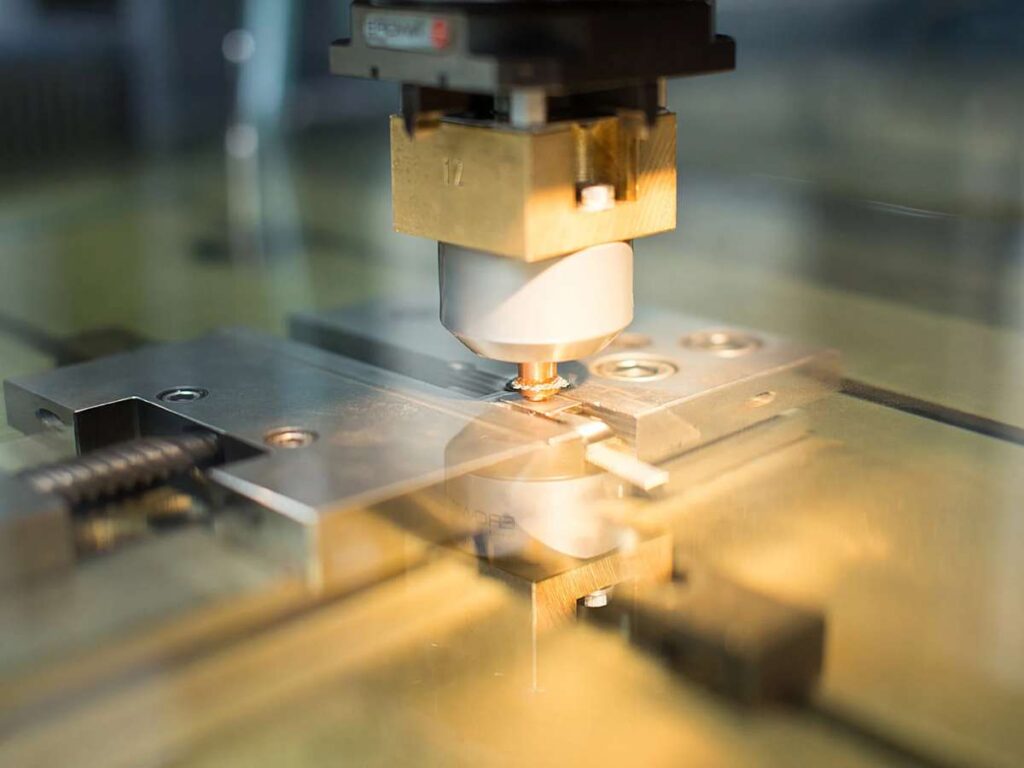
- Sharp Internal Corners: Round tools can’t cut perfect inside corners. If your design has sharp angles, the machinist may need to use tiny tools or EDM (Electrical Discharge Machining), both more costly options.
- Undercuts: These are features that can’t be reached from above. They often need special cutters or multi-axis machines, which cost more per hour.
- Multiple Operations: If the part needs to be flipped, rotated, or moved to another machine, that’s more setup time. And more setup means more labor costs.
At MachMaster, we work closely with designers to review parts before production. Our DFM (Design for Manufacturability) checks help you catch costly features early so you can simplify the design without sacrificing function.
Tolerances and Surface Finish Requirements
Tolerances are how much variation is allowed in your part’s size or shape. The tighter the tolerance, the harder it is to hold.
For example, if your part calls for ±0.01 mm, the machinist has to go slower, check more often, and possibly reject more parts. That adds cost.
You should always ask yourself: Does the whole part need to be that precise? Or just one feature?
Surface finish also matters.
Mirror polish takes extra polishing time and care. A brushed finish needs manual or semi-automatic treatment after machining. These extra steps may seem small but they add up quickly.
How to Reduce Cost Without Hurting Performance
Here’s what I’ve found works best:
- Use standard fillet radii on internal corners
- Avoid extra-deep cuts unless absolutely needed
- Loosen tolerances where precision isn’t critical
- Limit special finishes to visible or functional areas
Sometimes a minor design tweak can save 20–30% off your machining cost.
You don’t have to redesign everything just be intentional with the features that matter most.
4. Tooling and Maintenance Costs
At first, I didn’t understand why some CNC quotes included a tooling fee.
It felt like an extra charge I wasn’t ready for. But once I saw what goes on behind the scenes, I realized that fee wasn’t random it was necessary.
There are real costs involved in preparing, maintaining, and operating the tools that make your parts. You might not see them on the shop floor, but they definitely impact the price.
Tooling Wear and Replacement
Every cutting tool has a limit. Some last longer. Some wear out fast. And it all depends on what they’re cutting.
There are two main tool types used in CNC machining:
High-speed Steel (HSS):
- Less expensive
- Good for softer materials
- Wears out quickly
Carbide Tools:
- More durable
- Needed for harder metals or high-speed jobs
- More costly up front
If your part uses a material like titanium, fiberglass, or tough stainless steel, expect higher tool wear. Some exotic plastics can also be hard on tools.
When tools wear out, they need to be replaced. That takes time and money and it’s one reason why your quote might be higher than expected.
Custom Jigs and Fixtures
Not every part fits into a standard clamp.
If your part has unusual geometry or needs special support, the shop might build a custom fixture. This is called custom workholding.
Here’s what that includes:
- Cutting and shaping a fixture to hold your part
- Making sure it lines up properly
- Testing it for accuracy before machining starts
This is usually billed as a one-time tooling fee. You pay for the fixture up front, but if you reorder the same part later, you typically don’t pay it again.
Shops don’t add this step unless it’s necessary. But for odd shapes or tight tolerances, it’s the only way to keep things stable and accurate during cutting.
Machine Maintenance Overhead
CNC machines aren’t set-and-forget. They need constant care to keep running smoothly.
Behind every job, there’s routine maintenance that helps the shop deliver quality work. This includes:
- Lubricating moving parts
- Calibrating the machine to hold tight tolerances
- Replacing filters and worn components
- Cleaning and tuning to prevent breakdowns
These tasks cost time, supplies, and labor. Shops build this overhead into their hourly rates even if you don’t see it as a separate line.
Skipping this upkeep might lower the quote, but it risks delays, scrap parts, or poor quality.
5. Post-Processing and Secondary Services
I’ve learned this the hard way getting a CNC part machined is only half the job.
The other half? That’s post-processing. And if you’re not prepared for it, it can add cost, delay delivery, or throw off your whole project plan.
These extra services often show up at the end of a quote. Or worse, they’re left off completely until you ask for them.
Let’s go over what to expect, so you don’t get caught off guard.
Surface Finishes
Raw CNC parts usually have tool marks or visible lines. If appearance, corrosion resistance, or surface protection matters to you, you’ll probably need a finish.
Here are a few common options:
Anodizing:
- Used mostly for aluminum
- Adds a protective, decorative layer
- Clear, black, red, and blue are common
- Type II is decorative, Type III is hard anodized and more durable
Powder Coating:
- Adds color and protection using dry powder and heat
- More durable than paint
- Best for steel and aluminum parts
Sandblasting:
- A matte finish created by blasting tiny particles at the part
- Often used before anodizing or painting
At MachMaster, we offer all these finishing services in-house to help speed up delivery and give you more control over appearance and performance.
Tapping, Threading, and Assembly
If your part needs threaded holes, screws, or minor assembly, expect an extra charge.
Most shops bill this per feature:
- Per thread
- Per tapped hole
- Per assembled part
Manual operations take longer and cost more. Automated setups are faster but usually make sense only for high volumes.
Even something as small as pressing in a bearing or adding a gasket can affect price and lead time.
Inspection and Quality Reports
Basic inspection is usually included, but special reports often cost extra.
Here are some examples:
- COC (Certificate of Conformance): Confirms the part meets your spec
- ROHS: Verifies material compliance for hazardous substances
- Full Dimensional Report: Lists actual measurements for every feature
- PPAP (Production Part Approval Process): Required by many automotive buyers
These documents take time and skill to produce. Some shops charge a flat fee. Others include it in higher-level quality packages.
If your project needs traceability, compliance, or documented proof, make sure to ask for these during quoting.
These post-processing steps can sneak up on you but they’re just as important as the part itself.
Always ask what’s included in your quote, especially if appearance, function, or certification matters in your industry.
6. Cost Comparison: In-House CNC vs. Outsourcing
I’ve worked with both kinds of teams those who buy their own machines, and those who prefer to outsource. There’s no one right answer. It really depends on your goals, your budget, and how often you need parts.
| Scenario | In-House CNC Machining | Outsourcing CNC Work |
| Upfront Cost | High: machines, software, space, staff | Low: pay per job or batch |
| Flexibility | High: make changes anytime | Medium: depends on vendor response time |
| Skill Requirement | High: needs trained operators and programmers | Low: vendor handles programming and production |
| Speed to Start | Slow: setup, hiring, and training takes time | Fast: start as soon as vendor accepts the job |
| Access to Equipment | Limited: depends on what you buy | Wide: vendors may offer 3-axis, 5-axis, turning, and more |
| Maintenance Costs | Ongoing: tool wear, calibration, breakdowns | None on your side |
| Shipping Costs | None (unless shipping final products out) | Extra: especially with overseas suppliers |
| Quality Control | Internal: more oversight, more control | Vendor-based: need trust and good communication |
| Hidden Risks | Downtime, repair delays, staff turnover | Miscommunication, late deliveries, customs delays |
| Best For | Mature operations with steady production needs | Startups and small teams needing parts without full setup |
| Biggest Tradeoff | Large investment, more control | Lower investment, less control |
7. Tips for Getting Accurate and Competitive CNC Quotes
I’ve gone back and forth with suppliers more times than I can count all because the quote didn’t match what I expected.
Sometimes it was missing the surface finish. Other times the quantity was misunderstood.
And once, I forgot to include tolerances. That mistake doubled the price. If you want accurate quotes that save you time and money, it starts with how you ask.
What to Include in Your RFQ
The more detail you give, the better the quote you’ll get.
Make sure your RFQ includes:
- 2D Drawings: Even if you send a 3D file, add 2D drawings with labeled dimensions.
- 3D CAD Files: These help the shop simulate the job and check geometry. STEP or IGES formats work best.
- Material Type and Grade: Be specific “aluminum” isn’t enough. Say “6061-T6” or “304 stainless steel.”
- Quantity: Exact number of parts. Don’t guess.
- Tolerances: Include only where needed. Keep the rest of the standard.
- Surface Finish: Mention if you want anodizing, powder coating, or just raw.
The more your supplier has upfront, the fewer back-and-forth emails you’ll need later.
Ask the Right Questions
Don’t be afraid to ask for clarity before you say yes.
Important questions to ask:
- What’s included in this quote?
- Are tooling or setup fees separate?
- Does this price include finishing and inspection reports?
- What’s the expected lead time?
These answers help you compare apples to apples.
How to Compare Multiple Quotes
Getting three quotes is smart. But don’t just look at the total price.
Here’s what else to check:
- Lead Time: Will it arrive when you need it?
- Surface Finish Quality: Not all anodizing or coating is equal.
- Packaging: Are the parts protected by shipping?
- Quality Control: Does the vendor include inspection, or charge extra?
- Minimum Order Quantity (MOQ): Can they handle small runs?
Also clarify payment terms: Do they want full payment upfront? Net 30? Deposit?
Conclusion
That first overpriced CNC quote I got? It taught me what not to do.
Now you know what goes into CNC costs materials, design, setup, tooling, and more.
You know how to compare quotes, ask better questions, and spot hidden fees.
Whether you’re prototyping or scaling production, this article gives you the tools to plan smarter and spend better.
So what’s stopping you?
Contact Machmaster today let’s turn your next quote into a smart, cost-effective step forward.