

The first time I saw a CNC machine in action, I asked, “Why are some parts rejected even when they look fine?”
The machinist handed me a micrometer and said, “Because they’re out of tolerance.”
I didn’t get it at first. How could something that looked perfect be wrong? Then I saw how even the tiniest mistake just a hair off meant bolts didn’t line up, holes didn’t match, or pieces wouldn’t slide together. It was a wake-up call.
Since then, I’ve spent years learning from machinists, watching inspections, and seeing how small numbers on a drawing can turn into big problems in the real world.
I’ve felt that stress telling a customer their shiny new parts didn’t work. It’s not something you forget.
This article will walk you through the basics: what tolerances are, how to pick the right level, and what to avoid.
By the end, you’ll have the clarity and confidence to get your parts made right the first time.
Let’s jump in!
1. What is CNC Machining Tolerances?
In my early days working with CNC parts, I kept hearing the word “tolerance” tossed around the shop. I understood the designs, the tools, the machines but not that word.
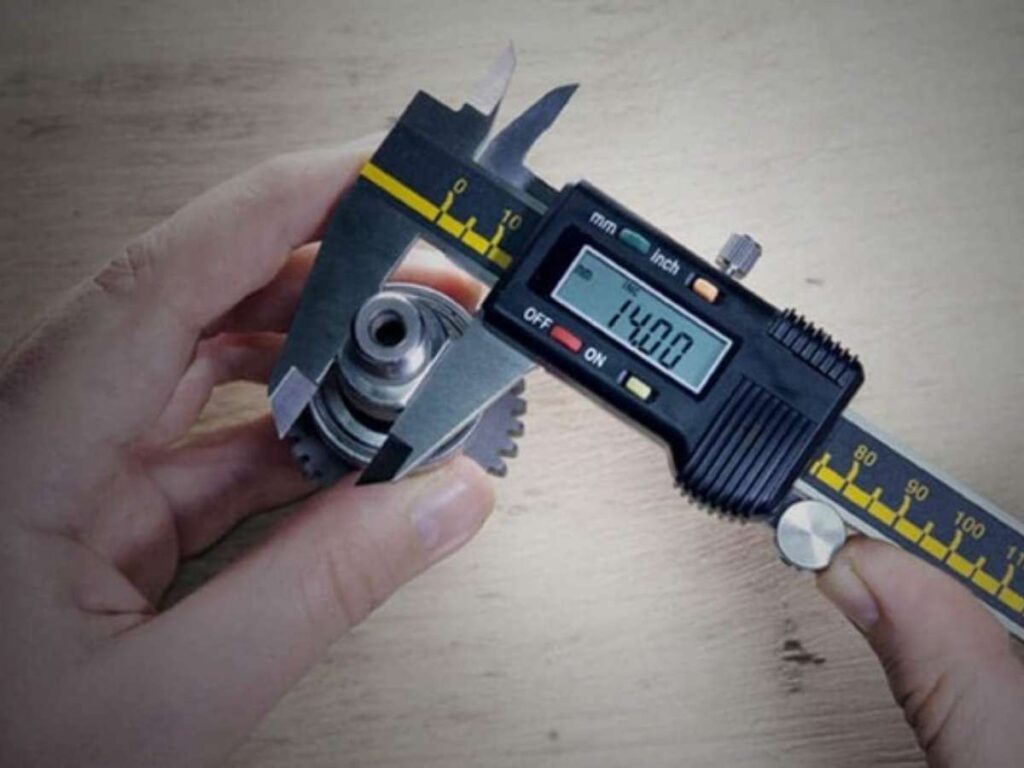
CNC machining tolerance is the allowed difference between the dimension shown on the drawing and the actual measurement of the finished part.
Nothing in machining is ever exact. Tools have wear. Materials react in their own ways. Even tiny vibrations or heat can cause slight changes. That’s normal and expected. Tolerances give permission for small variations, as long as they don’t affect how the part fits or functions.
It’s not about aiming for perfection. It’s about knowing what range is acceptable and safe. The tolerance defines that range. Without it, there’s no clear standard to decide if a part passes or fails.
What Tolerance Is “Good Enough”?
That depends on what your part is doing.
You need to think about:
- What the part will be used for
- What material it’s made from
- How it’s being machined
- How it will be assembled (press fit? sliding fit? bolted on?)
Here’s a general guide for most CNC milled or turned components:
- ±0.1 mm is standard for non-critical features
- ±0.05 mm or tighter is typical for parts that move, rotate, or need close fits
If you’re not sure what tolerance your part needs, don’t guess talk to your machinist. A small adjustment here can save you time, money, and rework later.
2. How to Calculate CNC Machining Tolerances
Let’s be real, CNC machining tolerances can get tricky fast. But once you see how they’re figured out, it becomes way easier to make smart calls when you’re designing or ordering parts.
Picture this. Your drawing says your part should be 50.00 mm wide. That’s what’s called the nominal size, the ideal size you’d love every part to be.
But here’s the thing. No machine hits that exact number every single time. So we use tolerances. A tolerance tells how much bigger or smaller your part can be and still work the way you need.
Say you write ±0.02 mm on your drawing. That means your part can be 0.02 mm larger or 0.02 mm smaller than 50.00 mm.
So what’s the full range?
- Biggest: 50.00 + 0.02 = 50.02 mm
- Smallest: 50.00 – 0.02 = 49.98 mm
As long as your part measures somewhere between 49.98 mm and 50.02 mm, it’s good to go. That’s your tolerance range.
Now if you don’t say what tolerance you want, the machine shop usually follows a general standard, like ISO 2768 or ASME Y14.5. For a 50 mm part, that might be around ±0.1 mm, which is a lot looser.
So if you care about tighter fits or want to avoid getting parts that wiggle or bind it pays to figure out your own tolerance and spell it out.
I’ve learned from mistakes here. If you’re not sure what’s best, talk it over with your machine shop. They can help you pick a tolerance that keeps things working without driving up your costs.
At MachMaster, they use the right standards daily to keep production smooth, fast, and consistent and no guesswork is needed.
3. Types of CNC Machining Tolerances
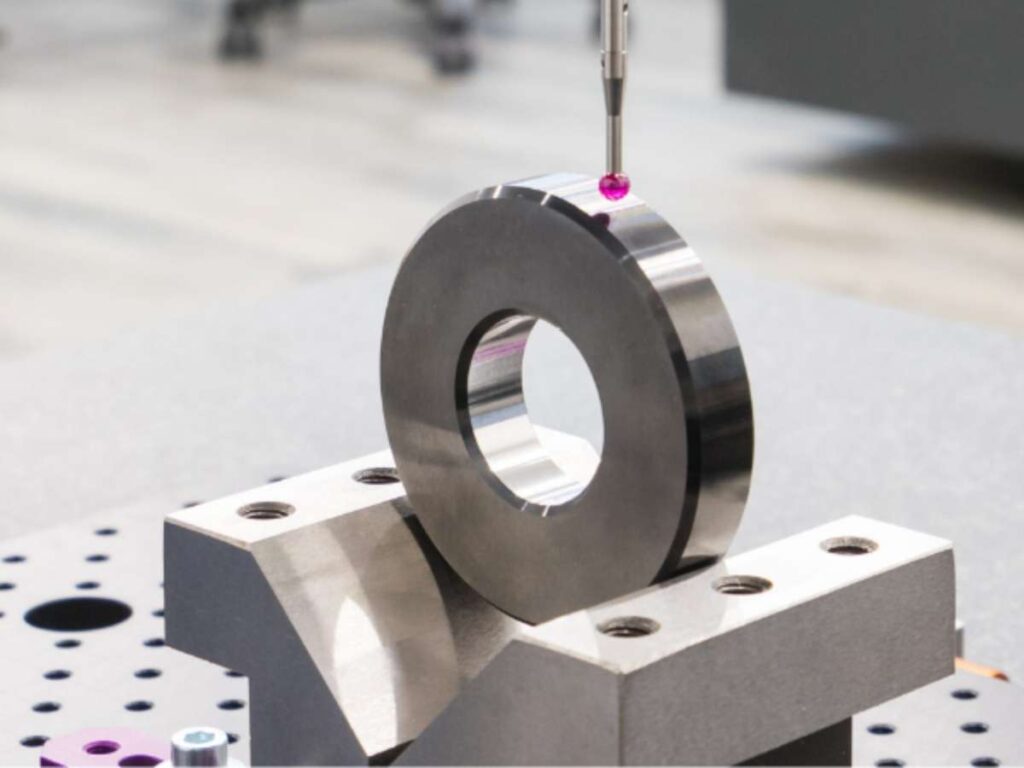
When I first started reviewing CNC drawings, I thought tolerances were just about size. Later, I learned there are different types that control shape, alignment, and position too. Each type plays a role in how a part fits or functions. Knowing these helped me avoid confusion and get parts made right.
Here are lists of types of CNC machining tolerances:
Dimensional Tolerances
This is the most basic and common type. It controls how much a length, width, height, or diameter can vary from the drawing. You’ll usually see it written with a ± symbol, like ±0.05 mm. You’ll use dimensional tolerances for holes, slots, outer edges just about every standard feature.
Geometric Tolerances (GD&T)
Geometric tolerances take things further by controlling form, orientation, and position. These use a feature control frame and standardized symbols, following the ASME Y14.5 standard. If you’re sharing parts between teams or suppliers, GD&T helps you clearly communicate what matters most.
Flatness Tolerance
Flatness limits how much a surface can dip or warp. You don’t need a reference surface, just keep that one face flat. You’ll want this when you need full contact between mating parts or a proper seal. If you skip it, warped surfaces can cause leaks or uneven pressure.
Straightness Tolerance
Straightness keeps an edge or centerline from bending or curving. You’ll use this on shafts, rods, and long structural features. It’s how you keep those parts aligned and functioning without wobble or drag. Even a small bend can throw off performance.
Perpendicularity and Parallelism
These control the angles between surfaces. Perpendicularity keeps things square at 90 degrees while parallelism keeps surfaces evenly spaced. If you’re assembling parts that slide, rotate, or sit flush, you’ll want these tolerances locked in. Bad angles lead to stress, wear, and misalignment.
Position Tolerance
Position tolerance keeps holes, slots, and other features from being off-center or misaligned. This is critical when features have to match up with others in an assembly. If you’ve ever had holes that “almost” lined up but didn’t, this is the tolerance that helps prevent that.
4. Standard Tolerance Classes Chart
Standard tolerance classes help you answer that without guesswork. Instead of calculating everything from scratch, you can rely on trusted values that align with typical CNC machining capabilities. These standards are especially useful when you’re dealing with features that don’t require ultra-tight control.
Here’s a reference table based on ISO 2768 general tolerances. These apply to linear dimensions and vary by tolerance class: Fine (F), Medium (M), Coarse (C), and Very Coarse (V).
| Linear Dimension Range (mm) | Fine (F) | Medium (M) | Coarse (C) | Very Coarse (V) |
| 0.5 to 3 | ±0.05 | ±0.1 | ±0.2 | – |
| Over 3 to 6 | ±0.05 | ±0.1 | ±0.3 | ±0.5 |
| Over 6 to 30 | ±0.1 | ±0.2 | ±0.5 | ±1.0 |
| Over 30 to 120 | ±0.15 | ±0.3 | ±0.8 | ±1.5 |
| Over 120 to 400 | ±0.2 | ±0.5 | ±1.2 | ±2.5 |
| Over 400 to 1000 | – | ±0.8 | ±2.0 | ±4.0 |
| Over 1000 to 2000 | ±0.5 | ±1.2 | ±3.0 | ±6.0 |
| Over 2000 to 4000 | – | ±2.0 | ±4.0 | ±8.0 |
Using a standard tolerance chart avoids over-specifying features and helps prevent manufacturing delays. It also improves drawing clarity something both the shop and the inspection team will appreciate. For any non-critical feature, defaulting to ISO 2768-m is usually a safe and cost-effective choice. It’s one of the simplest ways to make production smoother and more predictable.
5. Applications of CNC Machining Tolerances
I used to think tolerances were just about numbers. But after working with clients in different industries, I saw how much those numbers affect real-world performance. From a small engine part to a massive valve, tolerance decisions change depending on what the part does and who’s using it.
Here’s how different industries rely on CNC tolerances, with examples from my own experience and industry norms:
Aerospace Industry
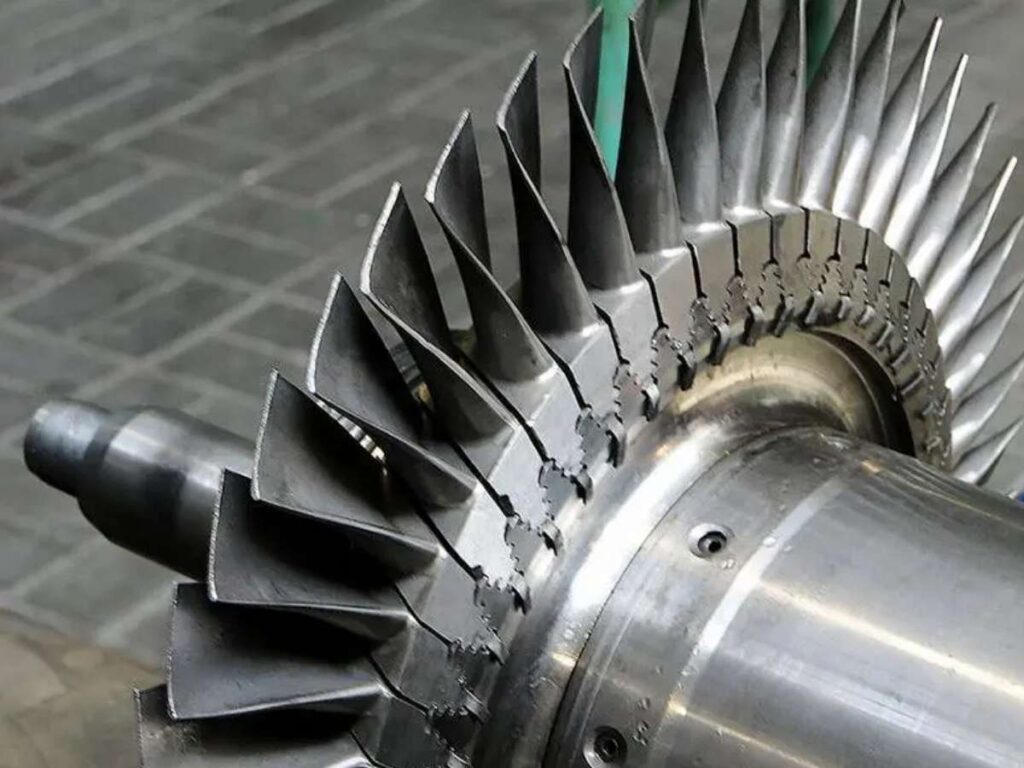
In aerospace, tight tolerances aren’t optional. If you’re machining engine mounts, turbine parts, or flight control components, expect to work within limits as tight as ±0.005 mm. These parts operate under intense pressure, heat, and vibration. Even a small deviation can lead to failure, which is why you need to match the machining precision with strict quality checks.
Automotive Industry
In automotive work, tolerances depend on the part’s role. If you’re working on engine blocks or transmission gears, you’ll need high accuracy to reduce noise, wear, and failure. But for brackets, casings, or non-moving parts, you can often loosen tolerances to cut costs. It’s all about balancing performance with efficiency especially in high-volume production runs.
Medical Device Industry
If you’re making surgical instruments, implants, or diagnostic housing, your tolerances need to be tight and consistent across batches. These parts must not only fit but also stay sterile and perform safely in real-world conditions. Most shops in this space follow ISO 13485 standards, and your inspection process will need to be just as reliable as your machining.
Electronics and Semiconductors
Electronics parts often look simple, but don’t let that fool you. I once worked on a heat sink housing where a misaligned hole by just 0.1 mm caused the circuit board to short out during testing. Tolerances around ±0.05 mm were needed to keep ports, screws, and thermal pads lined up. Whether it’s for device enclosures or internal brackets, tight tolerances are key to fitting small, complex components inside compact designs.
Oil and Gas Industry
This field deals with big, heavy parts like valve bodies, flanges, and drill collars but don’t assume tolerances are loose. If you’re machining sealing surfaces or threaded connections, you’ll often work under flatness specs of 0.03 mm or less. I once helped inspect a stainless-steel valve seat that needed a mirror-flat finish. The reason was clear: even a tiny leak in a high-pressure system could cause massive issues in the field.
6. Challenges and Limitations of CNC Machining Tolerances
There was a moment when I tried to hold a ±0.01 mm tolerance across ten parts, the results weren’t consistent. The machine was capable but tool wear, heat, and even the time of day changed the outcome. That experience taught me that tight tolerances sound great on paper, but they bring real challenges on the shop floor.
Here are some of the common limitations I’ve seen while working with tight CNC specs.
Tool Wear Over Time
As your cutting tools wear down, dimensions can slowly drift out of spec especially in high-volume jobs. You might end up with scrap parts even if the code’s perfect.
Solution: Set tool life limits and plan for regular replacements or regrinds. Use tool wear compensation in your program to adjust as the tool degrades.
Thermal Expansion
Cutting generates heat. That heat makes materials like aluminum and steel expand, causing finished parts to read larger than expected.
Solution: Use coolant correctly, break up long cuts, and allow parts to cool before finish passes. A rough cut followed by a cool-down and final pass works well.
Machine Capability Limits
Every CNC machine has its limit. If you try to hold tighter tolerances than the machine can deliver consistently, you’ll get inconsistent results even with good setups.
Solution: Don’t rely on spec sheets, ask your machinist what tolerances the machine hits in real production. Then set your drawings accordingly.
Material Instability
Some materials like nylon, PVC, or softer metals move under tool pressure, clamp force, or heat. Holding tight tolerances becomes unpredictable.
Solution: Stick with stable materials when precision matters. If you must use tricky ones, loosen tolerances where it won’t affect function, or tweak your speeds, feeds, and fixturing.
7. Tips to Achieve The Right Tolerances in CNC Machining
The first time I submitted a drawing with tight tolerances across the board, the shop pushed back rightfully so. Not only did it raise the price, but it also added unnecessary machining time. Since then, I’ve taken a more practical approach to tolerancing.
Below are tips based on what’s worked well across different projects and production runs.
Tip #1 Let the Function Drive the Tolerance
Every feature on a part has a job. If it supports motion, guides alignment, or seals a surface, it likely needs tighter control. If it’s purely structural or cosmetic, general tolerances often work just fine. Choosing tolerances based on function helps avoid over-specifying dimensions that don’t impact performance.
Tip#2 Group Features by Tolerance Level
Breaking the part into zones, critical, moderate, and non-critical, makes the drawing more readable and manageable.
- Critical Features: Tight tolerances (alignment holes, sealing faces)
- Moderate Features: Standard fits (bracket mounts, slots)
- Non-Critical Features: General tolerance class (outer edges, cosmetic areas)
This approach also helps machinists focus where it matters most.
Tip#3 Discuss Expectations with the CNC Shop Early
No one knows the machine’s real-world limits better than the shop itself. Before production starts, check what tolerance ranges they can hit repeatably. This keeps your design grounded in reality and avoids frustrating surprises later.
I suggest working with Machmaster, they encourage early collaboration. Their team reviews designs with you, points out tolerance risks, and helps you lock in specs that work for both performance and production. A short chat upfront often saves hours later.
Tip#4 Use Standard Tolerances Where Custom Isn’t Needed
For non-functional areas, standards like ISO 2768-m or ASME Y14.5 work well. These tolerance classes are widely accepted in manufacturing and don’t require detailed dimensioning. They simplify the drawing and give the shop freedom to machine efficiently. Applying standards to secondary features is a proven way to speed up quoting and production.
Conclusion
CNC tolerances can make or break a project.
This article unpacked the key types, explained real challenges, and shared proven steps to get tolerances right.
Whether you’re managing a product launch or refining a design, this is the knowledge that keeps production running smooth.
Don’t wait for bad parts to teach the hard lesson.
Start with clarity, start with MachMaster.
Contact us today and get the support your team deserves!