
I once spent $400 on the wrong part.
It was for a prototype I was excited about. I chose CNC machining because it sounded right at the time. But I didn’t really understand how it worked—or how it was different from 3D printing.
Looking back, I wish someone had explained it to me in a way that made sense.
Maybe you’re in that same spot. You’ve got a part to make. You’re deciding between CNC and 3D printing. And you don’t want to waste time or money.
I got it. I’ve been there.
I’ve worked with factories, designed parts on tight deadlines, and had to figure this out the hard way. I’ve made mistakes so you don’t have to.
This article will help you understand how CNC machining and 3D printing work. I’ll show you where each one fits best, how they compare, and how to choose the right one for your job.
You don’t need to be an expert. You just need clear answers. That’s what you’ll get here.
So, let’s get straight to it!
1. What is CNC Machining
If you’re building physical products from the ground up, there’s a good chance you’ve crossed paths with CNC machining. But let me tell you, CNC is the old-school powerhouse of manufacturing. And it still earns that title every single day.
I remember when we first brought a CNC mill into the shop. I stood there watching it chew through a block of aluminum like it was nothing. The hum, the precision, the control, it felt like we leveled up overnight.
And when you need consistency, tight tolerances, and real strength? Nothing beats it. It’s why we offer CNC machining services here at MachMaster, to help teams like yours build with confidence and precision.
Let’s break it down in plain terms:
CNC = Computer Numerical Control
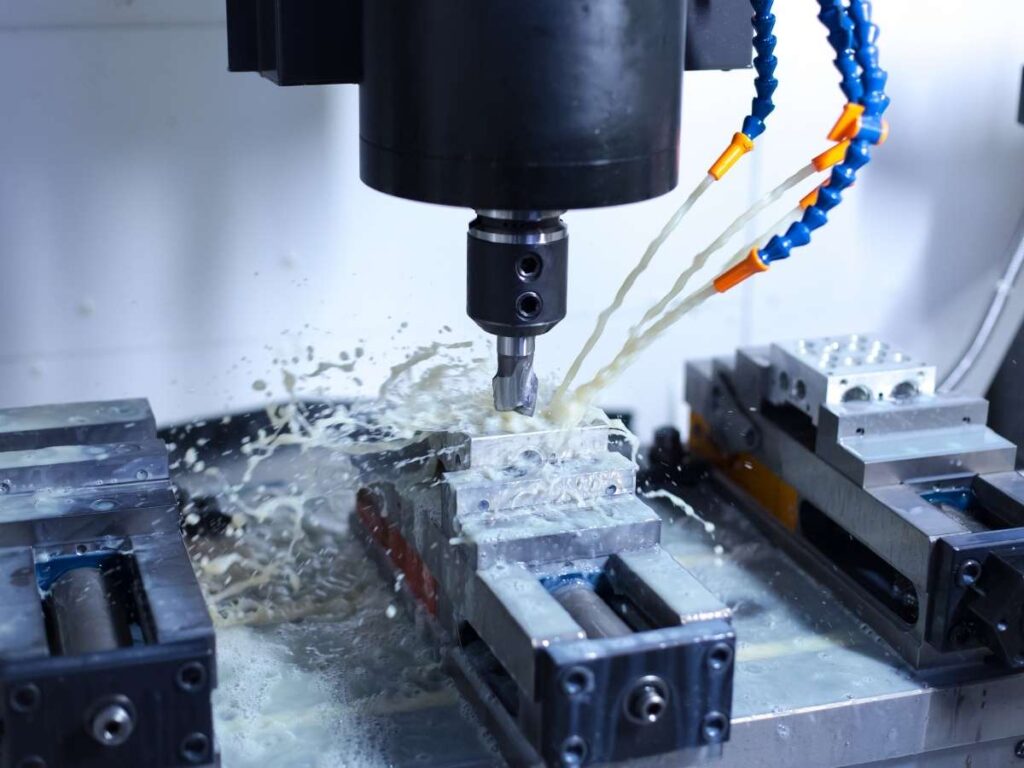
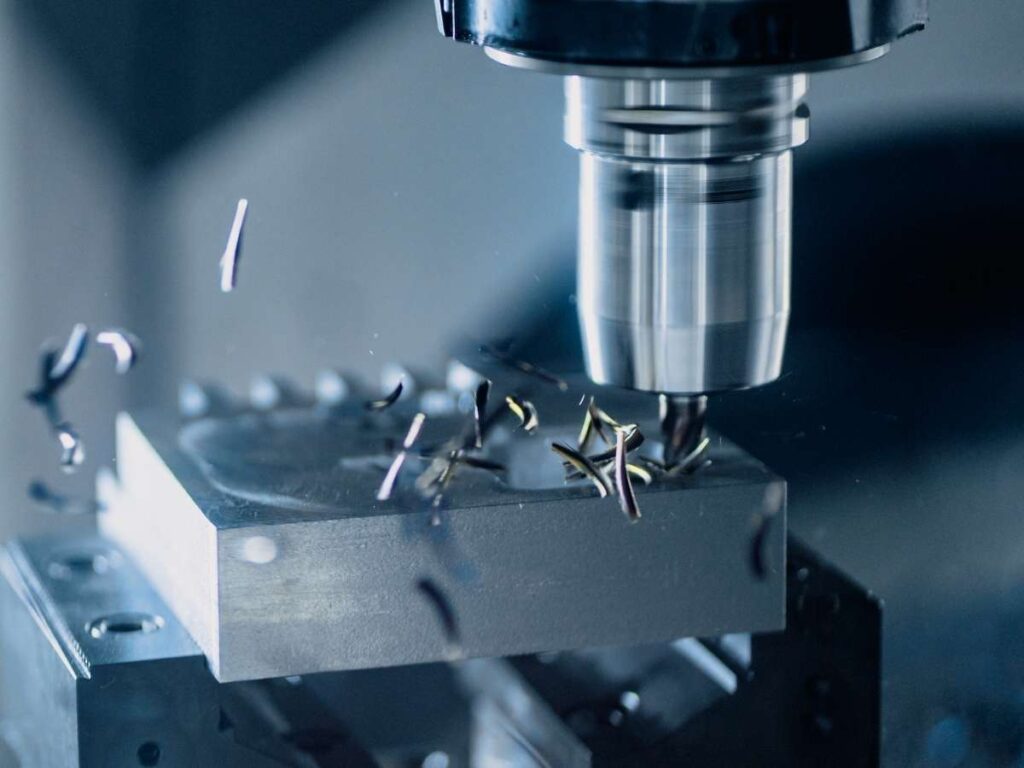
CNC machining is a subtractive manufacturing method. That means instead of building a part layer by layer (like 3D printing), you start with a solid block of material, and cut away everything you don’t need.
The machines are controlled by pre-programmed code (G-code). Once your CAD model is ready, the software generates instructions that tell the machine exactly how to move—which direction, how fast, how deep.
You’re not just cutting. You’re sculpting. With absolute control.
What Can CNC Machines Do?
A lot. You can:
- Cut
- Drill
- Mill
- Turn
- Bore
- Tap
- Engrave
If the geometry is reachable by a cutting tool, CNC can probably make it.
And it’s not just about parts that look good on paper. We’re talking about fully functional, high-performance components. Think:
- Aerospace brackets
- Automotive engine blocks
- Industrial machine parts
- High-end prototypes
Ideal Materials
One of CNC’s biggest advantages? Material freedom. You can machine:
- Metals like aluminum, steel, titanium, brass
- Plastics like ABS, nylon, PEEK
- Even wood or composites if that’s your domain
This isn’t hobby-grade stuff. These are materials that survive heat, force, impact, real-world wear and tear.
Advantage
This process is built for repeatability. Whether you need 1 part or 10,000, CNC machining gives you:
- Exact tolerances
- Consistent surface finishes
- Zero surprises (when done right)
Sure, it takes setup. Yes, it requires skilled operators or vendors who know their machines.
But once it’s dialed in? It just works.
2. What is 3D Printing
I’ll be honest—when I first saw a 3D printer in action, I didn’t take it seriously.
It looked like a toy.
Plastic spools, a moving nozzle, layers slowly stacking up… It felt more like a tech demo than a real manufacturing process.
But then I held the finished part in my hands. It was light, strong, detailed, and done overnight. That’s when I realized: this isn’t a gimmick. It’s a game-changer.
And if you’re in product development, prototyping, or short-run manufacturing, it just might be the edge you’re looking for.
3D Printing = Additive Manufacturing
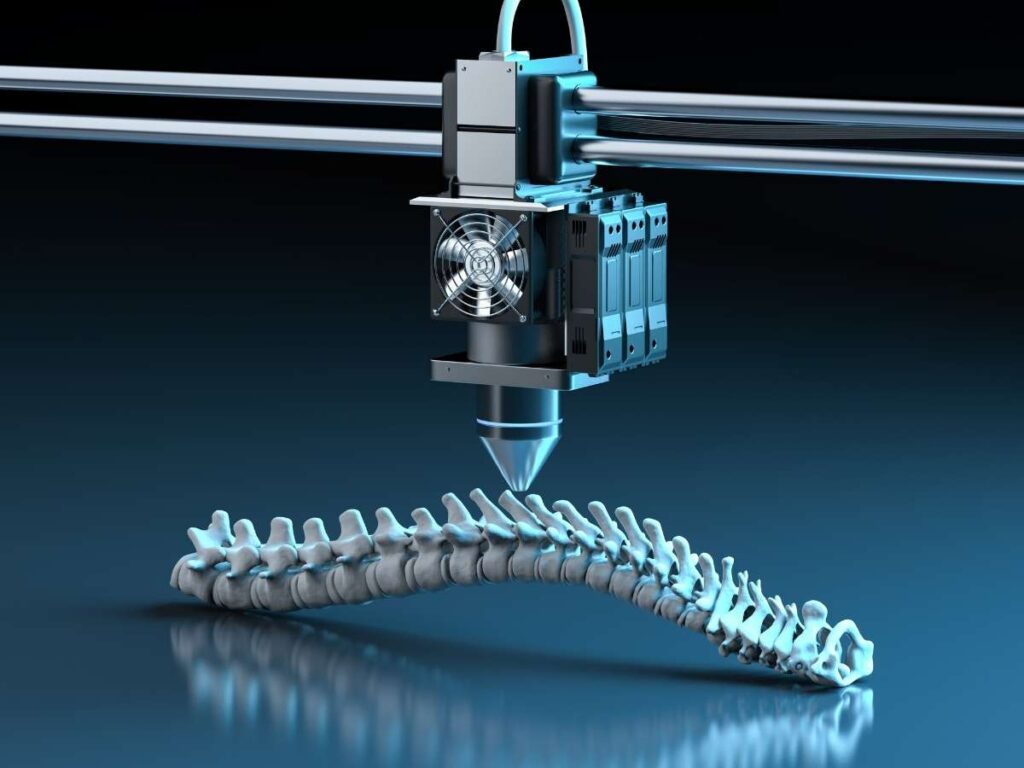
Unlike CNC, 3D printing builds a part layer by layer, from the ground up. There’s no cutting, no waste, no mess of shavings to sweep up.
It all starts with a digital 3D model. Once you load it into slicing software, the printer gets to work—melting, fusing, curing, or sintering material into shape.
Depending on the printer type, you might be using:
- FDM (Fused Deposition Modeling) – melted plastic filament
- SLA (Stereolithography) – liquid resin cured by UV light
- SLS/DMLS (Selective Laser Sintering) – powdered materials fused by lasers (yes, even metal)
It’s like digital craftsmanship, without the overhead. We offer 3D printing at MachMaster for that exact reason, to help you move fast, prototype smarter, and get to market quicker.
What Makes 3D Printing So Powerful?
Speed, flexibility, and creativity. You can:
- Print complex geometries without needing tool paths
- Prototype new designs overnight
- Iterate without retooling or setting up new fixtures
- Create parts with internal channels, organic curves, or lattice structures
- Even produce end-use parts in low volumes
If your team thrives on innovation, or your product needs are constantly shifting, 3D printing moves with you.
Ideal Materials
Let’s be real, this used to be a weak point. But not anymore. Today’s 3D printers can use:
- Standard thermoplastics (PLA, ABS, PETG)
- Engineering-grade materials (Nylon, PC, PEEK)
- Flexible rubbers (TPU)
- High-detail resins
- And yes, even metal powders (like stainless steel, titanium, Inconel)
Are they all as durable as CNC-machined metal? Not always. But for prototypes, fit testing, or lightweight parts? They’re more than enough.
Advantage
3D printing isn’t magic. It’s not perfect. You’ll need to manage:
- Post-processing (support removal, sanding, curing)
- Print failures and restarts
- Material limitations depending on your use case
- Longer print times for large parts
That said, if you’re building prototypes, testing form and fit, or doing low-volume runs, it’s an absolute powerhouse. Especially if speed and creativity matter more than aerospace-grade tolerance.
3. Manufacturing Approach
Here’s where CNC and 3D printing truly part ways.
Both methods create physical parts from digital designs. But the way they get there? Completely different philosophies.
If you’re choosing between them, you need to understand this difference. It’s not just technical, it affects everything: cost, speed, materials, even how you design your parts.
CNC is Subtractive
You start with a solid block of material, metal, plastic, whatever you’ve chosen.
Then, using a cutting tool (or several), the CNC machine removes material until only your finished part remains. It’s like sculpting from stone: everything you don’t want gets carved away.
And every cut is precise, calculated, and repeatable.
But here’s the trade-off:
- You waste material, sometimes a lot of it
- Complex shapes can require special tools or multi-axis setups
- You’re working within the limits of what a tool can reach and remove
That said, CNC shines in industrial production where strength, surface finish, and exact tolerances are non-negotiable.
3D Printing is Additive
Now flip that concept on its head.
3D printing builds your part from zero, one layer at a time. No cutting. No grinding. Just pure creation, from the ground up.
It’s like stacking micro-layers of material until your object is fully formed. Here’s what that unlocks:
- Virtually no waste
- Unmatched design freedom, curves, voids, internal channels
- Tool-less manufacturing, no jigs, no fixtures, no cutting tools
But of course, it has its limits:
- Layer-by-layer printing can be slower for large or solid parts
- Printed parts often need post-processing (cleaning, curing, smoothing)
- You’ll be working within specific material and printer constraints
4. Supported Materials
One of the biggest factors that’ll influence your decision between CNC machining and 3D printing?
Materials.
Because no matter how impressive a process sounds, if it can’t work with the material your product needs, it’s a dead end.
In this section, I’ll walk you through the most commonly used materials in manufacturing—and show you how they perform in CNC vs. 3D printing.
Aluminum
- CNC: Aluminum is a CNC superstar. It machines fast, holds tight tolerances, and has an excellent strength-to-weight ratio. Ideal for aerospace, automotive, and structural parts. You’ll get clean surface finishes and strong mechanical performance.
- 3D Printing: Only possible through metal 3D printing (like DMLS), which is expensive, specialized, and slower. Great for advanced prototyping or high-value components—but not ideal for most small businesses or production runs.
Verdict: If you need aluminum, CNC wins—hands down.
Steel and Stainless Steel
- CNC: Very common in CNC shops. Can be milled, turned, and drilled with high strength and reliability. Often used for tooling, brackets, industrial enclosures, and more.
- 3D Printing: Available with metal powder printing (DMLS). The parts are real steel, but the machines are costly and slower. Still, it works for custom metal parts where CNC is too limited geometrically.
Verdict: Both processes can handle steel, CNC is cheaper and faster, but 3D printing allows more complex shapes.
Titanium
- CNC: Yes, but it’s tough on tools and time-consuming. Still widely used in high-performance, high-budget industries like aerospace and medical.
- 3D Printing: Also possible with metal additive manufacturing. Used for lightweight, strong parts with complex designs, like implants or aircraft brackets.
Verdict: Titanium works in both, but expect higher costs and longer lead times, no matter the method.
ABS / Nylon / Engineering Plastics
- CNC: Machinable, but not always cost-effective. ABS and nylon can deform under cutting forces unless fixtured well. Best for structural prototypes or jigs.
- 3D Printing: These plastics shine here. FDM, SLS, and Multi Jet Fusion all support high-performance plastics like nylon, TPU, and polycarbonate. Perfect for housings, brackets, flexible parts, or field testing prototypes.
Verdict: 3D printing leads for engineering plastics, especially for fast prototyping and short runs.
Resins
- CNC: Not suitable. Brittle, unstable under cutting.
- 3D Printing: This is SLA territory. Resin printing produces parts with ultra-high detail and surface finish. Best for models, medical components, or visual prototypes, not functional mechanical parts.
Verdict: If you need detail over durability, 3D printing (SLA) is your go-to.

5. Complexity of Design
If you’ve ever stared at a CAD model and asked, “Can we even make this?”, you’re not alone.
Design complexity is where the line between CNC and 3D printing gets sharp. Because while both can create amazing things, they operate under very different rules.
And those rules can either bring your ideas to life, or kill them before they hit the shop floor.
CNC Machines Need Tool Access
Here’s the first thing you need to understand: CNC machining is limited by physics.
Every feature, every cut, has to be reachable by a physical tool—a drill bit, end mill, or cutter. That means:
- No sharp internal corners (unless you use EDM)
- No internal voids or sealed cavities
- Undercuts? Only possible with special setups or multi-axis machines
And if you’re machining a complex part, you may need multiple operations and repositioning, which adds cost, time, and risk of error.
I’ve lost count of how many times we had to simplify a design just to make it machinable. That’s not always a bad thing. Simpler = cheaper. But it does put limits on creative freedom.
3D Printing Builds What CNC Can’t
Now enter 3D printing—the rule-breaker.
Because there are no cutting tools involved, the printer doesn’t care how complex your geometry is. As long as it can be sliced layer by layer, it can be built. That means:
- Organic shapes? Easy.
- Internal channels or fluid paths? No problem.
- Lightweight lattice structures? Yes.
- One-piece assemblies with moving parts? You bet.
You can design for performance, not just manufacturability.
This is huge when you’re trying to innovate fast, especially in aerospace, robotics, wearables, or anything where weight and shape matter.
6. Tolerances & Precision
Let’s talk numbers, because when you’re machining a functional part, “close enough” isn’t good enough.
Whether you’re building a prototype, a mold, a structural component, or a connector, precision is often the line between product success and product failure.
And this is exactly where CNC and 3D printing start to drift apart.
| Factor | CNC Machining | 3D Printing |
| Typical Tolerances | ±0.001 in (±0.025 mm) or better (depending on machine, setup, and material) | ±0.005–0.020 in (±0.125–0.50 mm) depending on technology and part size |
| Best-Case Tolerances | Up to ±0.0002 in (±0.005 mm) with precision machining centers | ±0.002–0.004 in (±0.05–0.1 mm) possible with resin-based printing (e.g. SLA) |
| Repeatability | Very high—excellent for batch production | Moderate—can vary slightly per print due to environment, material, or orientation |
| Surface Finish (Out of Machine) | Smooth, professional (32–125 µin Ra typical) | Layer lines visible, rougher finish; 100–500 µin Ra typical |
| Post-Processing Impact | Usually minimal (unless high-polish is needed) | Often required (sanding, curing, polishing, vapor smoothing) |
| Geometry Influence on Precision | Stable—tool path is consistent regardless of part complexity | Can affect results—overhangs, warping, or unsupported features may reduce accuracy |
| Part Strength & Structural Integrity | Uniform in all directions | Layer-dependent strength (weaker between layers) |
| Ideal Use Case | Tight tolerance components, mating parts, jigs/fixtures, critical assemblies | Visual models, concept prototypes, complex but non-critical geometries |
- CNC wins when tight tolerances, precision mating, or quality control are critical.
- 3D printing delivers speed and design freedom, but you’ll sacrifice some accuracy, unless you’re using premium SLA or metal printers.
- Printed parts may shrink, warp, or shift slightly depending on orientation, supports, or cooling rate.
- CNC gives you repeatable, dimensionally consistent parts, which is why it’s still the standard for production.
7. 4 Tips on How to Choose Between CNC and 3D Printing
This isn’t about which technology is cooler. It’s about what works best for you—your product, your timeline, and your business model.
Choosing between CNC machining and 3D printing can feel overwhelming if you’re stuck comparing specs. So instead, let’s walk through a few practical filters you can use. These are the same criteria we use when deciding how to move forward on a new part or production run.
Let’s break it down:
#1 Material Requirements
First, think about the material your part needs to be made from. If it has to be aluminum, steel, titanium, or another high-performance metal, CNC is almost always the better, and is often the only option. It’s built to cut, shape, and finish metal reliably.
On the other hand, if you’re working with plastics, rubbers, or specialty resins, materials like nylon, ABS, or TPU, then 3D printing opens up a lot more flexibility. Especially if your parts don’t need to survive high loads or extreme temperatures, additive manufacturing gives you more options, faster.
#2 Part Complexity
Now let’s talk about design. If your part is geometrically simple, with flat faces, drilled holes, and machined pockets, CNC is ideal. It’ll be faster, cleaner, and more reliable. But if your part has complex internal channels, organic shapes, or nested structures that a cutting tool couldn’t possibly reach, then 3D printing becomes the clear winner.
This is where additive manufacturing shines: it doesn’t care about tool access or undercuts. It can build what you model, without compromise. That kind of freedom can unlock ideas that would be too expensive, or flat-out impossible, to machine.
#3 Volume & Production Scale
Think about how many parts you need. For low-volume runs, say 1 to 50 pieces, 3D printing is usually faster and more cost-effective. There’s no tooling, no setup, and you can make changes on the fly.
But if you’re ramping up to mid- or high-volume production, CNC wins on repeatability and cost-per-part. Once the machine is set up and dialed in, it can crank out hundreds or thousands of identical parts with incredible consistency. That kind of scale is tough to beat.
#4 Turnaround Speed
If you need something tomorrow—or, maybe today—3D printing might be the fastest way to get a physical part in your hand. That’s especially true for early prototypes, fit checks, or visual models.
But if the part needs to go straight into service, or if failure isn’t an option, CNC machining is more reliable. There are fewer unknowns, less post-processing, and the final part comes out ready to perform.
Conclusion
That wrong part? It ended up on a shelf.
But that mistake pushed me to learn, and now I get to share that with you.
You’ve learned how CNC and 3D printing stack up. You’ve seen their strengths, their weak spots, and when to use each one.
Now it’s your move.
You’ve got what you need. Start with confidence. Make something great.
What’s the first part you’re planning to build?
If you want help reviewing your choice or design, I’m here.
Let’s make sure your part ends up where it belongs, in your hands, not on a shelf. Contact us today.
Dive Deeper Into Our Resources
Looking for more product options? Take a look at our carefully chosen selections to find what suits your needs best:
Still haven’t found what you’re looking for? Don’t hesitate to contact us. We’re available around the clock to assist you.