
I used to think CNC milling was something only engineers or factory pros could get. It sounded too complicated—like a secret language made of numbers and machines.
That all changed when I needed to get a real part made.
Not a drawing. Not a picture. A real piece of metal, cut the right way. I didn’t have a clue where to start, so I just began asking questions.
I talked to people who work in machine shops. I watched the machines work—cutting metal clean and smooth. I read what I could, even when I didn’t get it at first. Slowly, it started to make sense.
CNC milling wasn’t scary anymore. It just needed a clear explanation.
If you’ve ever wondered how parts get made with machines—or what CNC even means—this guide is for you.
I’ll walk you through the basics in plain language. By the end, you’ll know exactly what CNC milling is and why it matters.
Let’s dive in!
1. What Is CNC Milling?
When I first heard “CNC milling,” it sounded way too technical—like something only engineers understood. But it’s actually pretty simple.
CNC stands for Computer Numerical Control. Milling means cutting stuff down into shape. So CNC milling is just a machine that uses a computer to cut material—like metal, plastic, or wood—into the part you need.
It’s kind of like carving, but with super-precise tools that follow exact instructions from a computer. No guesswork. No mistakes.
I remember watching a CNC machine cut an aluminum phone case. Every hole, every edge—perfect. That’s when I realized how powerful this process is.
At MachMaster, we use CNC milling to produce high-precision parts for all kinds of industries. Whether it’s a single prototype or a full production run, the accuracy and repeatability are hard to beat.
CNC milling can:
- Drill holes
- Cut slots
- Shape curves
- Make parts for real products
It’s used in everything from phones to planes. And it’s not just for big companies—designers, engineers, and even small startups use it to bring their ideas to life.
2. How CNC Milling Works
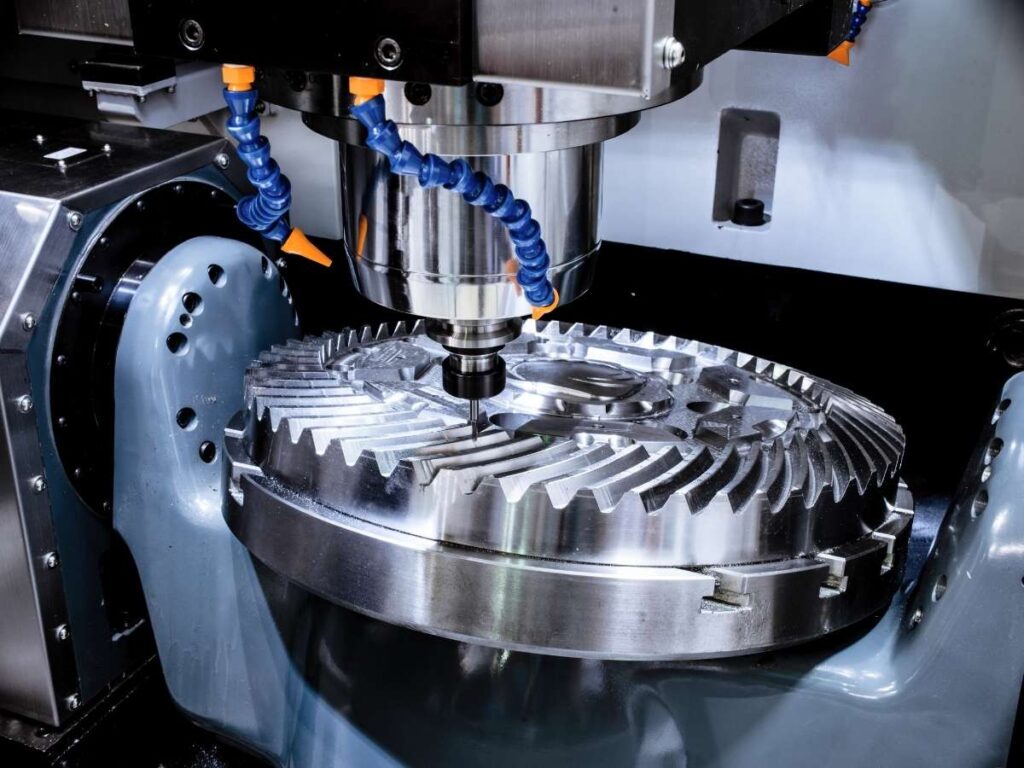
When I first saw a CNC milling machine in action, I thought—there’s no way I could ever learn how this works. All those moving parts, spinning tools, strange codes…, it felt overwhelming.
But the truth is, once you break it down, CNC milling follows a clear and repeatable path.
Let’s go through it—step by step.
Step 1: It All Starts With a CAD File
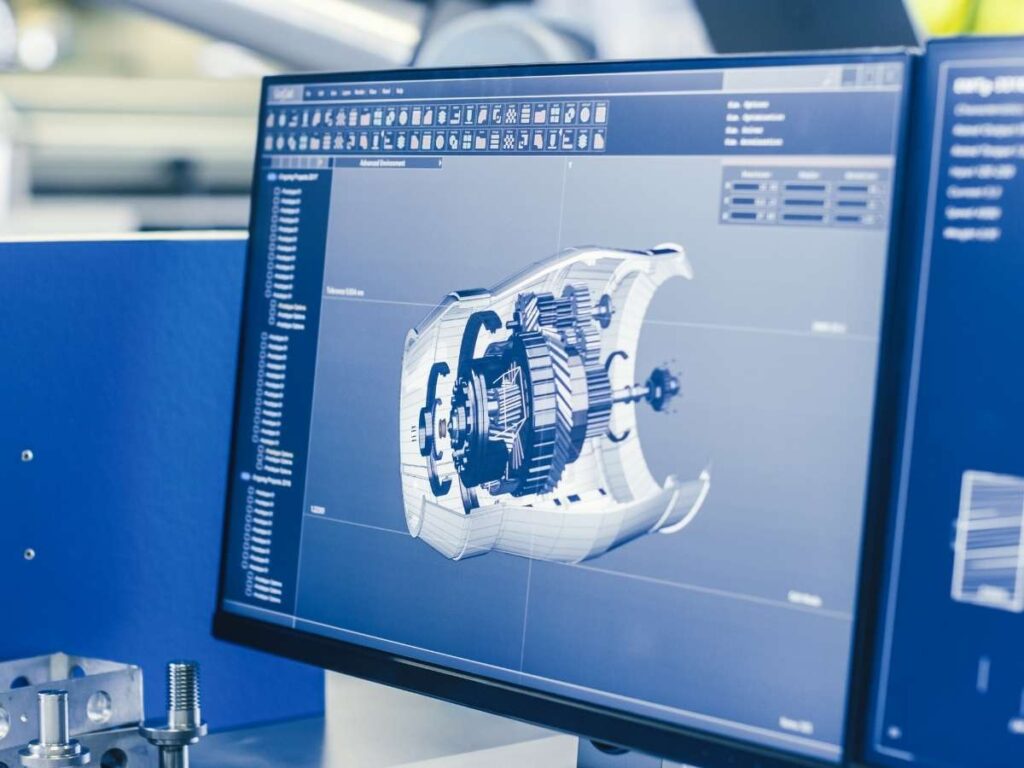
Everything begins with a digital design.
- CAD stands for Computer-Aided Design.
- You—or may designer—create a 3D model of the part using CAD software.
- This file holds all the details: dimensions, holes, curves, and shapes.
It’s like handing the machine a blueprint of what you want to make.
Step 2: CAM Software Prepares the Toolpath
The CAD file isn’t ready for cutting yet. It needs instructions.
- That’s where CAM, or Computer-Aided Manufacturing, comes in.
- CAM software turns your 3D model into a toolpath—a.
- It controls how fast the tool spins, how deep it cuts, and the path it follows.
I still remember the first time I saw a CAM simulation. It looked like a video game—but it controlled a real machine.
Step 3: The Machine Gets Set Up
Before cutting starts, the operator preps the machine.
- A block of material (metal, plastic, or something else) is clamped to the worktable.
- A cutting tool is loaded into the spindle—this is the part that spins.
- The machine gets aligned, so it knows where zero is (its starting point).
This setup step matters. A bad setup can mess up the whole part—even with a perfect design.
Step 4: Milling Begins
Here’s where the magic happens.
- The machine follows the toolpath and starts cutting.
- It moves in three directions:
- X-axis: left and right
- Y-axis: forward and backward
- Z-axis: up and down
- The tool spins fast—sometimes thousands of RPMs—and removes material.
This method is called subtractive manufacturing because you’re cutting material away instead of building it up.
And because the whole process is computer-controlled, it’s repeatable. Every part comes out the same. That’s why CNC milling is trusted for tight-tolerance parts in aerospace, medical, and electronics work
3. Key Benefits of CNC Milling
If you’re wondering why so many shops and manufacturers rely on CNC milling, it comes down to four big benefits. I used to think it was all about speed, but once I got involved, I saw the real value was in the details.
Let’s break it down.
Precision and Repeatability
One of the biggest strengths of CNC milling is how precise it can be. These machines can hit tolerances as tightly as ±0.01mm. That’s about the width of a human hair.
Here’s why that matters:
- Parts fit together exactly as designed
- There’s less need for rework or adjustment
- Small errors don’t stack up over a full production run
- Even complex shapes can stay within tight limits
I once visited a shop that made aerospace parts. The machinist showed me a small bracket they’d milled—he said if it was even 0.02mm off, it wouldn’t pass inspection. With CNC, they hit the mark every time.
And that’s the beauty of repeatability. You don’t just get one good part. You get hundreds, all the same.
Scalability and Production Flexibility
I met a product designer who needed just five custom housings for a prototype. He used CNC milling. A few months later, he ordered thousands of units—no need to switch methods.
That’s what makes CNC flexible:
- It works for small batches or large-scale production
- You can change the design between runs without a big delay
- No need to invest in expensive tooling upfront
If you’re testing and tweaking designs, this makes life a lot easier.
Material Versatility
Another surprise for me: CNC milling isn’t just for metal.
You can also cut:
- Plastics
- Composites
- Some wood types
Common materials include:
- Aluminum
- Steel
- Brass
- ABS
- Nylon
- Acrylic
This gives you more freedom to choose the right material for your part.
Automation and Labor Efficiency
Once the machine is set up, it mostly runs by itself. That means:
- Fewer manual errors
- Lower labor costs over time
- More consistent parts
If you’ve got deadlines or tight budgets, automation makes a real difference. And it frees people for other jobs. That’s something many small teams really appreciate.
4. Materials Used in CNC Milling
One of the best things about CNC milling is flexibility. You’re not limited to just one type of material. But with so many choices, it can be hard to know what’s right for your part.
Common Metal Options
- Aluminum: This is the most widely used metal in CNC milling. It’s lightweight, easy to cut, and resists corrosion. You’ll find it in phone housings, drone frames, brackets, and more. It’s fast to machine, which helps keep lead times short and costs down. But it’s also softer than other metals—so not ideal if you need high wear resistance.
- Steel: Steel is strong and durable. It’s used when parts need to hold up under stress—like in machinery or tools. It cuts slower than aluminum and usually costs more to produce. But it gives you strength that lighter metals can’t match.
- Brass and Copper: These are great for electrical parts and fittings. They’re easy to machine and have a clean finish. But they’re pricier than aluminum and not as strong as steel.
- Titanium: Titanium is lightweight and heat-resistant. It’s often used in aerospace and medical parts. It holds up under pressure—but it’s expensive and harder to mill. Only choose this if your part truly needs those advanced properties.
Plastics for CNC Milling
CNC milling isn’t just for metal. Plastics are often the better choice—especially for prototypes, housings, or lightweight parts.
Here are some common plastics:
- ABS: Strong, affordable, and easy to machine. It’s great for covers, enclosures, and basic parts.
- POM (also called Delrin): It has a slippery surface and low friction. That makes it perfect for moving parts like gears and sliders.
- Nylon: Tough and flexible. Often used in brackets and supports. But it can absorb moisture over time, which may affect precision.
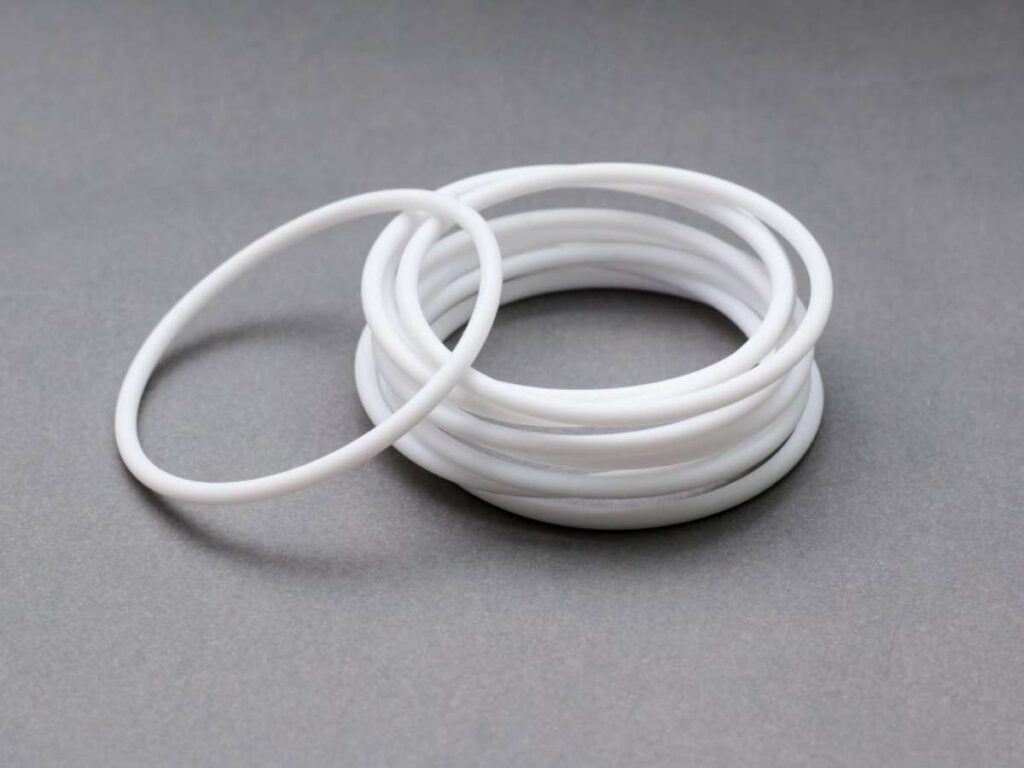
- PTFE (Teflon): Great for chemical resistance and heat. You’ll find it in lab equipment or food-grade parts. It’s soft, so it’s not for every job.
- PC (Polycarbonate): Clear and impact-resistant. Used in light covers, lenses, and safety shields.
Choosing the Right Material
So, how do you decide what to use?
Ask yourself a few questions:
- Does the part need to be strong or lightweight?
- Will it be exposed to heat or moisture?
- How important is surface finish or color?
- Are you working with a tight budget?
Also consider whether your customer or industry requires certifications. Some materials come with documentation to meet aerospace, medical, or food safety standards.
5. CNC Milling vs Other Manufacturing Methods
Choosing the right method for your part can be tricky.
I’ve been there—trying to balance cost, quality, and speed. CNC milling is a great option, but it’s not the only one. It really depends on what your part needs to do.
| Method | Process Type | Best For | Strength & Tolerance | Surface Finish | Design Complexity | Material Options | Typical Use Cases |
| CNC Milling | Subtractive | Flat surfaces, slots, pockets, complex 3D parts | Very high (±0.01mm or better) | Smooth, clean-cut edges | Moderate to high | Metals, plastics | Brackets, housings, enclosures, gears |
| 3D Printing | Additive | Organic shapes, hollow parts, fast prototyping | Low to moderate | Layered texture, post-finish needed | Very high (for curves, overhangs) | Plastics, some metals | Prototypes, models, low-stress components |
| Laser Cutting | Subtractive (2D only) | Flat sheet designs, fast 2D part production | Moderate | Sharp edges, slight burn marks | Low (2D only) | Sheets: metal, acrylic, wood | Panels, signs, faceplates, gaskets |
| CNC Turning | Subtractive (rotating) | Cylindrical parts: shafts, rods, bushings | Very high | Very smooth (axial symmetry) | Low to moderate (round parts) | Metals, plastics | Pins, rollers, threaded parts |
6. Potential Risks and Safety Considerations
CNC milling is powerful. But like any machine that cuts metal, it comes with risks.
When I first walked into a machine shop, the sound alone made me pause. High-pitched, fast, and sharp. I quickly learned these machines aren’t just loud—they can also be dangerous if you’re not careful.
Let’s look at the risks and how you can stay safe.
Machine Hazards
CNC mills use a spinning tool called a spindle. These can spin at thousands of revolutions per minute. That kind of speed can cause serious injury if your hand or clothing gets too close.
Other hazards include:
- Chip ejection: Hot metal chips shoot out during cutting
- Heat: Tools and parts can get extremely hot
- Noise: Long exposure can affect your hearing
Even a small machine can pack a lot of force. So it’s important to respect what the machine can do.
Operational Safety Tips
If you’re running a CNC machine—or even standing nearby—follow these tips:
- Wear protective eyewear to shield your eyes from flying chips
- Use machine guards whenever possible
- Don’t wear loose clothing or jewelry that could get caught
- Always check your setup: Parts should be tightly clamped before cutting
- Use the right tools and inspect them before each job
- Keep your work area clean and dry to prevent slips
Most important of all: make sure the person running the machine knows what they’re doing. CNC milling might seem like a button-push job, but a lot of judgment goes into setup, fixturing, and choosing the right speeds.
I once saw a beginner skip a simple clamp. The part popped loose, and the tool broke in seconds.
Don’t rush. Safety is part of doing the job right.
7. Factors to Consider When Choosing a CNC Milling Service
Let’s be real—price is important.
But if that’s all you’re looking at, you could be setting yourself up for a painful mistake.
I’ve worked with teams that rushed into the first quote they got.
Everything looked fine—until the parts showed up late, didn’t fit, or worse, failed in use.
That’s when they called me.
Here’s what I always tell them to check before choosing a CNC milling partner.
#1: Precision and Capability
Your part might look simple, but can the shop hit your tolerances?
- Ask what tolerances they can hold. (Tight tolerances = higher accuracy.)
- Find out if they use 3-axis, 4-axis, or 5-axis milling machines.
- Complex shapes or angles often need more axes.
- More axes also reduce setups—which saves time.
If your design is detailed or has tight specs, you need a partner who can deliver without holding up your schedule.
#2: Material Compatibility
Material choice isn’t just about function—it affects cost, machinability, and compliance.
- Confirm they work with your material—aluminum, stainless steel, titanium, or engineering plastics.
- Ask if those materials are certified and traceable. That helps avoid quality issues and meets industry rules like RoHS or REACH.
I’ve seen parts fail early because the wrong alloy was used. Don’t leave this to guesswork.
#3: Lead Time and Volume Flexibility
Need a quick prototype now—but also planning for volume later?
- Ask if they support both one-off prototyping and larger batch production.
- Check their standard lead times, and what happens if demand spikes.
- Will they still hit deadlines if your volume triples next month?
Fast delivery on one job means little if they can’t keep up when it counts.
#4: Quality Assurance
Don’t skip this—especially if your parts affect safety, durability, or fit.
- Ask what inspection tools they use: for example, CMMs (Coordinate Measuring Machines).
- Do they run in-process checks, or only inspect at the end?
- Look for certifications like ISO 9001 and RoHS.
Strong quality systems help reduce rework, missed tolerances, and customer complaints. Good prep and coating don’t matter if the part dimensions are off.
Always ask how quality is tracked—from raw materials to final shipment.
#5: Communication and Support
Bad communication is a red flag—especially when something changes last-minute.
- Are your emails answered fast?
- Do they help you spot design issues early, before production?
- Can you get real DFM feedback to avoid rework?
Clear communication saves time and prevents mistakes. You don’t want to find out too late that a file was wrong or a tolerance got missed.
At MachMaster, we’ve seen how early conversations—especially about design and materials—can prevent costly delays. That’s why our team focuses on fast responses, clear updates, and honest feedback before anything gets cut.
Conclusion
You started with questions about CNC milling—and now, you have real answers.
You know what it is, how it works, what it does best, and what to look for in a reliable service.
So what’s your next move? Is your part ready for production, or do you still have questions?
Don’t wait until you’re behind schedule to get the support you need.
Contact us today—we can help bring your project to life.
Recommended Reads for You
Need more ideas? Browse through our extended range of products and discover something new:
Still haven’t found what you’re looking for? Don’t hesitate to contact us. We’re available around the clock to assist you.