
Adding a logo to a CNC machined part seems like a small detail, but the marking method can affect the product’s appearance, durability, manufacturing cost, and overall finish.
A logo on an anodized aluminum enclosure may need to look clean and professional. A logo on an industrial component may need to remain readable after years of handling. A brand logo on a consumer product may require specific colors that match the company’s identity.
The best marking method depends on what you need from the finished part.
For most CNC machined components, the main options to consider are CNC engraving, laser marking, and screen printing. Each method offers different advantages in terms of appearance, marking depth, color, durability, and production requirements.
This guide explains how to choose the right logo marking method for your CNC parts.
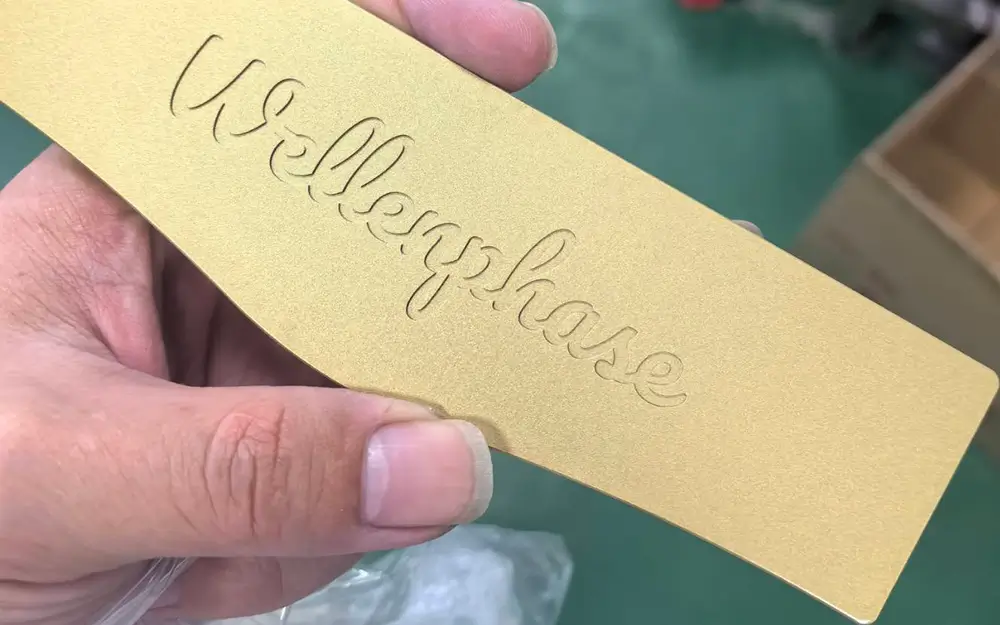
1. CNC Engraving: Best for Recessed and Durable Logos
CNC engraving uses a cutting tool to remove material and create a recessed logo, letter, symbol, or pattern directly on the part.
Because the logo is physically machined into the component, it does not rely on an ink layer or adhesive to remain visible.
Advantages
- Creates a recessed, three-dimensional appearance.
- Suitable for logos, text, part numbers, and identification marks.
- Can provide good durability when the engraving depth and design suit the application.
- Can be incorporated into the CNC machining process.
- Works well for industrial components that need permanent identification.
Limitations
- Very small text and intricate logo details may be limited by cutting tool size.
- Deeper engraving takes additional machining time.
- Engraving can affect thin walls or critical dimensions if it is not properly designed.
- The logo color may be similar to the surrounding material unless a contrasting finish or fill is added.
When Should You Choose CNC Engraving?
CNC engraving is a good choice when you want a physical recess rather than a surface-only mark.
Typical applications include:
- Industrial equipment components
- Mechanical parts with part numbers
- Aluminum housings and brackets
- Custom tools and fixtures
- Components requiring a tactile or recessed logo
For production parts exposed to repeated contact or wear, please contact us to discuss the required engraving depth and material.
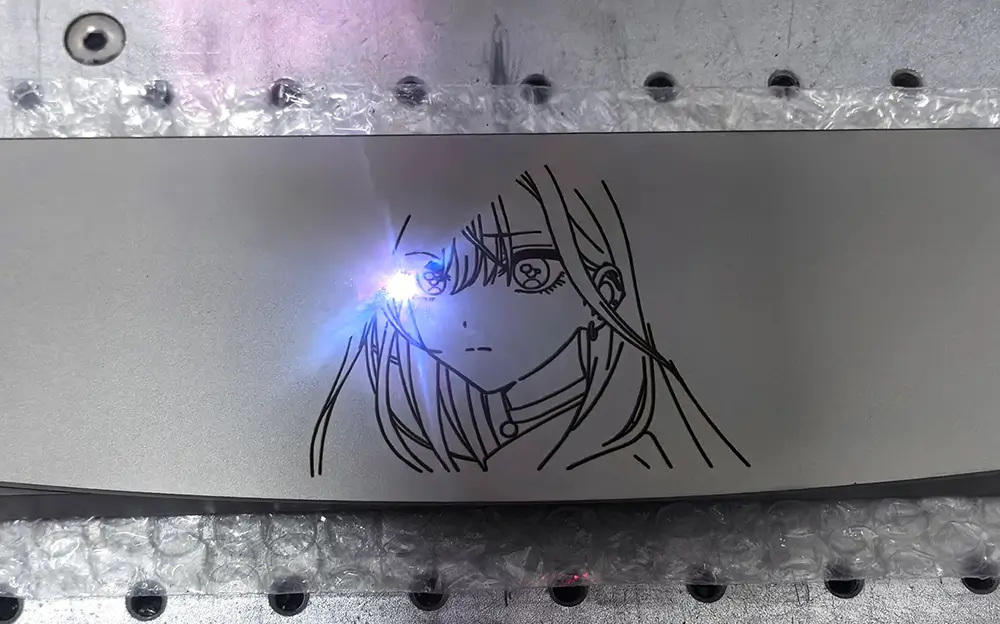
2. Laser Marking: Best for Fine Details and Identification
Laser marking uses a focused laser beam to alter the surface or a surface coating to create a logo, text, serial number, or other identification mark.
Depending on the material and laser settings, the result may be a color change, a high-contrast mark, or a shallow engraved feature. Laser marking and laser engraving are sometimes used interchangeably, but the actual process and depth can differ.
Advantages
- Suitable for small logos, fine graphics, and detailed text.
- Can mark serial numbers, product codes, and QR codes.
- Does not require a cutting tool to contact the part.
- Can be efficient for repeat marking and changing identification data.
- Can provide clean, permanent marks when the material and process are suitable.
Limitations
- The contrast depends on the material, surface treatment, and laser settings.
- Some finishes may produce a less visible mark than expected.
- A laser mark is not automatically deep or resistant to every type of abrasion.
- Results on highly reflective surfaces, plastics, and different coatings can vary.
When Should You Choose Laser Marking?
Laser marking is often a practical choice when the logo needs fine detail or the part requires traceability.
Typical applications include:
- CNC machined electronics housings
- Product logos and brand identifiers
- Serial numbers and revision codes
- Machine components requiring identification
- Small text and technical symbols
Machmaster lists laser logo marking as one of its logo processing options. If you would like to see the actual result, send us your logo file and we can run a test to show you the final effect.
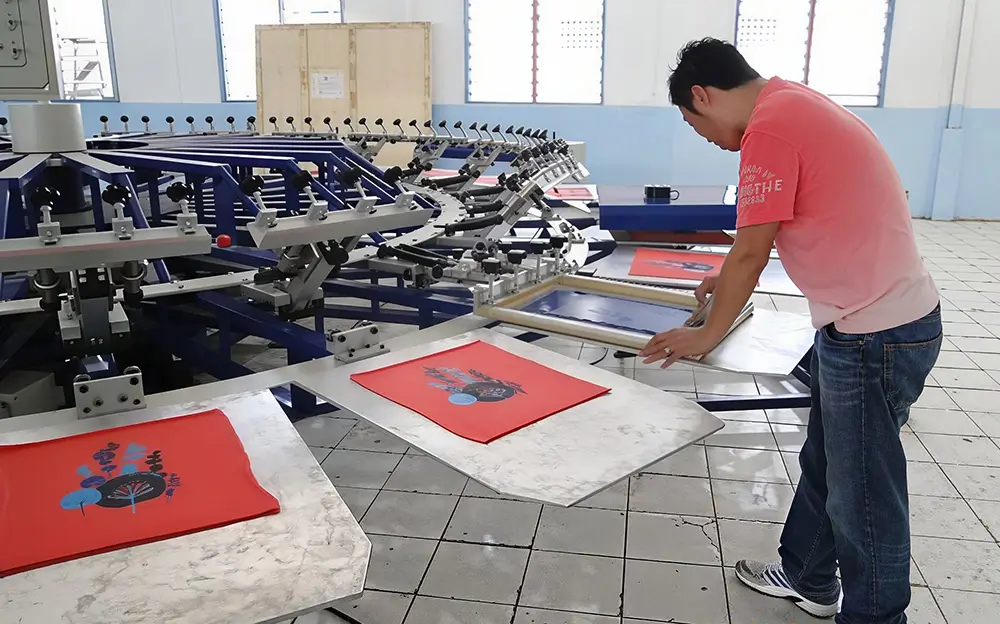
3. Screen Printing: Best for Colored Logos
Screen printing transfers ink through a patterned mesh onto a prepared surface. It is commonly used when a product needs a specific logo color, multiple colors, or larger graphic elements.
Unlike engraving, screen printing adds a printed layer rather than cutting a recess into the part.
Advantages
- Supports colored and multicolor logos.
- Suitable for larger graphics, symbols, and product labels.
- Can reproduce brand colors when the ink and process are properly specified.
- Can be cost-effective for suitable production quantities.
Limitations
- Durability depends on ink selection, surface preparation, curing, and operating conditions.
- Printing may be less suitable for surfaces with complex contours or difficult access.
- Small text and intricate details require careful design.
- The surface finish must be compatible with the printing process.
When Should You Choose Screen Printing?
Screen printing is worth considering when color is an important part of the product’s appearance.
Examples include:
- Control panels
- Electronic enclosures
- Equipment labels and operating symbols
- Products with branded color graphics
- Consumer products requiring specific logo colors
If the part will be anodized, painted, or powder-coated, confirm that the printing method and ink are compatible with the final finish.
4. CNC Engraving vs. Laser Marking vs. Screen Printing
The following table provides a practical starting point for selecting a logo marking method.
| Requirement | CNC Engraving | Laser Marking | Screen Printing |
|---|---|---|---|
| Recessed logo | Excellent fit | Depends on laser process | No |
| Fine logo details | Limited by tool size | Often a good choice | Good, depending on artwork |
| Small text and serial numbers | Suitable with sufficient space | Often a good choice | Depends on text size |
| Multiple logo colors | Requires additional processing | Usually limited by the marking result | Best fit |
| Physical depth | Yes | Usually shallow or surface-level; varies by process | No |
| Wear resistance | Depends on depth and application | Depends on material and marking process | Depends on ink and surface preparation |
| Suitable for changing serial numbers | Possible, but requires programming | Often a good choice | Less convenient |
| Works with anodized aluminum | Yes, with finish sequence planned | Often suitable after anodizing | Possible if ink and finish are compatible |
No method is best for every part. The final choice should consider the material, logo design, surface finish, required appearance, and intended use.
5. Which Logo Marking Method Is Best for Anodized Aluminum Parts?
Anodized aluminum is widely used for CNC machined housings, brackets, panels, and consumer product components. When adding a logo, the order of machining, anodizing, and marking can change the final appearance.
There are three common approaches.
Option A: CNC Engraving Before Anodizing
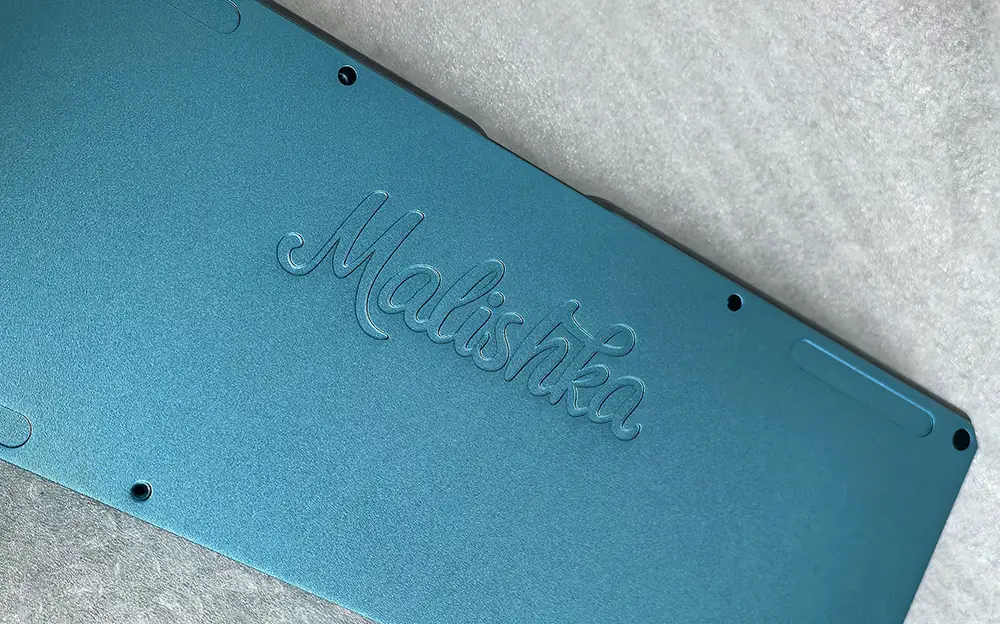
The logo is machined into the aluminum before the anodizing process.
The part is then anodized, including the engraved area where the process permits.
Choose this approach when:
- You want a physically recessed logo.
- The logo should be integrated into the component’s geometry.
- A similar color across the surrounding surface and logo is acceptable.
The final appearance depends on the anodizing process and logo geometry. Confirm the result with a sample if the visual match is important.
Option B: Laser Marking After Anodizing
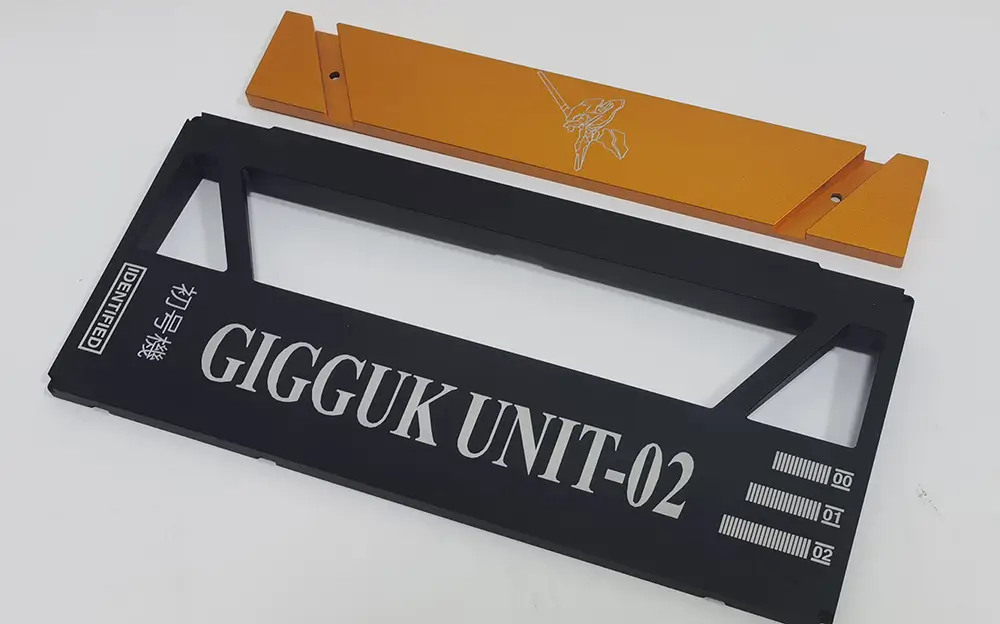
The aluminum part is anodized first, and the logo is laser-marked afterward.
On suitable dyed anodized aluminum, the laser can alter or remove the colored layer locally to create contrast.
Choose this approach when:
- You need a clear logo on a finished anodized surface.
- The design includes fine lines or small text.
- The logo must be added after the surface color is established.
The actual contrast depends on the anodizing color, coating, and laser settings. A sample is recommended for appearance-sensitive parts.
Option C: Printing After Anodizing
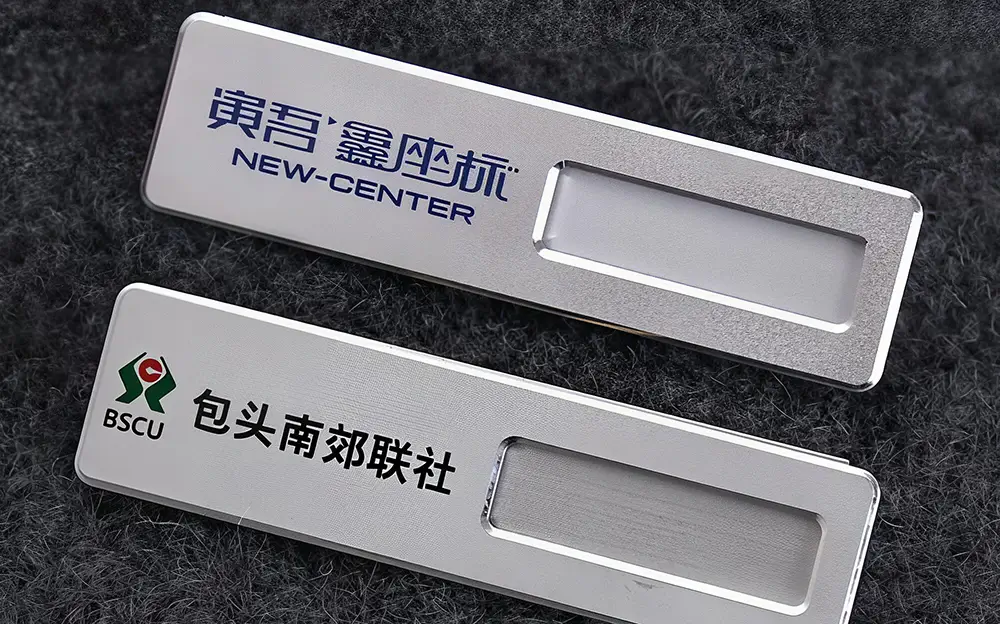
Printing can add colored logos or symbols to suitable anodized surfaces.
Choose this approach when:
- You need a specific brand color.
- The logo contains multiple colors.
- The product needs a graphic rather than a recessed feature.
Ink adhesion and wear resistance should be evaluated for the final surface and operating conditions.
Important: Specify the marking method and its position in the finishing sequence before production begins. Changing the marking method after machining or anodizing can lead to extra cost and may not reproduce the intended appearance.
For related finishing options, visit Machmaster’s CNC Surface Finishing Services.
6. What Should You Consider Before Adding a Logo to a CNC Part?
Choosing the process is only one part of the decision. The logo also needs to be designed and positioned correctly.
Logo Size and Detail
Small text, thin strokes, and intricate symbols may not reproduce clearly with every method.
Provide a high-quality vector logo file where possible, and confirm whether the artwork needs to be simplified for the selected process.
Logo Location
Identify the exact location and orientation on the 2D drawing or 3D model.
Avoid placing logos on sealing surfaces, bearing seats, critical mating features, or other areas where marking could affect function.
For curved surfaces or small components, confirm that the marking equipment can access the required area.
Material
Aluminum, stainless steel, brass, titanium, and engineering plastics respond differently to marking processes.
The same laser settings or marking method may not produce the same contrast on different materials.
Surface Finish
Decide whether the logo will be applied before or after anodizing, coating, polishing, or another finish.
The sequence can change logo visibility, edge definition, and surface protection.
Durability Requirements
Consider how the part will be used.
A logo on a protected equipment housing may have different durability requirements from a mark on a component exposed to frequent handling, abrasion, cleaning, or outdoor conditions.
Quantity and Cost
Production quantity, artwork complexity, setup requirements, and marking time can all affect cost.
CNC engraving may be convenient when the logo can be incorporated into the machining program. Laser marking can be practical for fine details and variable identification. Screen printing may be attractive for suitable colored graphics and production volumes.
Ask for a quotation based on the actual part, logo artwork, and production quantity rather than choosing solely by the process name.
7. What Logo Information Should You Send to Your CNC Manufacturer?
To obtain an accurate quotation and reduce the risk of an appearance mismatch, provide the following information:
- Part files: 3D CAD model and 2D drawing.
- Logo artwork: A vector file such as AI, SVG, or DXF where available.
- Marking location: Exact position and orientation on the part.
- Logo dimensions: Overall width and height, including any required text size.
- Material: Aluminum, stainless steel, brass, plastic, or another material.
- Surface finish: As-machined, anodized, polished, coated, or another specified finish.
- Appearance requirement: Recessed logo, high-contrast mark, same-color mark, or colored graphic.
- Quantity: Prototype, small batch, or production order.
- Durability requirement: Expected exposure to abrasion, cleaning, weather, or other operating conditions.
If the exact marking method is not yet clear, describe the desired appearance and how the part will be used. Your manufacturer can then review the appropriate options.
8. How Machmaster Supports CNC Part Marking
Machmaster manufactures custom CNC machined components and coordinates surface finishing according to customer drawings and project requirements.
Our website lists laser logo marking among the available surface finishing options. We also provide CNC machining and surface treatment services, including anodizing, blasting, polishing, plating, and other finishing processes.
For aluminum parts, our in-house anodizing workshop allows anodizing requirements to be coordinated with CNC production.
When requesting a quotation, provide the part drawing, logo artwork, material, finishing requirements, quantity, and desired marking appearance. This allows the manufacturing requirements to be reviewed together rather than adding the logo as an afterthought.
Conclusion: Choose the Logo Method That Fits the Part
For most CNC part logo decisions, start with the result you want:
- Choose CNC engraving when you need a physical recessed logo.
- Choose laser marking when you need fine details, small text, or product identification.
- Choose screen printing when specific logo colors or multicolor graphics are important.
For anodized aluminum, decide whether the logo should be machined before anodizing, laser-marked after anodizing, or printed on the finished surface.
The most reliable approach is to specify the logo, location, material, surface finish, and required appearance together before production begins.
Need a logo added to your CNC machined parts? Send Machmaster your CAD files, logo artwork, material, quantity, and finishing requirements. Our team can review your project and help determine a suitable manufacturing and marking approach.
Upload CAD Files and Request a Quote
Frequently Asked Questions
Is CNC engraving more durable than laser marking?
It depends on the application. CNC engraving creates a physical recess, while laser marking may change the surface or coating without creating significant depth. Engraving can be advantageous where a recessed mark is needed, but durability also depends on depth, material, and wear conditions.
Can you laser-mark a logo on anodized aluminum?
Yes, laser marking can produce contrasting logos on suitable anodized aluminum surfaces. The result varies with the anodizing color, coating, and laser settings, so a sample is useful when appearance matters.
Which method is best for a multicolor logo?
Screen printing is generally a more suitable option for multicolor graphics, provided the ink and surface are compatible. Laser marking usually has more limited color options.
Should a logo be added before or after anodizing?
Either approach may be appropriate. Engraving before anodizing can integrate a recessed feature into the finish. Laser marking after anodizing can create contrast on suitable surfaces. The choice depends on the required look, coating, and performance requirements.
What file format should I provide for my logo?
A vector file such as AI, SVG, or DXF is a good starting point. Include the intended logo size and location, and provide a drawing or marked-up model to show how the logo should appear on the finished part.