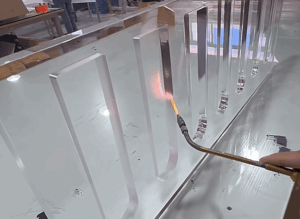

I remember standing in front of a table full of laser-cut parts, thinking: “How do they get cuts this smooth? What’s the secret?”
Back then, I was working on a prototype.
Everyone kept saying, “Just use laser cutting.”
But no one really explained how it worked.
I searched online. Watched videos.
And most of what I found?
Way too technical. Full of terms I didn’t understand.
It felt like everything was written for engineers in labs—not for someone like me, trying to bring a real product to life.
So I did it the hard way.
I asked questions, watched machines in person, and made mistakes along the way.
But over time, I figured it out.
That’s why I wrote this guide.
If you’ve been trying to make sense of laser cutting—how it works, what happens at each step—this is for you.
In this article, I’ll walk you through the step by step process:
- From your digital design
- To the laser machine
- To the final part in your hands
Whether you’re running a business, designing something new, managing supply chains, or working on a personal project—you’ll get a clear, honest explanation.
So let’s get started!
Laser Cutting Process Summary Table
Before you dive into your own laser cutting project, it helps to see the full picture in one place.
Here’s a quick summary of each step in the process. Use this table to stay on track, catch issues early, and know what to expect from start to finish.
| Step | What Happens | Why It Matters |
| 1. File Preparation | Create and clean up your digital design (e.g., .DXF, .AI, .SVG) | The laser follows this file exactly—small errors can ruin the final part. |
| 2. Material Selection | Choose the right material: acrylic, wood, metal, plastic, etc. | Impacts cost, speed, edge quality, and whether the cut will be clean. |
| 3. Machine Setup | Load the file, secure material, adjust laser settings and assist gas | Prepares the machine to cut accurately without damage or wasted time. |
| 4. Test Cut | Run a small test on the chosen material | Catches design or material issues before the full cut—saves time and money. |
| 5. Final Cut | The laser follows the full design, cutting out the shape | This is the actual production step—precision and speed matter here. |
| 6. Post-Cut Cleanup | Remove residue, films, and smooth edges if needed | Improves part appearance, usability, and makes handling safer. |
| 7. Final Inspection | Check part size, cut quality, and finish before packing | Ensures the final product meets your specs and is ready to ship or assemble. |
Step#1 File Preparation
Every laser cutting job starts with one thing: your design.
Before any material gets cut, you need to send a digital file. This file tells the laser where to move, where to cut, and where to stop. It’s the blueprint for everything that comes next.
Most laser cutting services ask for a vector file. These files use math, not pixels, to describe lines and curves. That means the laser can follow your exact shapes with high precision.
Common file types include:
.DXF(Drawing Exchange Format).AI(Adobe Illustrator).SVG(Scalable Vector Graphics).DWG(AutoCAD Drawing)
If you’re sending your file in one of these formats, you’re already on the right track.
But there are a few things to double-check before you hit send.
Clean Up Your Design First
Laser cutters are exact. But they can only follow what’s in the file. So if your file has small errors, those mistakes can show up in your final part.
Here’s what to look for:
- Make sure your drawing is the right size Your part should be scaled correctly before exporting the file. Double-check units (inches, mm, etc.).
- Delete any duplicate lines Overlapping paths can make the laser cut the same spot twice, which wastes time and burns the edge.
- Close your shapes Open curves or broken shapes can confuse the machine. Make sure your paths are complete.
- Use simple layers and colors Some machines read color as instructions. Ask your supplier if they need specific layer names or color codes.
I once sent a file that looked perfect on screen.
But I had two shapes overlapping without realizing it. The laser cuts the same area twice. The part got scorched, and I had to re-order. That one mistake cost me three days and a lot of frustration.
Not a Designer? No Problem
If you’re not used to design software, you’re not alone. Many services will help you prep your file. Some charge a small fee. Others include it for free.
It’s always worth asking. A quick email can save you hours of fixing issues later.
File prep may feel small—but it sets the tone for your whole project. Get this right, and the rest run smoother.
Step#2 Material Selection
Now that your file is ready, it’s time to pick what you want to cut.
This step matters more than most people think.
The type of material you choose affects everything—how smooth the cut looks, how long it takes to finish, and how much you’ll pay. Some materials are cut fast and clean. Others take more power and time. Some leave burn marks or melt at the edges if not handled right.
So how do you pick the right one?
Common Laser Cutting Materials
Here are some of the most used materials for laser cutting:
- Acrylic: Great for signs, displays, and panels. Cuts clean with shiny edges. Comes in clear, solid, or tinted colors.
- Wood: Plywood, MDF, and hardwoods are popular choices. Works well for models, crafts, and enclosures. Watch out for scorch marks near the edges.
- Metal: Stainless steel, aluminum, brass, and copper are all laser-cut friendly but they often need more powerful machines. Good for strong parts and structural use.
- Plastics: Can be clean and cheap. But some types (like PVC) release toxic fumes. Always check material safety first.
- Other: You can also cut paper, cardboard, leather, rubber, and fabric. These are great for models, fashion, or packaging.
I once tried cutting a thick piece of MDF without asking if it was a good match.
The machine slowed down, the edges burned, and the result looked rough. I had used a thick sheet of MDF without checking first. The team at MachMaster later told me it was too thick for that setup. Their engineers explained how the material thickness impacts speed and edge quality. A thinner sheet would’ve saved time—and looked way better.
Ask Before You Buy
Always check with your provider before buying your material or sending in a design.
Ask these questions:
- What materials do you already stock?
- What thickness works best for this job?
- Do I need to prep the surface?
They’ve likely run similar jobs before. Their advice can help you avoid mistakes.
Material choice isn’t just about looks. It affects the whole job speed, cost, and final result. So take a few minutes to pick the right one. It’ll be worth it.
Step#3 Machine Setup
Once your design is done and the material is picked, the laser cutting team takes over.
This part happens behind the scenes but it plays a big role in how your job turns out. It also explains why some jobs cost more or take longer than others.
Here’s what happens during setup:
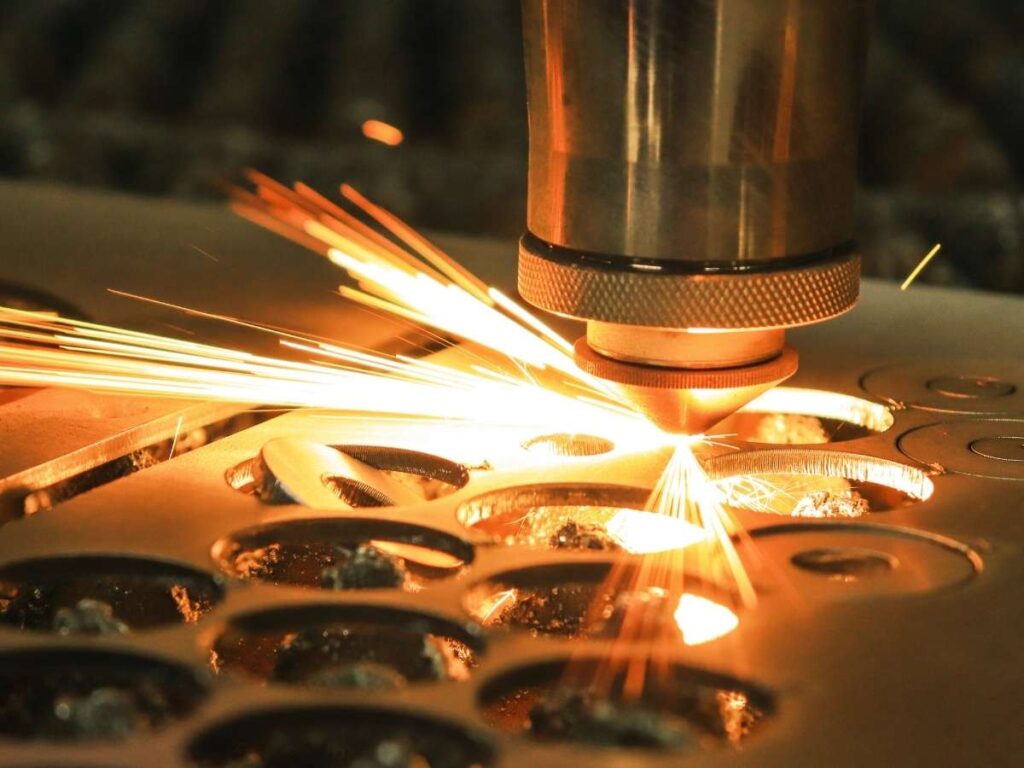
- They upload your file: The operator opens your design in special software that talks to the laser cutter. This tells the machine exactly where to move and cut.
- They secure your material: The sheet gets placed flat on the cutting bed. It must stay still. Even a slight shift can ruin the cut.
- They adjust machine settings: This includes setting the laser’s power, speed, and focus height. These settings change depending on the material type and thickness.
- They pick the right assist gas: Gases like air, oxygen, or nitrogen are used to keep the cuts clean and free of burn marks. Each gas works better with certain materials.
One time, I requested a rush job on aluminum. The supplier tried to speed things up by reusing a setup from a similar job. But they didn’t adjust the gas setting. The cut edges came out rough. I had to send the whole batch back.
That’s when I learned small setup choices make a big difference.
Why This Matters to You
You’re not expected to run the machine. But knowing what’s involved helps you make better decisions.
Machine setup affects:
- How clean your cut is
- How fast the job gets done
- How much it costs
Some materials need slower speeds or more powerful settings. Some require extra care with gas or heat.
If your job takes longer than expected or costs more it’s usually tied to this step.
So when a supplier asks for time or recommends a change, it’s not random. They’re trying to get the setup right.
And the better the setup, the better your final part.
Step#4 Run a Test Cut
Before running your full job, most laser cutting services will do a test cut.
It’s a small step, but it matters. Especially if your design is new or the material isn’t something they cut often.
A test cut helps catch problems early before wasting material or time.
Here’s what they check during this step:
- Are the edges clean? The cut should be smooth. No burning, melting, or jagged lines.
- Is the size accurate? The part should match your design. If a hole is off by even 0.2mm, it could cause trouble later.
- Any signs of charring? Burn marks, smoke stains, or melted spots are red flags. A good test helps fix those before the final cut.
I once skipped the test cut on a small batch of acrylic tags.
I thought everything looked fine in the file. But the letters ended up too thin, and parts cracked during cleanup. I had to remake the whole batch with thicker fonts and adjusted spacing. A simple test would’ve saved me time, money, and stress.
Why It’s Worth It
A test cut takes just a few minutes.
But it can save hours of rework—and materials you might have to pay twice.
Some shops will show you a photo of the test result. Others may ask you to approve it before moving forward. That’s a good thing.
It gives you a chance to tweak your design or pick a better material if needed.
So even if your job seems small, don’t rush this step. A clean test cut is your green light. It means the setup is solid. The design works. And you’re ready for production.
A little check now keeps bigger problems from showing up later.
Step#5 Perform the Final Cut
Once everything is set the file, the material, the machine, and the test cut—it’s time to run the job.
This is where real cutting happens.
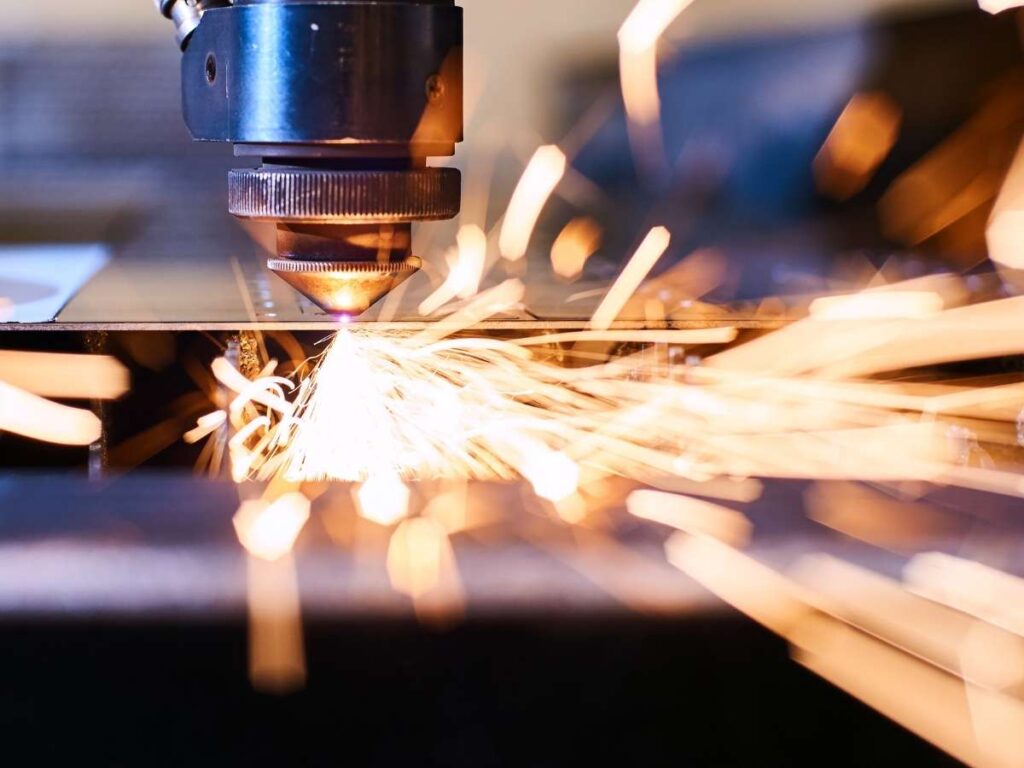
The laser follows the path you created in your file. It moves across the material, burning or vaporizing as it goes. Every corner, curve, and hole is cut exactly the way you designed it.
Here’s what happens during this step:
- The laser tracks your design It moves fast but stays controlled. The path is guided by your digital file.
- The beam cuts the shape Depending on the material, the laser either burns through or vaporizes the edges. It doesn’t touch the part—just uses focused light.
- Gas blows through the nozzle This keeps the cutting area clean. It helps remove smoke, ash, and melted bits. It also protects the edges from getting burned or warped.
I remember one job where the supplier called me mid-cut. The material I picked was reflecting heat in a weird way, causing slight edge damage. They paused the job, swapped it in a lower-power setting, and ran it again. I was lucky they caught it early. If they hadn’t, I would’ve ended up with 300 unusable parts.
What to Expect
Some cuts are quick in just a few minutes.
Others take longer. If your design has lots of small parts, fine details, or multiple layers, it may take up to an hour or more. Bigger sheets take more time too, especially if the machine needs to slow down for precision.
You don’t have to be there while this happens. But it helps to understand why the job might take time and why some parts cost more than others.
This step brings everything together.
Your design. Your material. Your setup.
And now your final part, ready to go.
Step#6 Post-Cut Cleanup
The laser’s done cutting. Your parts are taking shape.
But before they head out the door, most shops do a bit of cleanup work.
Laser cutting can leave behind small signs of heat. That might be dust, soot, or sticky edges—depending on the material you used.
Here’s what the shop might do next:
- Wipe Away Residue: Cutting can leave dark marks or smoke stains, especially on wood or acrylic. A simple wipe-down makes a big difference.
- Remove Masking Films: Many materials come with a thin plastic film to protect the surface. That film keeps scratches away during cutting but it needs to come off before use.
- Smooth the Edges: Some parts get sanded or buffed, especially if they have rough spots or sharp corners. Not all materials need this, but some benefit from a quick finish.
- Organize and Pack: Good shops won’t just toss your pieces in a box. They’ll stack or label them so you can find what you need quickly.
I once got a batch of small acrylic parts that were packed loose in a big box. No labels, no layers—just a pile. Half the corners were chipped during shipping. The supplier was polite about replacing them, but it taught me something: cleanup and packing matter just as much as the cut.
Ask What’s Included
Not every job needs cleanup.
But it’s smart to ask your service provider ahead of time:
- Will you remove the masking?
- Are the parts wiped or sanded?
- How will you pack and ship the final job?
Some of these steps are included. Others might cost a little more. Either way, knowing what to expect helps avoid surprises.
Clean parts save you time later. So before your job wraps up, make sure the finish matches what you need.
Step#7 Final Inspection
Before your parts get packed up and shipped, there’s one more step a final check.
It doesn’t take long. But it helps catch small mistakes before they reach you.
Most shops do a quick inspection to make sure your order meets the basic standards. They compare the cut parts to your original file and look for any signs of trouble.
Here’s what they usually check:
- Are the dimensions correct? The part should match your design with the right tolerance. A small size error can cause problems during assembly.
- Are the cuts clean and complete? No skipped lines. No half-cut shapes. The laser should’ve finished every path in your file.
- Is the surface clean? No heavy soot, melted edges, or warping from too much heat.
I had one job that looked perfect from the top. But underneath? The laser hadn’t cut all the way through. A simple flip and check would’ve caught it. Instead, I found out after I unpacked everything. That one missed step added two days to my project.
You Can Ask for a Photo or Sample
If your job is big or time sensitive it’s okay to ask for a final preview.
Some providers will send you:
- A photo of the first finished part
- A sample cut from the batch before starting the full run
It gives you a chance to double-check before the full order is shipped. That small step can help avoid rework, delays, or back-and-forth emails later.
Final inspection isn’t just a box to check. It’s the last chance to make sure your parts are ready for use.
And when you get them in hand you want to know they’re right.
Conclusion
Laser cutting used to feel confusing, didn’t it?
Not anymore.
You’ve got a clear, simple step by step process now.
You’ve seen what happens inside the machine.
You understand the path from idea to real part.
You’re not guessing—you’re learning.
That day I stood wondering how they got those clean cuts?
Now I can walk you through every step.
And now you can walk someone else through it, too.
So take that next step. Ask a question. Make a move.
Let’s make it happen. Contact us to get started.
More Guides and Tips to Explore
We’ve got more for you! These articles provide more tips and guidance to keep you on track:
Still haven’t found what you’re looking for? Don’t hesitate to contact us. We’re available around the clock to assist you.