
I still remember standing in my first CNC shop.
It smelled like warm plywood and machine oil. I was excited. Also overwhelmed. I’d designed a part. I had a budget.
And now I had to pick: CNC router or CNC mill?
The shop owner asked me, “What kind of finish are you after?” I had no idea what that even meant.
If you’re in the same spot—stuck choosing between routing and milling—this guide is for you.
I’ve worked with designers, factory owners, and small business builders over the years. Each one hit this fork in the road. Some made the right call. Some didn’t. I’ve seen what works.
In this article, I’ll walk you through the key differences between CNC routing and milling—clearly, without the jargon. You’ll learn what each one does best and how to match them with your goals.
By the end, you’ll know what to choose. You’ll know why. And you’ll feel good about it.
Let’s dive in!
1. What is CNC Routing?
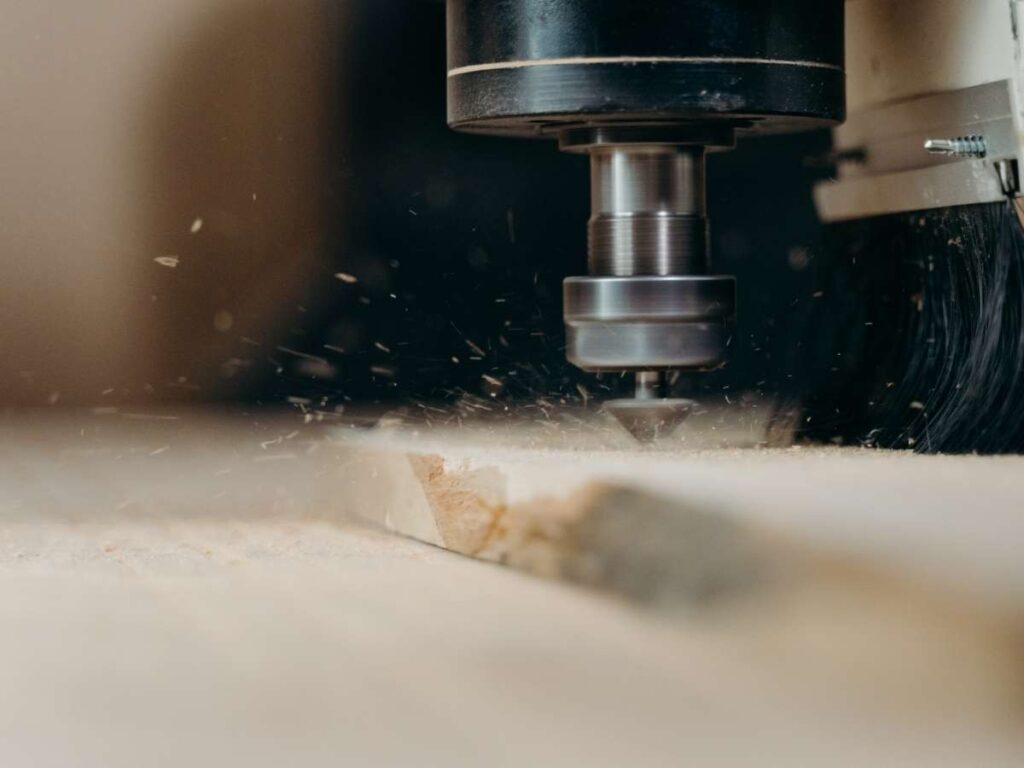
The first time I stood over a CNC router in action, I was amazed at how fast it tore through a full sheet of MDF. Clean passes. No chatter. Just smooth, controlled motion. If you’re used to working with bulk material, you know how rare that is.
CNC routing uses a computer-controlled cutting machine that’s ideal for soft and large-format materials. Unlike milling, which relies on torque and weight, a router leans on speed, often running spindles at 18,000 to 24,000 RPM or more. It’s built to prioritize output over ultra-high precision.
At Machmaster, we use CNC routing every day to help clients meet fast turnaround times without compromising on quality.
If you’re producing high volumes or managing short lead times, this machine is designed with you in mind.
Typical Materials
When it comes to material flexibility, routers are at home with:
- Wood (including plywood and hardwood)
- MDF and other composites
- Plastics like ABS, HDPE, and acrylic
- Foam for packaging or displays
- Soft aluminum (with light passes and the right tooling)
If you regularly work with sheet goods, a CNC router saves hours, possibly days, off your workflow.
Common Applications
If your business touches any of these industries, CNC routing likely plays a role:
- Furniture and interior paneling
- Signage — from channel letters to engraved boards
- Retail displays and POP structures
- Cabinetry and architectural millwork
- Packaging prototypes and foam inserts
In short: when the job requires shape, speed, and scalability, without demanding tight metal tolerances, routing delivers.
Machine Structure
Here’s where things get real for factory layout and machine planning.
CNC routers are typically gantry-based machines, lightweight and designed for wide working areas. This makes them perfect for full-sheet (4×8 or 5×10) cuts.
They can run fast and light, thanks to low-resistance tooling paths and a mobile cutting head.
That also means:
- Lower vibration
- Less stress on tooling
- Faster cycle times on soft materials
Just know, if you push it into heavy-metal work or precision tolerances, you’ll start to hit limits. That’s not what it was built for.
2. What is CNC Milling
Obeserving CNC mill carve into a solid block of aluminum, I understood why precision matters. The machine didn’t just cut, it sculpted. Clean edges. Tight tolerances. No margin for guesswork.
CNC milling is a computer-controlled machining process built for precision. Unlike routers, which rely on speed, a CNC mill operates at lower RPMs but with much higher torque.
It’s a slower, heavier approach, but that’s exactly what you want when working with dense materials or engineering-grade metals.
At Machmaster, we rely on CNC milling to deliver high-precision parts that hold up under stress—because for many projects, precision isn’t optional.
If your parts need to function under stress or fit within microns, this is your machine.
Typical Materials
CNC milling isn’t shy when it comes to tough jobs. It handles:
- Steel (mild, carbon, and stainless)
- Titanium and aerospace-grade alloys
- Aluminum (with more precision than routers can offer)
- Brass and copper
- Engineering plastics like Delrin, UHMW, PEEK
If your parts are used, tested, bolted, or exposed to mechanical stress, CNC milling gives you the edge.
Common Applications
Mills shine when your parts aren’t just cosmetic, they’re functional, and every millimeter counts. Think:
- Precision mechanical components
- Gears, bushings, and structural brackets
- Injection molds and tooling
- Automotive engine parts
- Aerospace fittings and housings
These aren’t parts you can fake. CNC milling ensures they fit, move, and last.
Machine Structure
If CNC routers are sprinters, CNC mills are powerlifters.
They’re built with heavy-duty frames, either column-type or bed-type configurations, designed to absorb vibration and handle deep cuts. These machines don’t flex or chatter, even under load.
What else sets them apart?
- Automatic tool changers for multi-step operations
- Coolant systems to manage heat during deep cuts
- Precision ball screws and servo motors for exact positioning
It’s not just a cutting tool, it’s a production asset. And when uptime, repeatability, and fine detail matter, you want that rigidity on your side.
3. Machine Construction & Rigidity
The physical structure of a CNC machine isn’t just a design choice, it’s a performance driver.
I learned this the hard way on a past production run. We were using a lightweight router for small aluminum parts, thinking it would “do the job.” The vibration killed our accuracy, tool life plummeted, and we had to scrap nearly 40% of the batch.
If you’re serious about consistency and tolerances, machine construction and rigidity aren’t optional, they’re foundational.
CNC Routers: Lightweight, Built for Speed
CNC routers are designed to move quickly over large surface areas, which is why they use a gantry-style design. The gantry (a horizontal bridge across the machine) holds the spindle and moves along the X and Y axes.
This lightweight structure is great for:
- Fast traversal speeds
- Larger sheet material handling (like 4×8 or 5×10)
- Low resistance materials (e.g. foam, wood, plastic)
But here’s the tradeoff, lower rigidity.
The lightweight frame and fast-moving components can introduce flex, vibration, and tool chatter when cutting harder or denser materials. This affects not just surface finish, but also dimensional accuracy.
If you’re working with tight tolerances or mechanical fits, that flex could cost you.
CNC Mills: Heavy-Duty for High-Precision
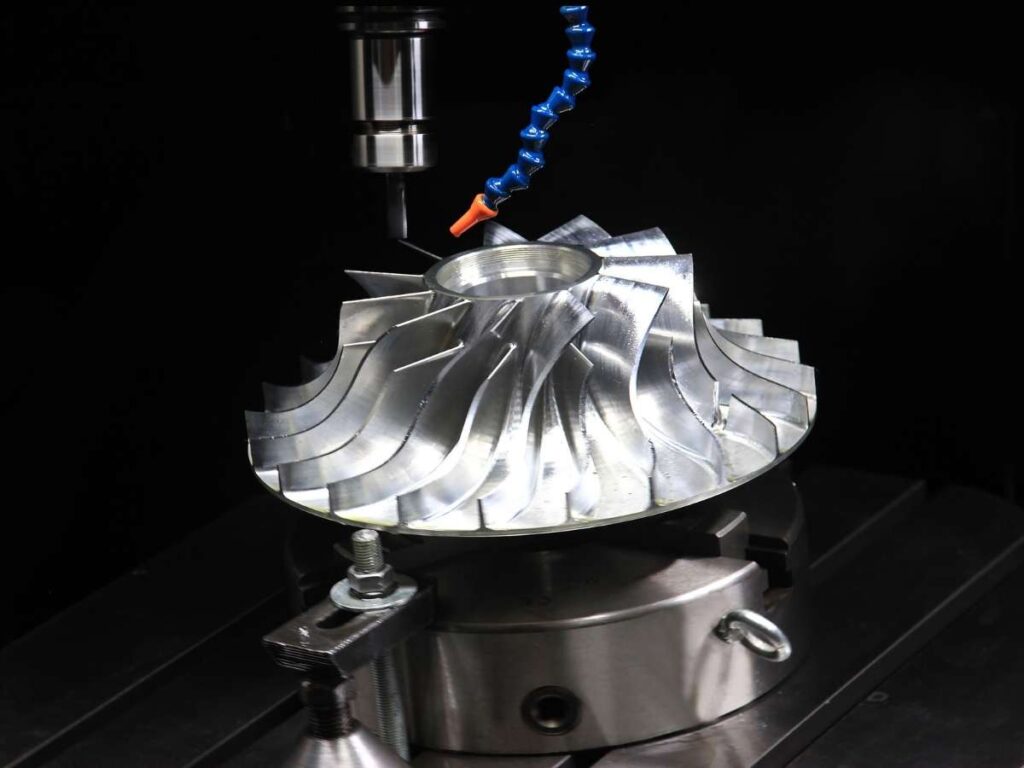
Mills take the opposite approach, they are built like tanks. Whether it’s a bed-type, column-type, or vertical/horizontal machining center, the goal is the same: eliminate vibration, increase cutting force, and maintain stability at all times.
CNC mills feature:
- Cast iron or steel frame construction
- Linear rails or box ways for strong axis control
- Heavy-duty ball screws for precise movement
- Fixed worktables and mobile heads for maximum stiffness
This rigidity is why mills can:
- Perform deep cuts in tough metals
- Achieve micron-level precision
- Handle complex 3D contouring
- Sustain longer tool life and cleaner finishes
Simply put, if your part can’t tolerate movement, neither can your machine.
4. Spindle Speed & Power
When we first scaled up production for a multi-material project, I assumed our router could handle aluminum just fine. After all, the spindle speed was impressive.
What I didn’t realize: speed without torque is like spinning your wheels in the mud. We burned through bits, overheated parts, and eventually had to shift to milling. It costs us time, money, and credibility.
That’s when I truly understood the balance between RPM and torque.
CNC Routers: High Speed, Low Torque
Routers are all about RPM, and lots of it.
Most industrial-grade CNC routers run between 18,000 and 24,000 RPM, sometimes higher. This makes them perfect for soft materials like:
- Wood
- Plastic
- Foam
- Composites
These materials don’t need force, they need fast, efficient chip evacuation. A high-speed spindle reduces friction, minimizes tear-out, and speeds up production.
But here’s the catch: routers typically operate with lower torque. That means if you try to push them through dense metals or deep cuts, you’ll see:
- Tool deflection
- Excessive wear
- Poor surface finish
- Higher scrap rates
In short, the router is a sprinter, built for speed, not muscle.
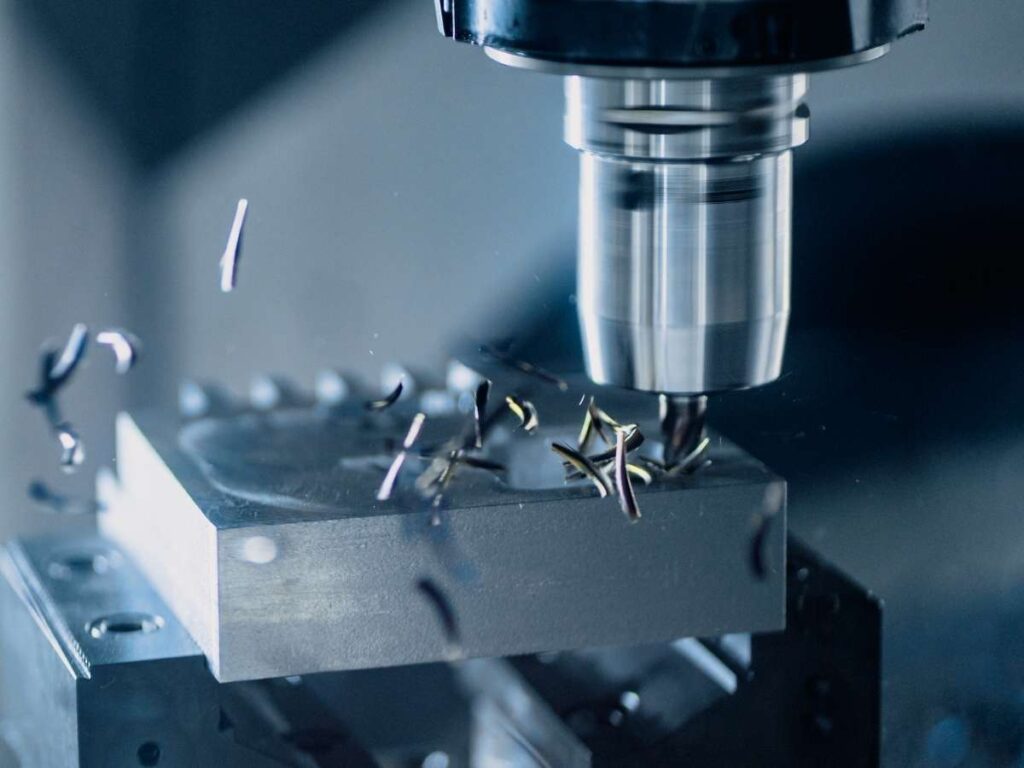
CNC Mills: Low Speed, High Torque
Mills flip the equation.
While most CNC mills operate at lower RPMs, typically up to 10,000 RPM, they come packed with much higher torque. This makes them ideal for:
- Steel
- Titanium
- Brass
- Aluminum (with aggressive cutting strategies)
The added torque allows mills to plunge deeper, remove more material per pass, and hold accuracy under load. It’s especially important for operations like:
- Thread milling
- Slotting
- Deep pocketing
- Metal contouring
And because torque comes from both the spindle motor and the mechanical design, milling machines don’t bog down when you lean into them.
If your parts have tight tolerances, toolpath complexity, or functional requirements, milling is the clear choice.
5. Precision & Tolerances
A client once asked me, “How much accuracy are we talking about here?”
It was for a mechanical bracket, a tight fit, and critical alignment. We were initially using a router to save time, but when tolerances kept drifting by even a fraction of a millimeter, it became clear:
Precision isn’t optional. It’s the foundation of functionality. If your parts need to fit, hold, move, or seal, the machining tolerance isn’t just spec, it’s your insurance policy.
| Feature | CNC Routing | CNC Milling |
| Typical Tolerance Range | ±0.01″ to ±0.03″ (0.25mm to 0.76mm) | ±0.001″ to ±0.005″ (0.025mm to 0.127mm) |
| Repeatability | Moderate (subject to material flex & vibration) | High (rigid structure and low tool deflection) |
| Edge Finish | Clean for wood/plastics, rougher on metals | Consistently smooth across materials |
| Vibration Sensitivity | Higher — affects accuracy & bit wear | Minimal — vibration dampened by heavy structure |
| Tool Holding & Stability | Basic toolholders, shorter cutting life | Precision holders (ER, CAT, BT), longer tool life |
| Ideal Use Cases | Aesthetic parts, signage, cabinetry, prototypes | Functional parts, mechanical fits, assembly parts |
| Surface Flatness | Lower — more variation across large surfaces | Higher — tight flatness control over small areas |
If you’re:
- Making parts for visual presentation. Routing is good enough.
- Cutting custom panels or prototypes. Slight tolerance shifts are okay.
- Producing precision-engineered parts. You need milling. Full stop.
Tolerances affect:
- Fitment in assemblies
- Wear and friction over time
- Seal performance
- Product safety and warranty risk
This becomes mission-critical in aerospace, automotive, medical, robotics, and industrial hardware.
6. Bed Size & Part Size Capabilities
One of the first bottlenecks I ran into as a production lead wasn’t cutting speed; it was part size limits.
We had a client order oversized retail display panels, and our CNC mill simply couldn’t handle the full sheet. We had to cut the parts into sections and assemble them afterwards. The job took twice as long and didn’t look as clean.
That’s when I realized, bed size isn’t just about how big your machine looks. It defines what kind of work your operation can take on.
CNC Routers: Made for Large Sheets
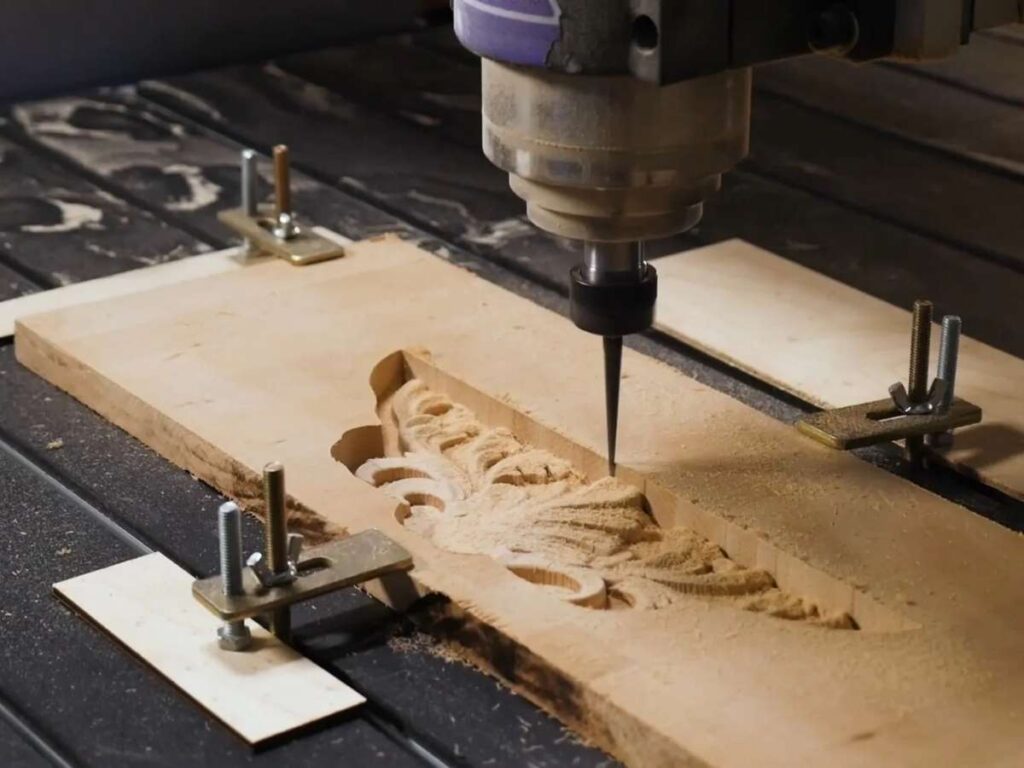
CNC routers are built with bed size in mind, and they dominate when it comes to handling large-format materials.
Standard router bed sizes include:
- 4’ x 8’ (1220mm x 2440mm): Most common in woodworking
- 5’ x 10’ (1525mm x 3050mm): Ideal for signmaking and panel work
- 6’ x 12’ (1830mm x 3660mm): Available in industrial setups
With open gantry or pass-through designs, routers can even handle extra-long sheets or continuous feed materials. This makes them perfect for:
- Cutting full MDF or plywood sheets
- Nesting large parts for volume production
- Working on projects like cabinetry, doors, signs, foam packaging inserts, or wall panels
If you’re in industries where material width and length matter more than thickness, a router’s large bed gives you serious production flexibility.
CNC Mills: Designed for Precision, Not Size
CNC mills are the opposite, they’re optimized for accuracy over area. Most are built to handle smaller, denser workpieces. Common bed sizes include:
- 12” x 18” (300mm x 450mm) – small vertical mills
- 20” x 40” (500mm x 1000mm) – mid-size vertical machining centers
- Up to 40” x 80” or more in industrial setups, but with tradeoffs in cost and footprint
But even when mills scale up, they maintain tight Z-axis clearances and higher rigidity, which means you can cut thicker, more complex parts, but not necessarily larger flat panels.
Typical use cases for mills include:
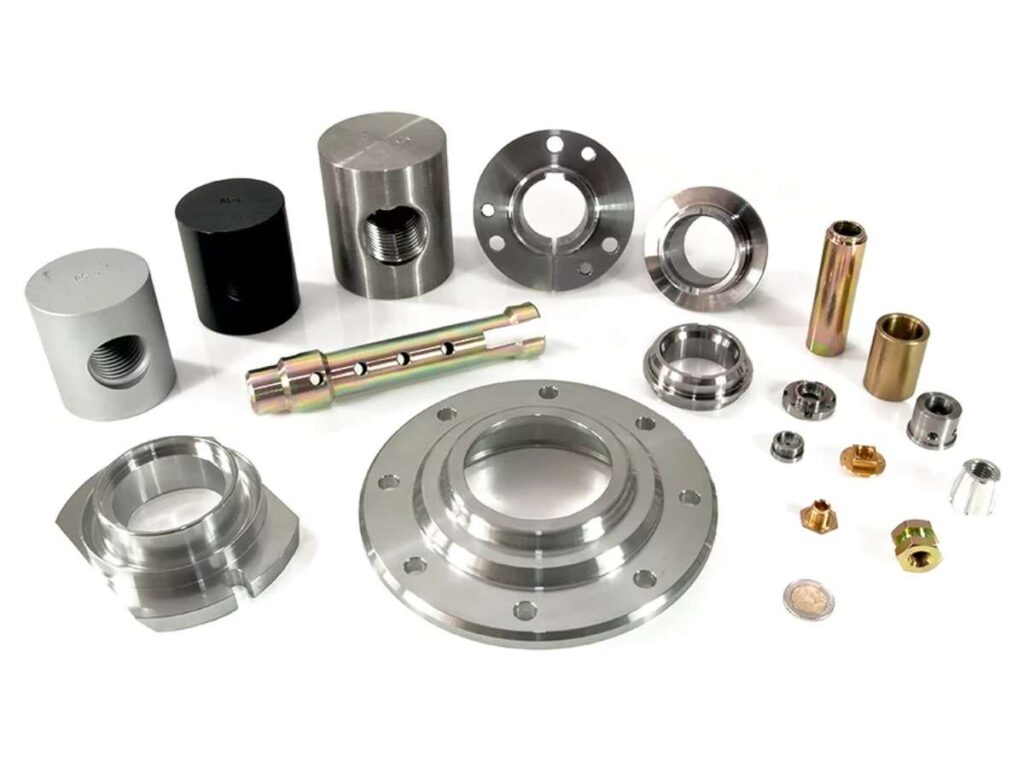
- Machining enclosures, brackets, gears, and bushings
- Working with billet aluminum or steel blocks
- Producing dies, molds, and mechanical assemblies
Vertical vs Horizontal Layouts
One thing to note: some CNC mills come in horizontal configurations or offer 4th/5th-axis rotation, which helps with multi-sided machining, but not with larger bed surface area.
Routers, on the other hand, are almost always flatbed, which gives you a clear and usable workspace edge to edge.
7. How to Choose Between CNC Routing and Milling
Let’s be honest: choosing between CNC routing and milling isn’t just a technical decision; it’s a business decision.
It affects your cost per part. Your cycle times. Your customer satisfaction. Even your ability to win the next job.
So if you’re trying to decide which method to use, or which machine to invest in, here’s how to approach it with total clarity.
Start With Your Material
This is the #1 filter. Every other factor ties back to what you’re cutting.
| Material Type | Recommended Method |
| Wood, MDF, Foam | CNC Router |
| Plastics (ABS, Acrylic, PVC) | CNC Router or Mill (depends on precision needs) |
| Aluminum (soft alloys) | CNC Router (light use), CNC Mill (for precision) |
| Steel, Titanium, Brass | CNC Mill only |
| Composites & Carbon Fiber | Depends — high-rigidity routers or mills |
If your material is soft or sheet-based, routing is more efficient. If it’s dense, thick, or functional, go with milling.
Then Consider Tolerances
Ask yourself:
- Does the part need to fit or move in an assembly?
- Will it be under stress or pressure?
- Are there tight dimensional or surface finish specs?
If the answer is yes to any of the above, choose milling. Routing is better for parts where appearance and speed matter more than ultra-tight precision.
Part Size and Production Format
- Are you cutting full sheets or large panels? Go for a CNC Router
- Are your parts compact, thick, or multi-sided? Go For CNC Mill
Also consider:
- Batch sizes
- Material nesting strategies
- Post-processing requirements
Larger, visual parts favor routers. Complex, functional parts favor mills.
Conclusion
I left that shop smarter than I walked in. Not just about machines, but about asking the right questions.
CNC routing vs milling, now you know what each one does, when to use them, and why it matters.
This isn’t just about tools. It’s about outcomes. About time, money, and quality.
You’re ready to move forward with clarity.
Start now. Don’t wait for the “perfect” moment.
Your part, your product, your project? It’s worth doing right.
So what’s holding you back?
Contact us. Let’s figure out the best path for you—together.
Recommended Reads for You
Need more ideas? Browse through our extended range of products and discover something new:
Still haven’t found what you’re looking for? Don’t hesitate to contact us. We’re available around the clock to assist you.